Ks deed 2026

Get Form
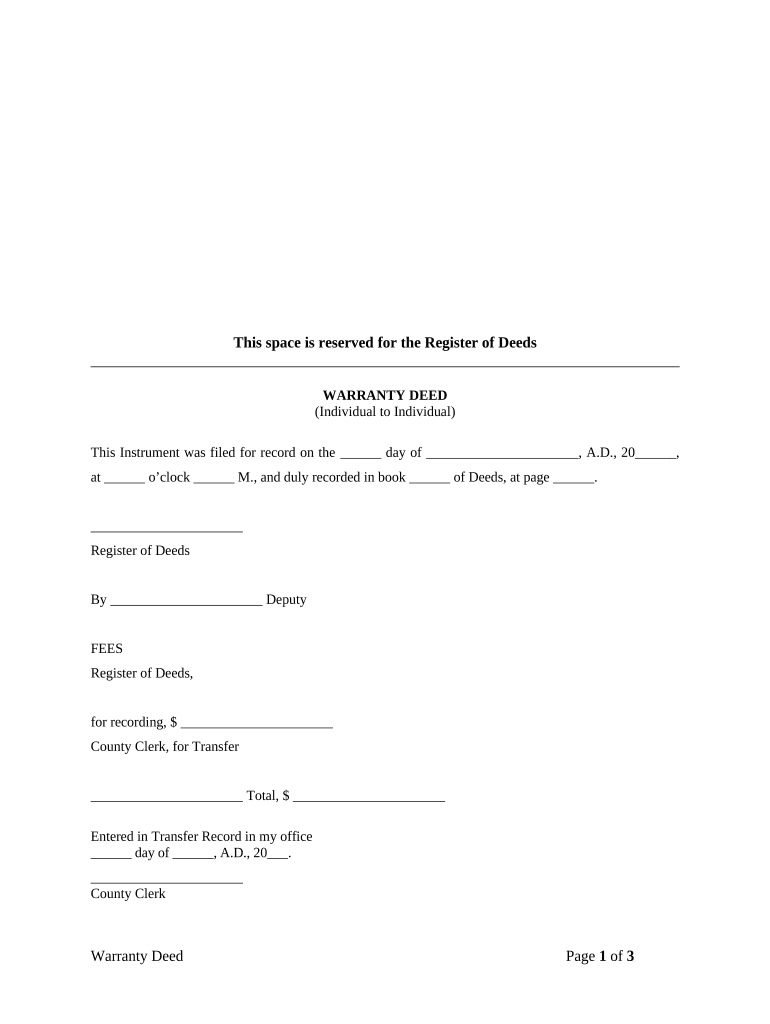
ks deed Preview on Page 1

Here's how it works

01. Edit your form online
Type text, add images, blackout confidential details, add comments, highlights and more.
02. Sign it in a few clicks
Draw your signature, type it, upload its image, or use your mobile device as a signature pad.
03. Share your form with others
Send it via email, link, or fax. You can also download it, export it or print it out.

How to use or fill out ks deed with our platform

Form edit decoration
9.5
Ease of Setup
DocHub User Ratings on G2
9.0
Ease of Use
DocHub User Ratings on G2
  1. Click ‘Get Form’ to open the ks deed in the editor.
  2. Begin by filling in the date of recording at the top of the form. This is crucial for legal documentation.
  3. In the 'Grantor' section, specify the name and marital status (unmarried or married) of the individual transferring property. Include their county of residence.
  4. Next, enter the name and marital status of the 'Grantee', who will receive the property, along with their county.
  5. Fill in the legal description of the property being transferred. If there’s an attached Exhibit A, ensure it is referenced correctly.
  6. Complete any prior instrument references if applicable, including book and page numbers.
  7. Both Grantor(s) must sign and print their names at the designated signature lines.
  8. Finally, have a Notary Public witness your signatures and complete their section to validate the document.

Start using our platform today to easily fill out your ks deed for free!

be ready to get more

Complete this form in 5 minutes or less

Get form

Got questions?

We have answers to the most popular questions from our customers. If you can't find an answer to your question, please contact us.
Contact us

Sure, and it’s really straightforward! DocHub is a web-based PDF editor with advanced document management capabilities that allow you promptly modify your documents, complete empty fields and add new ones for others to fill out, and create electronic signatures in several ways. Add your ks deed, give information as requested, and choose how you want to eSign your template - by typing your name, drawing your signature, uploading its image, or using a QR code.

You may quickly fill out, modify, and even eSign your ks deed using DocHub. Create a new account and start your free trial. After that, you can upload the file with the form and simply make all the required edits. No need to print on paper or use a third-party application to sign it, as you can put your electronic signature on your document quicker through DocHub.

A deed is a legal document that transfers property ownership from one party to another. In California, as in other states, a deed must be signed by the seller in order to be legally binding.
Yes, if your name is on the deed but not on the mortgage, you generally have ownership rights and can sell your share of the property. However, the mortgage lender must be paid off or refinanced before the sale, since the mortgage is a lien on the property, regardless of whose name is on it.
0:11 1:16 And made them available. Online start by visiting your county clerks website and search for land.MoreAnd made them available. Online start by visiting your county clerks website and search for land. Records. You can also try using a thirdparty website like countyoff.org.

Security and compliance

At DocHub, your data security is our priority. We follow HIPAA, SOC2, GDPR, and other standards, so you can work on your documents with confidence.

Learn more
ccpa2
pci-dss
gdpr-compliance
hipaa
soc-compliance