Type text, add images, blackout confidential details, add comments, highlights and more.
02. Sign it in a few clicks
Draw your signature, type it, upload its image, or use your mobile device as a signature pad.
03. Share your form with others
Send it via email, link, or fax. You can also download it, export it or print it out.
How to use or fill out garnishee with our platform
Ease of Setup
DocHub User Ratings on G2
Ease of Use
DocHub User Ratings on G2
Click ‘Get Form’ to open the garnishee document in the editor.
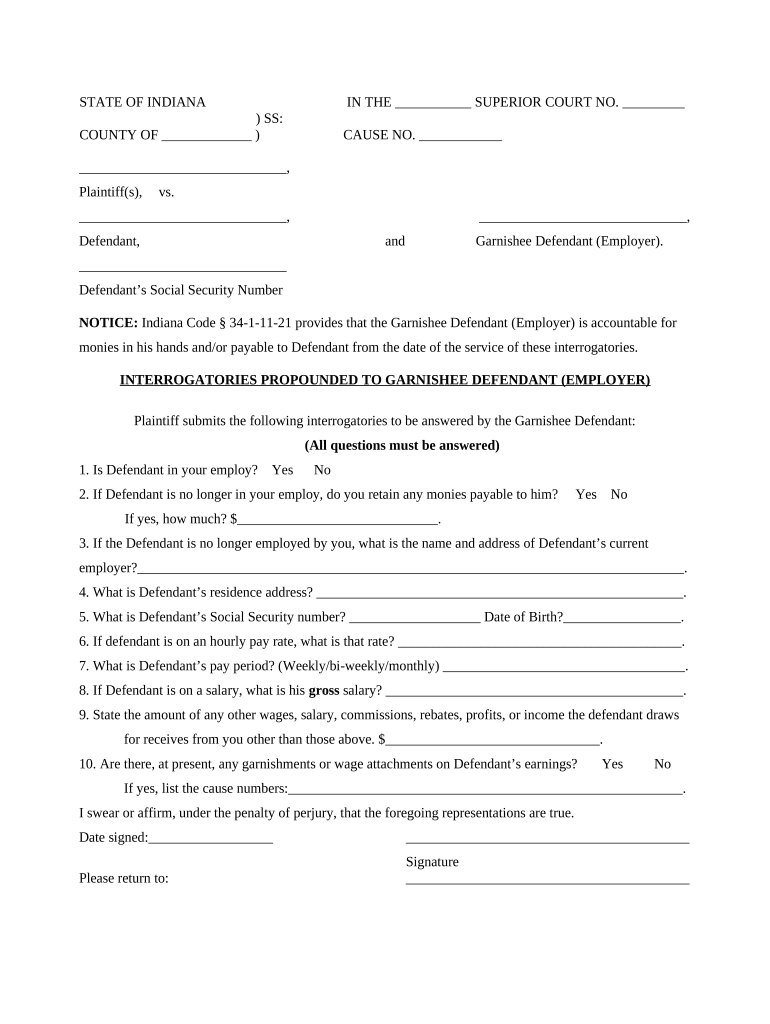
Begin by filling in the court name and cause number at the top of the form. This information is crucial for identifying your case.
In the section labeled 'Garnishee Defendant (Employer)', enter the name of the employer who is responsible for answering these interrogatories.
Proceed to answer each interrogatory carefully. For example, indicate whether the defendant is currently employed by selecting 'Yes' or 'No'.
If applicable, provide details about any outstanding payments owed to the defendant, including amounts and current employer information if they are no longer employed.
Complete personal information about the defendant, such as their residence address and Social Security number, ensuring accuracy for legal compliance.
Finally, review all entries for correctness before signing and dating the document at the bottom. Ensure that you include your printed name and position with the garnishee.
Start using our platform today to fill out your garnishee form online for free!
Garnishee orderGarnishee paymentGarnishee meaningGarnishee meaning in lawIs the employer the garnisheeGarnishee in spanishGarnishee exampleGarnishee in a sentence
Security and compliance
At DocHub, your data security is our priority. We follow HIPAA, SOC2, GDPR, and other standards, so you can work on your documents with confidence.
A default under a contract for the sale and purchase of real estate in Florida must be material to be legally justified. If a material default occurs,Read more
(B) If the property consists of an interest in a partnership interest, any partner other than the debtor shall be the garnishee on behalf of the partnership.Read more
garnishee | Wex | US Law | LII / Legal Information Institute
The garnishee essentially acts as an officer for the court, and the garnishee can be held liable if it transfers the debtors funds or assets upon the debtorsRead more
Cookie consent notice
This site uses cookies to enhance site navigation and personalize your experience.
By using this site you agree to our use of cookies as described in our Privacy Notice.
You can modify your selections by visiting our Cookie and Advertising Notice.