Illinois affidavit form 2026

Get Form
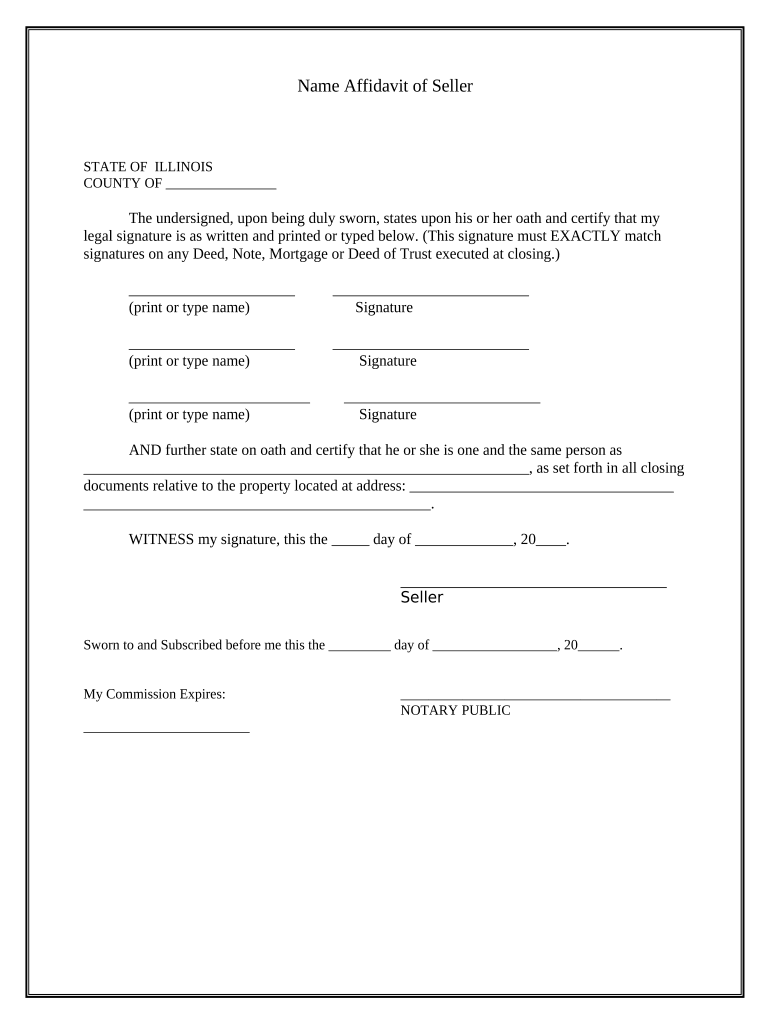
illinois general affidavit Preview on Page 1

Here's how it works

01. Edit your illinois general affidavit online
Type text, add images, blackout confidential details, add comments, highlights and more.
02. Sign it in a few clicks
Draw your signature, type it, upload its image, or use your mobile device as a signature pad.
03. Share your form with others
Send illinois affidavit form pdf via email, link, or fax. You can also download it, export it or print it out.

How to use or fill out Illinois Affidavit Form with DocHub

Form edit decoration
9.5
Ease of Setup
DocHub User Ratings on G2
9.0
Ease of Use
DocHub User Ratings on G2
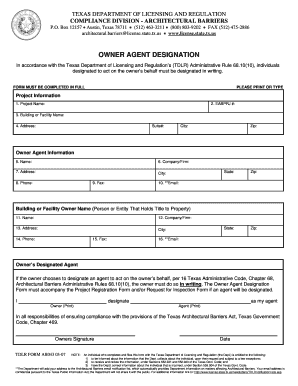
  1. Click ‘Get Form’ to open the Illinois Affidavit of Seller in our platform's editor.
  2. Begin by filling in the 'COUNTY OF' section with the appropriate county name where the affidavit is being executed.
  3. In the first signature block, print or type your full legal name as it should appear on closing documents. Ensure this matches your signature exactly.
  4. Sign your name in the designated area below your printed name. Repeat this process for any additional signers listed on the form.
  5. Complete the statement confirming your identity by filling in the name of the person you are affirming as one and the same, along with their property address.
  6. Date and sign at the bottom of the form, ensuring all signatures are completed before submission.
  7. Finally, have a Notary Public witness your signature and complete their section, including their commission expiration date.

Start using our platform today to fill out your Illinois Affidavit form easily and for free!

be ready to get more

Complete this form in 5 minutes or less

Get form

Got questions?

We have answers to the most popular questions from our customers. If you can't find an answer to your question, please contact us.
Contact us
Affidavits can be hand-written or typed, but all information included must be first-person and verifiable mere speculation into the details of a legal circumstance is not valid for an affidavit.
Thus, unless otherwise provided for by a specific supreme court rule or statutory authorization, an affidavit must be docHubd to be valid. See Roth, 202 Ill. 2d at 496.
What to include in your affidavit. Title. This is either your name (Affidavit of Jane Doe) or the specific case information. Statement of identity. The next paragraph tells the court about yourself. Statement of truth. Statement of facts. Closing statement of truth. Sign and docHub.
A copy of your individual federal income tax return, including W-2s for the most recent tax year, or a statement and/or evidence describing why you were not required to file. Also include a copy of every Form 1099, schedule, and any other evidence of reported income.
Thus, unless otherwise provided for by a specific supreme court rule or statutory authorization, an affidavit must be docHubd to be valid.

Security and compliance

At DocHub, your data security is our priority. We follow HIPAA, SOC2, GDPR, and other standards, so you can work on your documents with confidence.

Learn more
ccpa2
pci-dss
gdpr-compliance
hipaa
soc-compliance

People also ask

Get, Create, Make and Sign blank sworn affidavit form Email, fax, or share your blank sworn affidavit form form via URL. You can also download, print, or export forms to your preferred cloud storage service.
An affidavit is a written statement made under oath. This means the person making the statement swears that the contents are true and understands that they may be prosecuted if any part of the statement is false.
Include your full name, address, age, occupation, and other identifying information. Each separate line of the document should provide a separate fact or statement. There are a number of ways to organize an affidavit, and you should choose the manner that works best for your situation.

Related links