Type text, add images, blackout confidential details, add comments, highlights and more.
02. Sign it in a few clicks
Draw your signature, type it, upload its image, or use your mobile device as a signature pad.
03. Share your form with others
Send it via email, link, or fax. You can also download it, export it or print it out.
How to use or fill out PLLC Notices and Resolutions - Idaho with our platform
Ease of Setup
DocHub User Ratings on G2
Ease of Use
DocHub User Ratings on G2
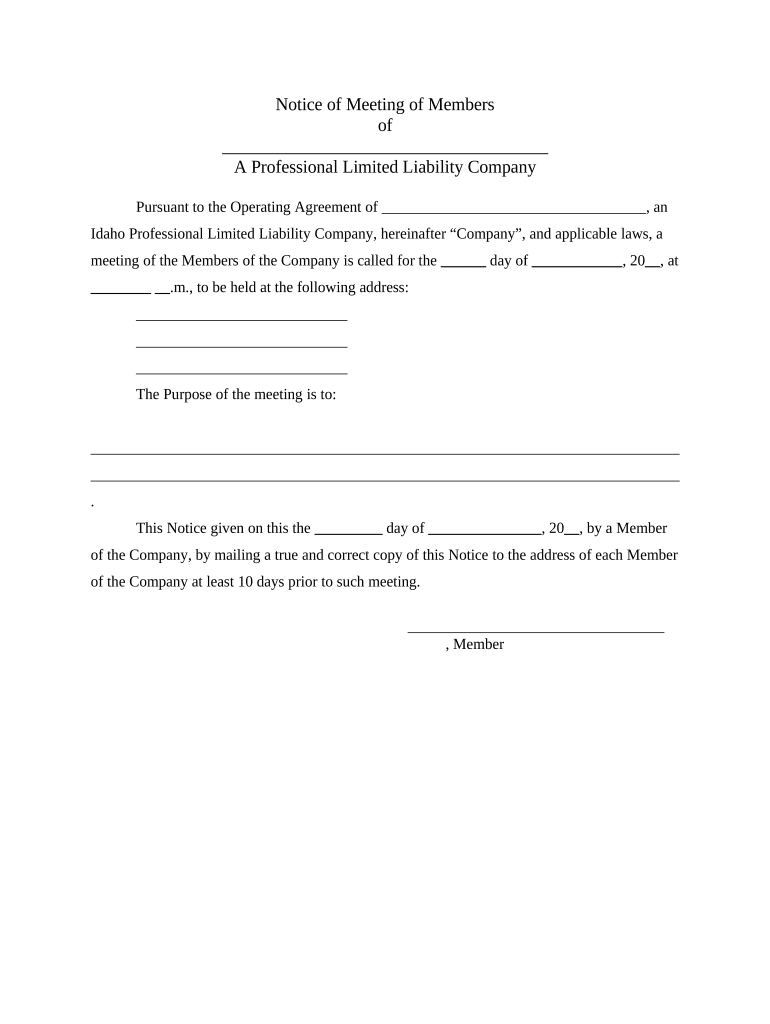
Click ‘Get Form’ to open the PLLC Notices and Resolutions document in the editor.
Begin by filling in the name of your Professional Limited Liability Company (PLLC) at the top of the form. This is essential for identifying your company.
Specify the date and time of the meeting in the designated fields. Ensure this information is accurate as it informs all members about when to attend.
In the purpose section, clearly outline what will be discussed during the meeting, such as amendments or resolutions. This helps keep all members informed.
Complete any additional sections that require member signatures, ensuring each member involved signs off on their respective resolutions or notices.
Once completed, save your document. You can easily share it with members via email directly from our platform for free.
Start using our platform today to streamline your PLLC documentation process effortlessly!
Fill out PLLC Notices and Resolutions - Idaho online It's free
Idaho llc loginSOSBiz idahoIdaho Certificate of OrganizationIdaho secretary of state Business searchRegistered agent IdahoIdaho sos loginAnnual Report for LLC IdahoState of Idaho
Security and compliance
At DocHub, your data security is our priority. We follow HIPAA, SOC2, GDPR, and other standards, so you can work on your documents with confidence.
Walsh v. Swapp Law PLLC Appellants Brief Dckt. 46885
by UI Law The District Court erred when it granted summary judgment in favor of the. Defendants where Idaho Code 5-219(4) is unconstitutionally void for.Read more
File paper forms. Filing a paper form will typically incur an additional $20 manual processing fee, and forms submitted without this additional fee will beRead more
Cited by 238 NOTICE: The project that is the subject of this report was approved by the Govern- ing Board of the National Research Council, whose members are drawn fromRead more
Cookie consent notice
This site uses cookies to enhance site navigation and personalize your experience.
By using this site you agree to our use of cookies as described in our Privacy Notice.
You can modify your selections by visiting our Cookie and Advertising Notice.