California repair 2026

Get Form
california repair Preview on Page 1

Here's how it works

01. Edit your form online
Type text, add images, blackout confidential details, add comments, highlights and more.
02. Sign it in a few clicks
Draw your signature, type it, upload its image, or use your mobile device as a signature pad.
03. Share your form with others
Send it via email, link, or fax. You can also download it, export it or print it out.

How to use or fill out California Repair with Our Platform

Form edit decoration
9.5
Ease of Setup
DocHub User Ratings on G2
9.0
Ease of Use
DocHub User Ratings on G2
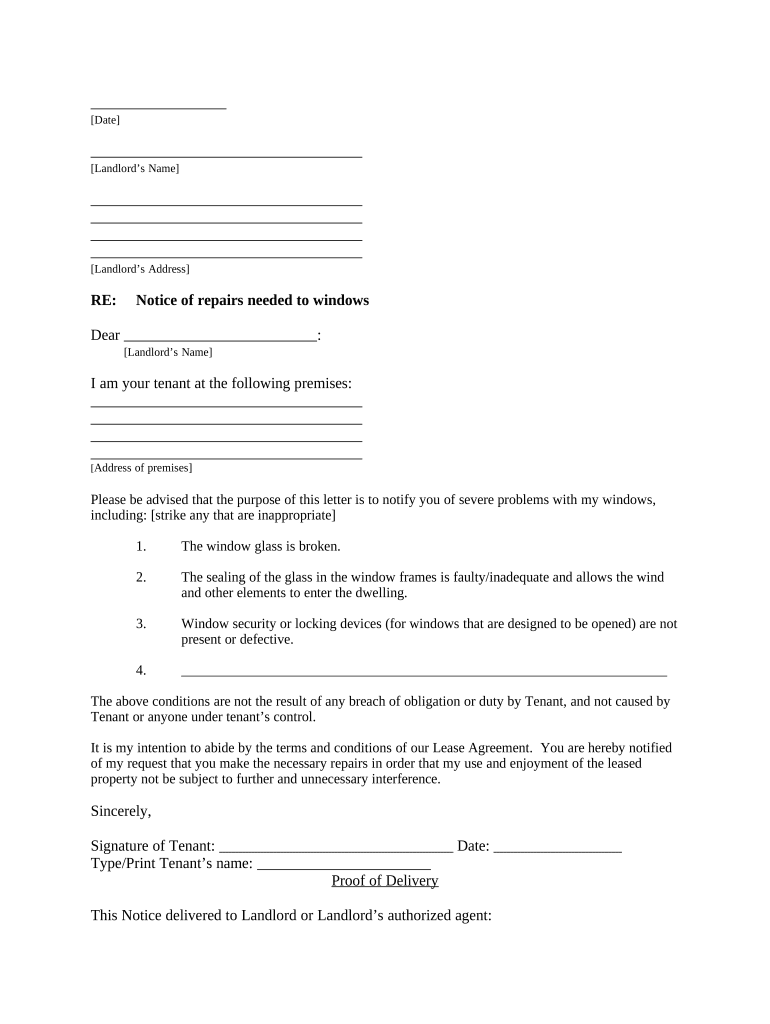
  1. Click ‘Get Form’ to open the California Repair document in the editor.
  2. Begin by entering the date at the top of the form. This helps establish a timeline for your repair request.
  3. Fill in your landlord’s name and address in the designated fields to ensure proper communication.
  4. In the body of the letter, clearly state your concerns regarding the windows. You can select from options provided or add additional issues as necessary.
  5. Sign and date the document at the bottom, then type or print your name for clarity.
  6. Choose how you will deliver this notice to your landlord by checking one of the options provided under 'Proof of Delivery.'

Start using our platform today to streamline your document editing and repair requests for free!

be ready to get more

Complete this form in 5 minutes or less

Get form

Got questions?

We have answers to the most popular questions from our customers. If you can't find an answer to your question, please contact us.
Contact us

eSignatures are a great replacement for traditional signing, as they save time, effort, and money people spend on printing, scanning, and paper delivery. You can electronically sign your california repair utilizing a reliable and robust online document management tool like DocHub. It complies with primary eSignature regulations (ESIGN and UETA), so all forms approved there are legally binding and have the same validity as physically signed ones.

When you edit your california repair with DocHub, you simply will not need to look for other applications or services to sign it. An electronic signature is a component of DocHub’s extensive editing toolset, which allows you to implement changes in your form without jumping between platforms. Just complete your form, double-check the correctness of the data and put your electronic signature at the end to make it submission-ready within a few minutes.

Top Organizations That Provide Free Car Repairs Salvation Army. The Salvation Army is a well-known organization that offers a wide range of assistance programs, including car repair help. Catholic Charities. Community Action Agencies. Workforce Development Programs. Modest Needs. Working Cars for Working Families.
In July 2024, Californias Right to Repair Act (SB 244) goes into effect, a docHub advancement for the right-to-repair movement. This law requires electronics and appliance manufacturers to supply necessary parts, tools, and documentation for repairs to both independent repair shops and product owners.
California has a Vehicle Retirement program that will give you $1000-1500 for your car if its failed smog. You need to check the requirements since you had the lapse in registration though.
be ready to get more

Complete this form in 5 minutes or less

Get form

People also ask

If your vehicle failed its biennial Smog Check inspection, our repair assistance option may assist with costs towards your vehicles emissions-related repairs. Model year 1996 or newer vehicles may qualify for up to $1,450 for emissions-related repairs.

Related links