Type text, add images, blackout confidential details, add comments, highlights and more.
02. Sign it in a few clicks
Draw your signature, type it, upload its image, or use your mobile device as a signature pad.
03. Share your form with others
Send it via email, link, or fax. You can also download it, export it or print it out.
How to use or fill out stop payment notice with our platform
Ease of Setup
DocHub User Ratings on G2
Ease of Use
DocHub User Ratings on G2
Click ‘Get Form’ to open the stop payment notice in the editor.
Begin by filling in the 'Name of Party Giving Notice' along with their 'Street Address', 'City, State and Zip Code'. This identifies who is issuing the notice.
Next, specify your 'Relationship to other parties' and provide a brief 'Statement re Nature of work provided'. This section clarifies your connection to the project.
Indicate the 'Person/Party to whom work provided' and enter your estimate of the total amount for unpaid work. Be sure to fill in both dollar amounts accurately.
Complete the details for the owner, contractor, and lender by providing their names and addresses. This ensures all relevant parties are informed.
Finally, sign and date the document where indicated. If required, have it attested by an authorized signatory.
Start using our platform today for free to streamline your document editing and signing process!
A stop payment is a request to your bank to cancel the processing of a payment. You can request a stop payment for a check that hasnt been cashed or an automatic debit that hasnt cleared your checking account.
What is a stop payment notification?
Stop payment notices are typically utilized when a subcontractor has not been paid for work performed on a construction project and there is concern that the general contractor may not have sufficient funds to cover all outstanding payments.
Is a stop payment considered a bad check?
There are three kinds of bad checks. Non-Sufficient Funds (NSF) checks: A check is NSF if there is not enough money in the account to pay it or the account is closed. Stop Payment checks: The person who wrote the check told the bank to stop payment.
What happens if you do a stop payment?
A stop payment allows an account holder to cancel a check or payment still in the process. Initiating a stop payment order involves providing your bank with specific details before the payment clears. This action can prevent errors like incorrect amounts or unwanted purchases, but it often incurs a fee.
Why would someone request a stop payment?
Reasons to Issue a Stop Payment The check was made out for the wrong amount, to the wrong person, or for the wrong date. The check was mailed to the wrong payment address. The payment is no longer warranted due to a canceled contract for services. The check was stolen.
Related Searches
California Stop Payment Notice public works formStop payment notice CaliforniaStop Payment Notice formStop notice bondRelease of stop payment NoticeCalifornia Stop Payment Notice formStop notice formStop notice construction
Any knowledge, notice, or stop-payment order received by, legal process served upon, or setoff exercised by a payor bank comes too late to terminate, suspend,
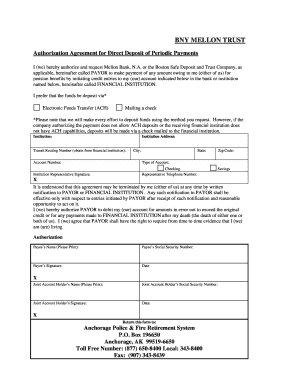
For pre-authorized entries, three business days advance notice prior to the expected transfer date of the debit entry is required to implement the stop payment.
Cookie consent notice
This site uses cookies to enhance site navigation and personalize your experience.
By using this site you agree to our use of cookies as described in our Privacy Notice.
You can modify your selections by visiting our Cookie and Advertising Notice.