Type text, add images, blackout confidential details, add comments, highlights and more.
02. Sign it in a few clicks
Draw your signature, type it, upload its image, or use your mobile device as a signature pad.
03. Share your form with others
Send it via email, link, or fax. You can also download it, export it or print it out.
How to use or fill out sellers appraiser with our platform
Ease of Setup
DocHub User Ratings on G2
Ease of Use
DocHub User Ratings on G2
Click ‘Get Form’ to open the sellers appraiser in the editor.
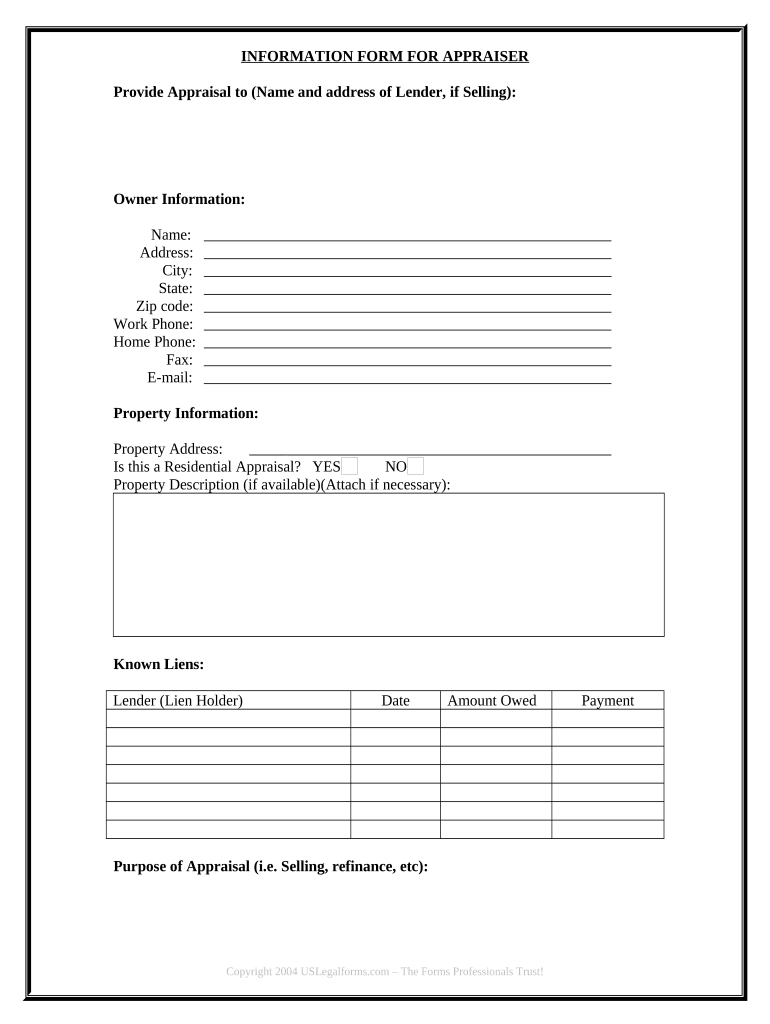
Begin by entering the 'Provide Appraisal to' section, filling in the name and address of the lender if you are selling.
Next, complete the 'Owner Information' section. Input your name, address, city, state, zip code, work phone, home phone, fax number, and email address.
In the 'Property Information' section, provide the property address. Indicate whether this is a residential appraisal by selecting YES or NO.
If available, describe the property in detail. You can attach additional documents if necessary.
List any known liens under 'Known Liens', including lender details, date, and amount owed.
Specify the purpose of the appraisal (e.g., selling or refinancing) in the designated field.
Start using our platform today for free to streamline your sellers appraiser process!
Sellers appraiser certificationSellers appraiser reviewsHow to become an appraiser in NYWhat is a real estate appraiserNys appraiser license lookupLeslie Sellers appraiserBen sellers appraiserReal Estate Appraiser salary
Security and compliance
At DocHub, your data security is our priority. We follow HIPAA, SOC2, GDPR, and other standards, so you can work on your documents with confidence.
Street 119 SOUTH CHARLES SEIVERS BLVD. City CLINTON. State TN. Zip 37716. County Anderson. Telephone. Status Active. Credential Number 4560. Credential TypeRead more
(a) Appraisal means a written statement independently and impartially prepared by a qualified appraiser setting forth an opinion as to the market value of anRead more
Cookie consent notice
This site uses cookies to enhance site navigation and personalize your experience.
By using this site you agree to our use of cookies as described in our Privacy Notice.
You can modify your selections by visiting our Cookie and Advertising Notice.