Type text, add images, blackout confidential details, add comments, highlights and more.
02. Sign it in a few clicks
Draw your signature, type it, upload its image, or use your mobile device as a signature pad.
03. Share your form with others
Send it via email, link, or fax. You can also download it, export it or print it out.
How to use or fill out Warranty Deed from Individual to Corporation - Idaho with our platform
Ease of Setup
DocHub User Ratings on G2
Ease of Use
DocHub User Ratings on G2
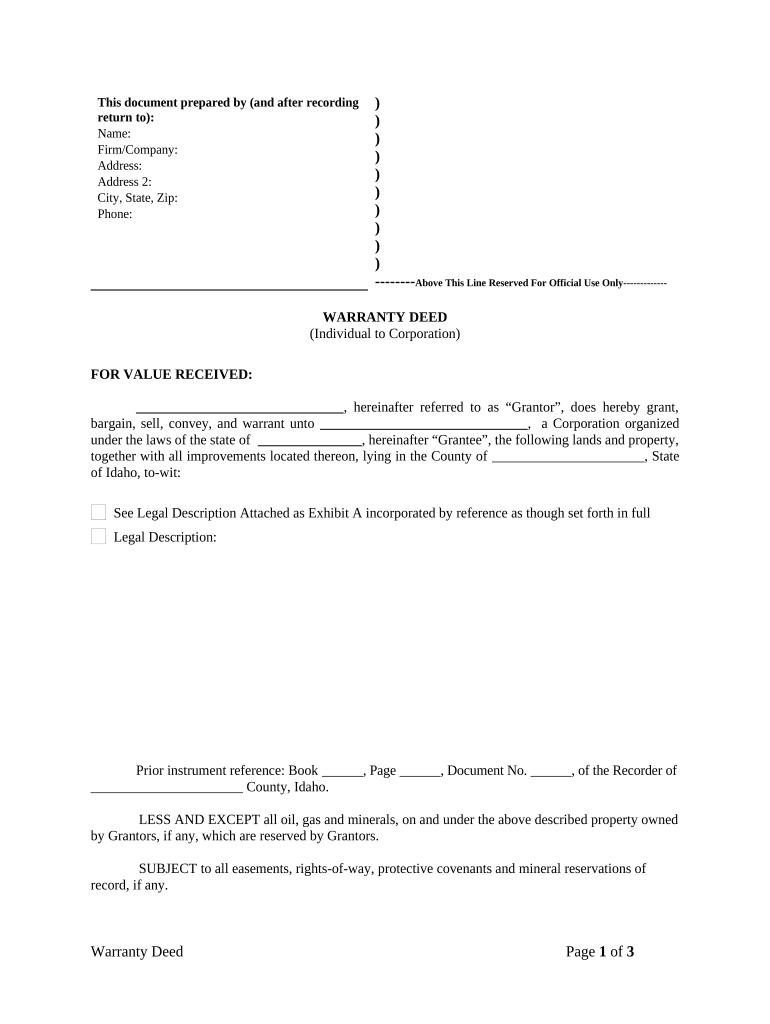
Click ‘Get Form’ to open the Warranty Deed in the editor.
Begin by filling in the Grantor's information, including name, firm/company, address, and contact details. This identifies who is transferring the property.
Next, enter the Grantee's information. This should include the corporation's name and state of incorporation, ensuring clarity on who is receiving the property.
In the legal description section, attach Exhibit A that outlines the specific lands and property being conveyed. Make sure this is accurate for legal purposes.
Complete any prior instrument references if applicable. This helps establish a clear chain of title.
Have the Grantor sign and date the document. Ensure that all signatures are witnessed as required by law.
Finally, include notary information to validate the deed. The notary will confirm identities and witness signatures.
Start using our platform today to easily complete your Warranty Deed online for free!
Fill out Warranty Deed from Individual to Corporation - Idaho online It's free
Warranty deed from individual to corporation idaho templateWarranty deed from individual to corporation idaho sampleWarranty deed from individual to corporation idaho pdfWarranty deed from individual to corporation idaho exampleWarranty deed from individual to corporation idaho formFree warranty deed from individual to corporation idahoIdaho warranty deed
Security and compliance
At DocHub, your data security is our priority. We follow HIPAA, SOC2, GDPR, and other standards, so you can work on your documents with confidence.
WARRANTY DEED. KNOW ALL MEN BY THESE PRESENTS that the CORPORATION OF THE. PRESIDENT OF THE CHURCH OF JESUS CHRIST OF LATTER-DAY SAINTS, a Utah corporationRead more
GRANTORS and GRANTORS heirs shall warrant and defend the premises in the quiet and peaceful possession of GRANTEE and GRANTEES successors and assigns, againstRead more
Neither the United States Government nor any agency thereof, nor any of their employees, makes any warranty, express or implied, or assumes any legal liabilityRead more
Cookie consent notice
This site uses cookies to enhance site navigation and personalize your experience.
By using this site you agree to our use of cookies as described in our Privacy Notice.
You can modify your selections by visiting our Cookie and Advertising Notice.