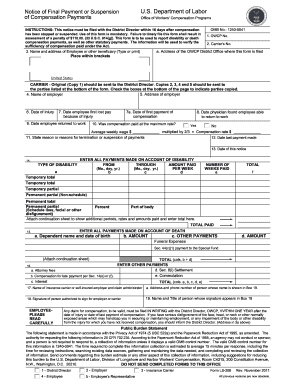
Type text, add images, blackout confidential details, add comments, highlights and more.
02. Sign it in a few clicks
Draw your signature, type it, upload its image, or use your mobile device as a signature pad.
03. Share your form with others
Send it via email, link, or fax. You can also download it, export it or print it out.
How to use or fill out Idaho Custodial with our platform
Ease of Setup
DocHub User Ratings on G2
Ease of Use
DocHub User Ratings on G2
Click ‘Get Form’ to open the Idaho Custodial form in the editor.
In the first field, enter the name of the custodial trustee. This identifies who will manage the custodial trust.
Next, specify the name of the beneficiary in the designated field. This is crucial as it indicates who will benefit from the trust.
In the section for custodial trust property, describe what assets are included in the trust. Be as detailed as possible to avoid any confusion.
Enter the date on which you are completing this form. This helps establish a timeline for your records.
Finally, sign in the signature field provided for the custodial trustee. This confirms your acceptance and acknowledgment of responsibilities under the Idaho Uniform Custodial Trust Act.
Start using our platform today to fill out your Idaho Custodial form online for free!
Custodial interference IdahoIdaho Child Custody formsIdaho child custody lawsIdaho Code kidnappingIdaho Rules of family Law ProcedureHow to get full custody in IdahoIdaho code 32 709Emergency custody Idaho
Security and compliance
At DocHub, your data security is our priority. We follow HIPAA, SOC2, GDPR, and other standards, so you can work on your documents with confidence.
Paternity, Custody, Visitation and Child Support. Use these steps to file a new paternity, custody, visitation, or child support case. Step 1 StartingRead more
Guide to Understanding Criminal History Record Check
Custodial Status Date gives the most current date of the subjects custodial status. 3. Alias Name(s) may include multiple names used by the subject reportedRead more
Feel free to DocHub out to our building custodian in person, call our office (x2394), or fill out an E-Works form and we will be happy to help.Read more
Cookie consent notice
This site uses cookies to enhance site navigation and personalize your experience.
By using this site you agree to our use of cookies as described in our Privacy Notice.
You can modify your selections by visiting our Cookie and Advertising Notice.