Type text, add images, blackout confidential details, add comments, highlights and more.
02. Sign it in a few clicks
Draw your signature, type it, upload its image, or use your mobile device as a signature pad.
03. Share your form with others
Send it via email, link, or fax. You can also download it, export it or print it out.
How to use or fill out Wyoming Claim with Our Platform
Ease of Setup
DocHub User Ratings on G2
Ease of Use
DocHub User Ratings on G2
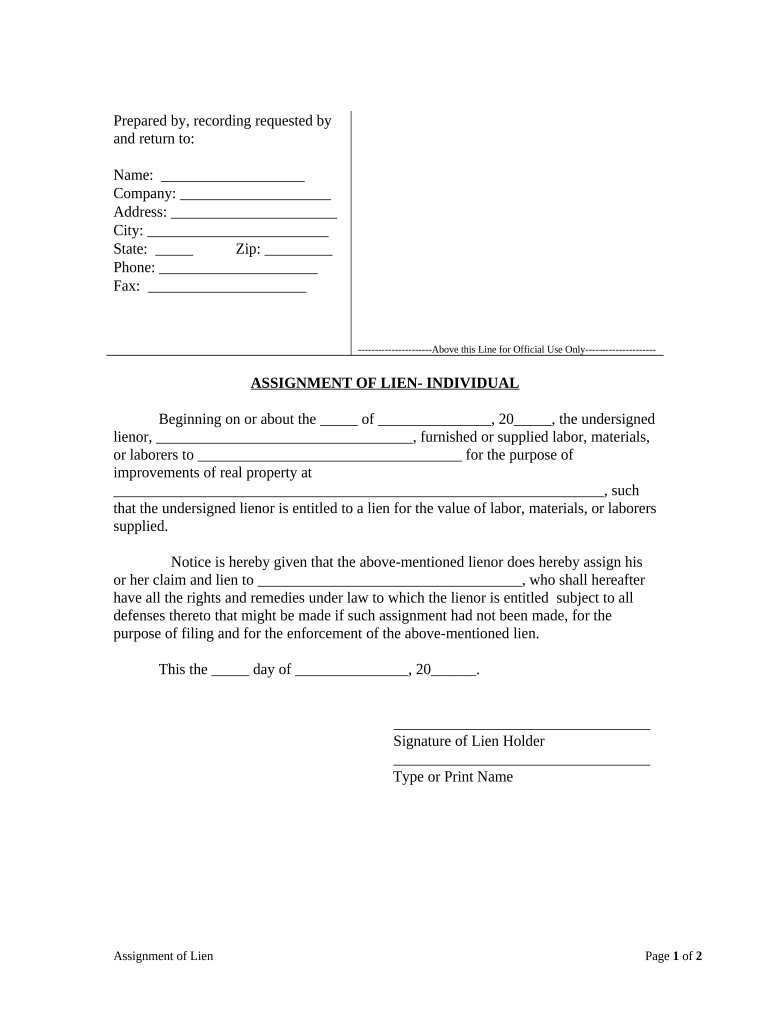
Click ‘Get Form’ to open the Wyoming Claim in the editor.
Begin by filling in your personal information at the top of the form. Enter your name, company, address, city, state, zip code, phone number, and fax number in the designated fields.
In the 'Assignment of Lien' section, specify the date when you began providing labor or materials. Clearly state your name as the lienor and the name of the party you supplied services to.
Provide a detailed description of the property where improvements were made. This should include the full address to ensure clarity.
Indicate who you are assigning your claim and lien to by filling in their name in the appropriate field.
Finally, sign and date the document at the bottom. Ensure that all information is accurate before submitting.
Start using our platform today for free to streamline your Wyoming Claim process!
But where the enemy wan- tonly burns a city, or town, or pillages a farm, or murders the head of a family, there is no just foundation to claim compensation. IfRead more
Cookie consent notice
This site uses cookies to enhance site navigation and personalize your experience.
By using this site you agree to our use of cookies as described in our Privacy Notice.
You can modify your selections by visiting our Cookie and Advertising Notice.