




01. Edit your patient care report template online
Type text, add images, blackout confidential details, add comments, highlights and more.

Type text, add images, blackout confidential details, add comments, highlights and more.

Draw your signature, type it, upload its image, or use your mobile device as a signature pad.

Send patient care report examples filled out via email, link, or fax. You can also download it, export it or print it out.
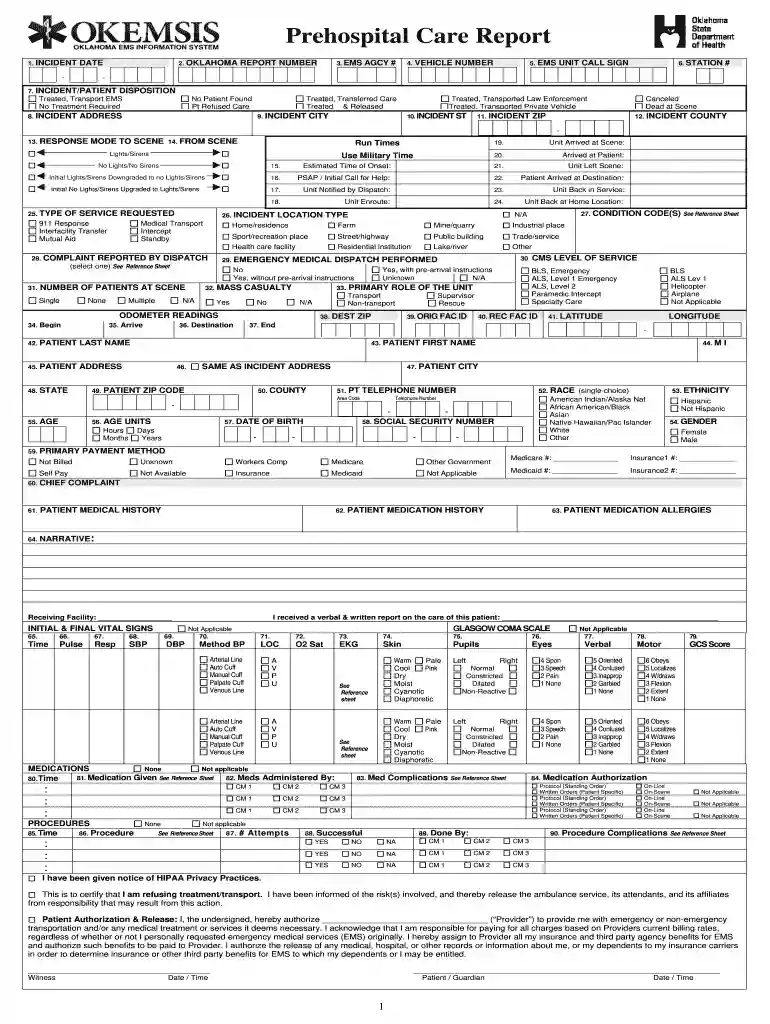
A patient care report (PCR) PDF is a comprehensive document created by emergency medical services (EMS) providers to document the details surrounding incidents involving patient care. It serves as a legal record and a communication tool within the healthcare continuum. Typically, the document captures critical information that includes the following:
This document is essential for ensuring that subsequent healthcare providers have accurate and timely information about the patient's condition and the care received prior to arriving at a medical facility.
The patient care report PDF contains several key components essential for delivering thorough documentation, which include:
These elements work together to create a complete picture of patient interactions and medical interventions, improving patient safety and healthcare outcomes.
Using a patient care report PDF involves several straightforward steps that ensure compliance with medical standards and facilitate effective care delivery:
By consistently applying these steps, EMS providers can ensure that their documentation is systematic and comprehensive, enhancing care coordination.
Real-world scenarios provide valuable insights into the practical applications of patient care report PDFs in the field of emergency medical services. Examples include:
Each report serves a dual purpose of documentation for legal protection and quality assurance, as well as a functional tool for enhancing patient continuity of care within the healthcare system.
The legal implications of patient care reports are substantial. The PCR serves not only as a medical record but also has legal standing in various contexts, including:
Understanding the legal context of PCR usage helps ensure that EMS providers fulfill their obligations and protect both the patients and themselves legally.
The patient care report PDF is utilized by a variety of professionals involved in emergency medical services and patient care processes:
By understanding who utilizes these reports, EMS organizations can tailor their documentation practices to address the needs of all relevant stakeholders.


We've got more versions of the patient care report template form. Select the right patient care report template version from the list and start editing it straight away!
Upload your patient care report pdf to DocHub (after you’ve created an account for this). If you need to complete fields in it, use proper tools from the top pane. For example, drop Signature Fields, assign each to specific person, and click on Sign → Request signatures from others. Personalize your message for your recipients and click Send Request. You can also send your document by fax or as a Signing link instead of using email (you’ll locate these options by navigating to the Menu → Send)
You can easily edit and complete your patient care report form on any iOS gadget. Open an internet browser of your choice, visit the DocHub site, authorize or create a new account, add your file for editing, and make your desired adjustments. Our service is mobile-friendly, so using its functions on your smartphone will be a no-brainer, even on the first try.
At DocHub, your data security is our priority. We follow HIPAA, SOC2, GDPR, and other standards, so you can work on your documents with confidence.


