Legal Last Will and Testament Form for a Widow or Widower with Adult and Minor Children - Wisconsin 2026

Get Form
Legal Last Will and Testament Form for a Widow or Widower with Adult and Minor Children - Wisconsin Preview on Page 1

Here's how it works

01. Edit your form online
Type text, add images, blackout confidential details, add comments, highlights and more.
02. Sign it in a few clicks
Draw your signature, type it, upload its image, or use your mobile device as a signature pad.
03. Share your form with others
Send it via email, link, or fax. You can also download it, export it or print it out.

How to use or fill out Legal Last Will and Testament Form for a Widow or Widower with Adult and Minor Children - Wisconsin

Form edit decoration
9.5
Ease of Setup
DocHub User Ratings on G2
9.0
Ease of Use
DocHub User Ratings on G2
  1. Click ‘Get Form’ to open it in the editor.
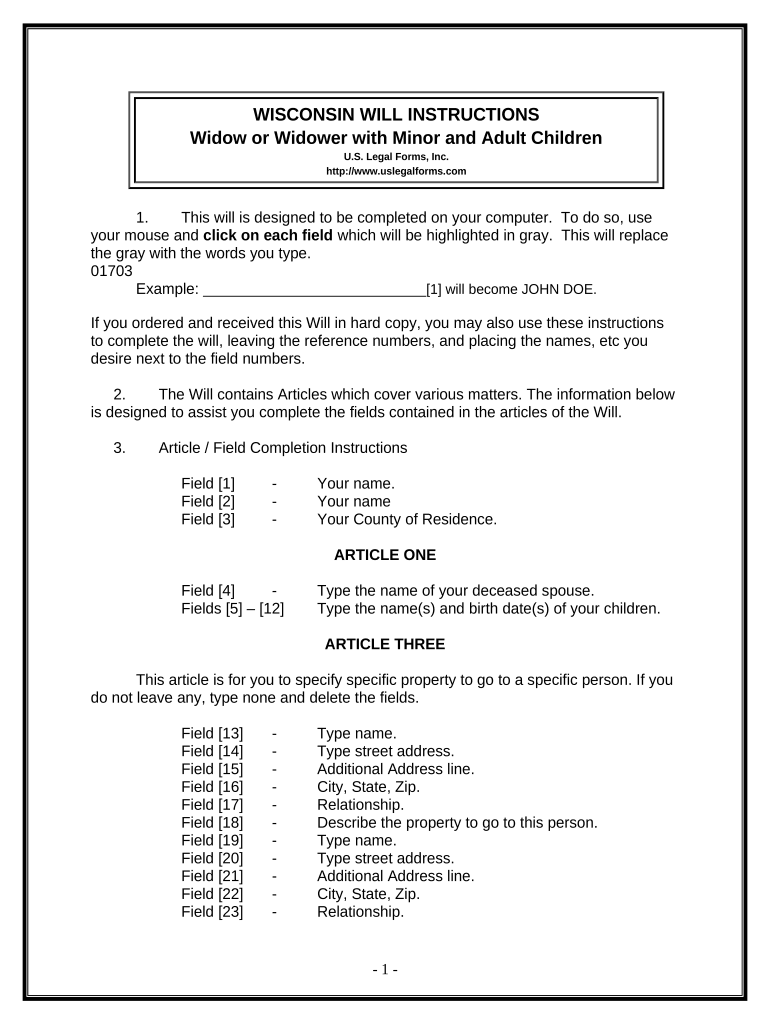
  2. Begin by entering your name in Field [1], followed by your county of residence in Field [3].
  3. In Article One, specify the name of your deceased spouse in Field [4] and list your children’s names and birth dates in Fields [5] to [12].
  4. For Article Three, detail any specific property you wish to bequeath. Fill out the fields for each item, including names, addresses, relationships, and descriptions of the property.
  5. In Article Four, indicate the names of your children who will inherit your homestead in Field [31].
  6. Complete Articles Five through Ten by providing necessary details about remaining property, trustees for minors, guardianship for children, and personal representatives.
  7. Review all entries carefully before printing. Ensure you sign the document in front of two witnesses.

Start using our platform today to easily complete your Legal Last Will and Testament form online for free!

be ready to get more

Complete this form in 5 minutes or less

Get form

Got questions?

We have answers to the most popular questions from our customers. If you can't find an answer to your question, please contact us.
Contact us
If your language is ambiguous or your intentions are not clear it could lead to instructions not being followed properly or the will being ruled invalid. Ensure you seek professional advice when writing a will, and that all of the proper steps are taken, including having the will witnessed.
Basic Requirements for a Valid Will Written Document. California requires that wills be written, either typed or handwritten. Signature of the Testator. The will must be signed by the testator or by someone else at the testators direction and in their presence. Two Witnesses.
In Wisconsin, a valid will requires the signature or acknowledgment of the testator in front of two witnesses, who must also sign within a reasonable period afterward. A will does not need to be docHubd but making it self-proving with a notary speeds up the probate process.
Advantages. In Wisconsin, unlike wills, trusts avoid the probate process entirely. This results in a faster and more private transfer of assets.
You can make your own will in Wisconsin. The state does not require you to use an attorney to draft a will. If you have a simple estate and know your wishes, you can make your own will.

Security and compliance

At DocHub, your data security is our priority. We follow HIPAA, SOC2, GDPR, and other standards, so you can work on your documents with confidence.

Learn more
ccpa2
pci-dss
gdpr-compliance
hipaa
soc-compliance

People also ask

Either way, a last will and testament must be probated. Probate confirms the wills validity and ensures the will is not fraudulent or questionable. It is only after probate that a will can be used to transfer either real or personal property. Probate entails filing a petition in court to allow a will.

Related links