Type text, add images, blackout confidential details, add comments, highlights and more.

02. Sign it in a few clicks
Draw your signature, type it, upload its image, or use your mobile device as a signature pad.

03. Share your form with others
Send it via email, link, or fax. You can also download it, export it or print it out.

How to use or fill out immunizations records california 2002 form with our platform
Ease of Setup
DocHub User Ratings on G2
Ease of Use
DocHub User Ratings on G2
Click ‘Get Form’ to open the immunizations records California 2002 form in the editor.
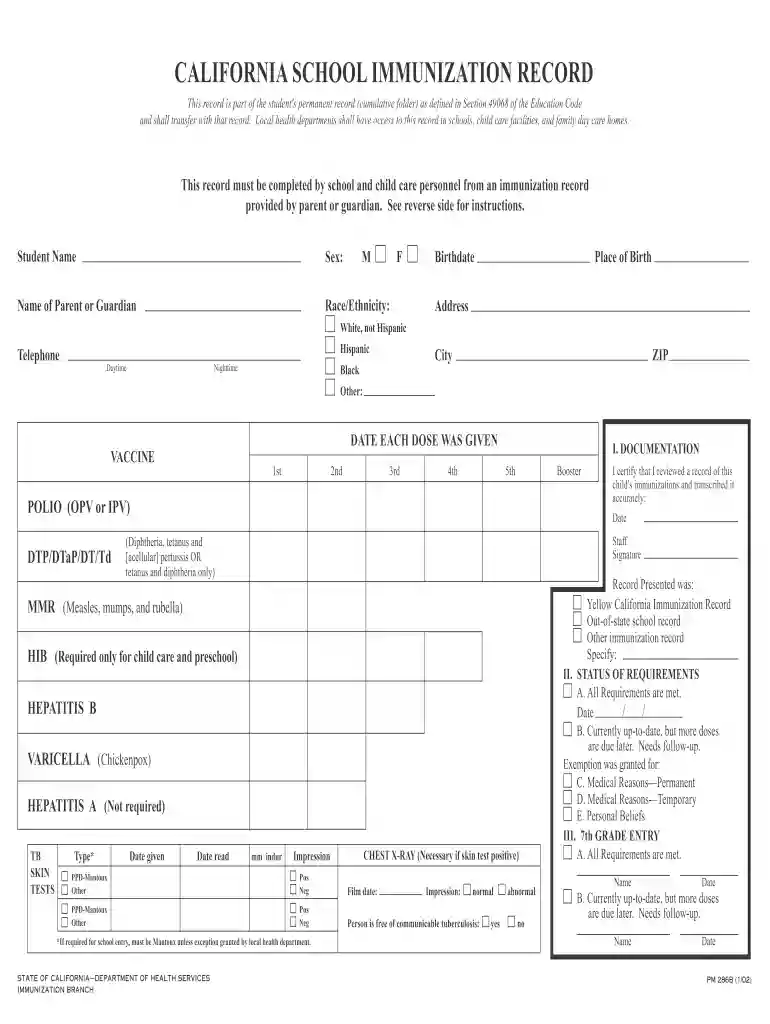
Begin by entering the student's name, sex, birthdate, and place of birth in the designated fields. Ensure accuracy as this information is crucial for record-keeping.
Next, fill in the parent or guardian's name, race/ethnicity, and contact details including daytime and nighttime telephone numbers.
Document each vaccine received by entering the date for each dose in the appropriate section. Use month/day/year format for clarity.
In the Documentation section, sign and date as the staff member who reviewed the immunization record. Check which type of record was presented.
Finally, assess if all immunization requirements are met and check the corresponding box. If exemptions apply, ensure proper documentation is attached.
Start using our platform today to easily complete your immunization records for free!
Fill out immunizations records california 2002 form online It's free
See more immunizations records california 2002 form versions
We've got more versions of the immunizations records california 2002 form form. Select the right immunizations records california 2002 form version from the list and start editing it straight away!
California Immunization record form PDFCalifornia School Immunization record formImmunization record form californiaCalifornia school immunization record printableCalifornia School immunization record Blue CardCalifornia immunization record pm 298California School immunization record pm 286Immunization record form download
Security and compliance
At DocHub, your data security is our priority. We follow HIPAA, SOC2, GDPR, and other standards, so you can work on your documents with confidence.
Maintaining Child Health Records in Child Care Settings
Childrens health records can help child care providers identify preven-tive health needs such as immunizations or dental care, prepare a special care plan forRead more
Jan 28, 2004 2002 Performance: Childhood immunizations have improved consistently over the last three years. Immunizations based on the Combination 2Read more
members immunization status is current. The LHD must provide a copy of the members immunization record with their itemized claim form. Upon request, MHCRead more
Cookie consent notice
This site uses cookies to enhance site navigation and personalize your experience.
By using this site you agree to our use of cookies as described in our Privacy Notice.
You can modify your selections by visiting our Cookie and Advertising Notice.