




01. Edit your notice of default utah online
Type text, add images, blackout confidential details, add comments, highlights and more.

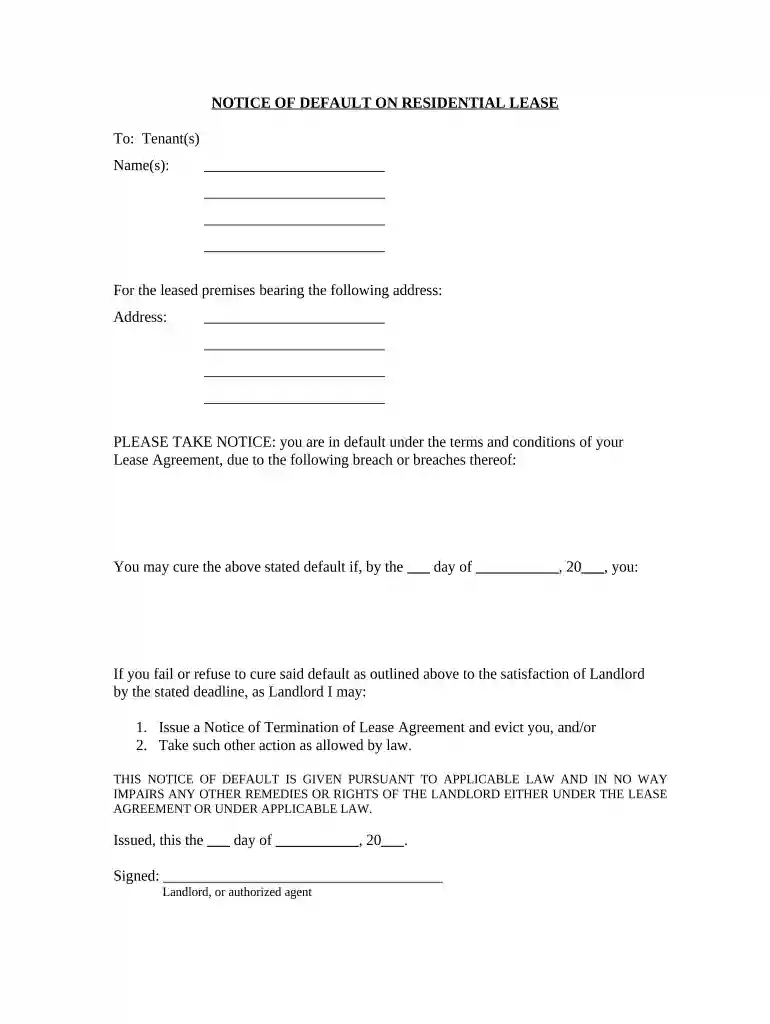
Type text, add images, blackout confidential details, add comments, highlights and more.

Draw your signature, type it, upload its image, or use your mobile device as a signature pad.

Send it via email, link, or fax. You can also download it, export it or print it out.

Start using our platform today to easily complete your Notice of Default on Residential Lease for free!
At DocHub, your data security is our priority. We follow HIPAA, SOC2, GDPR, and other standards, so you can work on your documents with confidence.



May 20, 2022 than five (5) days after Landlord serves notice of such default upon Tenant, Land- lord at its option, may collect rent directly from theRead more
78B-6-901.5. Notice to tenant on residential property to be foreclosed. Within 20 days after filing an action under this part to foreclose property.Read more


