Type text, add images, blackout confidential details, add comments, highlights and more.
02. Sign it in a few clicks
Draw your signature, type it, upload its image, or use your mobile device as a signature pad.
03. Share your form with others
Send court affidavit template via email, link, or fax. You can also download it, export it or print it out.
How to use or fill out ut affidavit form with DocHub
Ease of Setup
DocHub User Ratings on G2
Ease of Use
DocHub User Ratings on G2
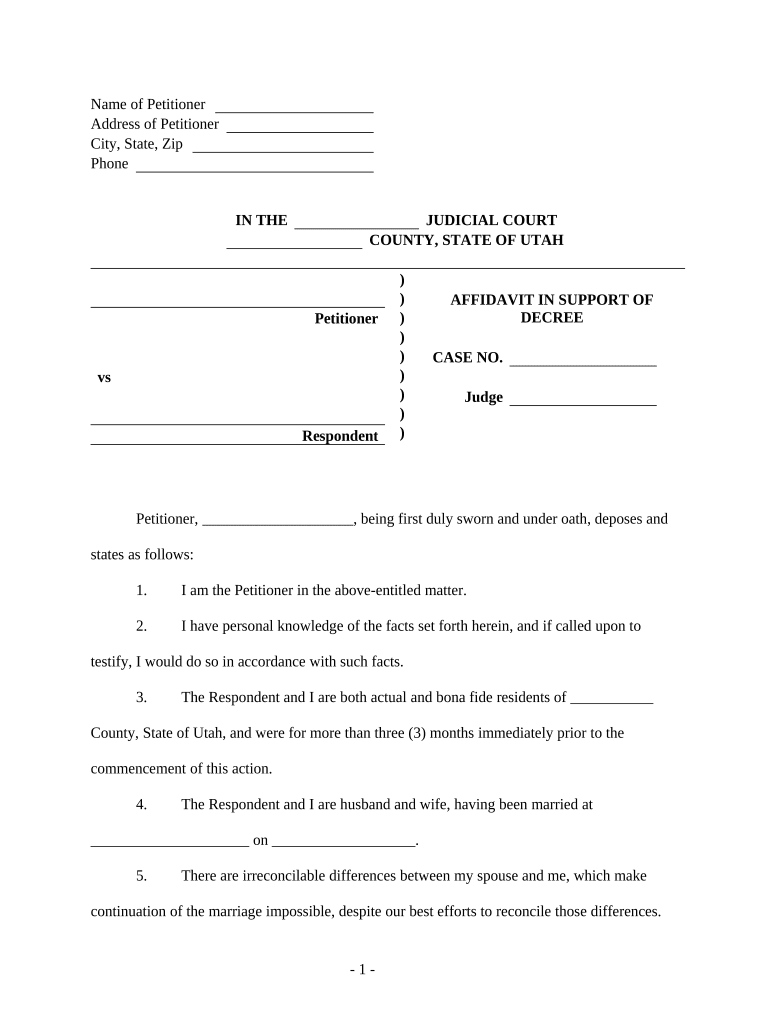
Click ‘Get Form’ to open the ut affidavit form in our editor.
Begin by entering the Name and Address of the Petitioner at the top of the form. Ensure that all details are accurate, as this information is crucial for identification.
In the section labeled 'IN THE JUDICIAL COURT', specify the County and State of Utah where your case is being filed.
Fill in the case number and name of the Judge assigned to your case, if known.
Complete each numbered statement with personal information regarding your relationship, residency, and any agreements made with the Respondent. Be thorough and honest in your responses.
Sign and date the affidavit at the bottom, ensuring you include your printed name as well.
If required, have a Notary Public witness your signature and complete their section on the form.
Finally, utilize our platform's mailing certificate feature to certify that you have mailed a copy of this affidavit to all relevant parties.
Start using our platform today to fill out your ut affidavit form online for free!
If youre not finding the forms you need, contact us at (801) 238-7990 or Click here to contact the web navigator. We are available Monday - Friday 9am - 4:00pmRead more
Download the Residency Affidavit (PDF). Complete, sign and DocHub the form. Submit the Residency Affidavit and proof of lawful presence with your ResidencyRead more
Cookie consent notice
This site uses cookies to enhance site navigation and personalize your experience.
By using this site you agree to our use of cookies as described in our Privacy Notice.
You can modify your selections by visiting our Cookie and Advertising Notice.