Utah tenant landlord 2026

Get Form
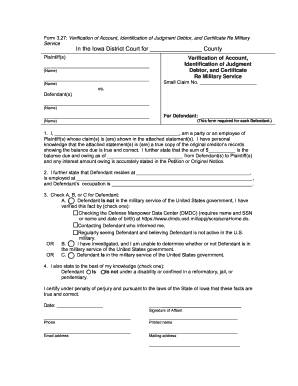
utah tenant landlord Preview on Page 1

Here's how it works

01. Edit your form online
Type text, add images, blackout confidential details, add comments, highlights and more.
02. Sign it in a few clicks
Draw your signature, type it, upload its image, or use your mobile device as a signature pad.
03. Share your form with others
Send it via email, link, or fax. You can also download it, export it or print it out.

How to use or fill out utah tenant landlord with our platform

Form edit decoration
9.5
Ease of Setup
DocHub User Ratings on G2
9.0
Ease of Use
DocHub User Ratings on G2
  1. Click ‘Get Form’ to open the Utah Tenant Landlord document in the editor.
  2. Begin by entering the date at the top of the form. This is essential for record-keeping.
  3. Fill in the landlord’s name and address in the designated fields to ensure proper identification.
  4. In the body of the letter, clearly state your intention to shut off utilities, including the specific date you have arranged for this action.
  5. Provide your address as a tenant to confirm your identity and connection to the premises.
  6. Sign and date at the bottom of the form where indicated, ensuring that all necessary parties are aware of this notice.
  7. Complete the Proof of Delivery section by selecting how you delivered this notice to your landlord, and sign again if required.

Start using our platform today for free to streamline your document editing and signing process!

be ready to get more

Complete this form in 5 minutes or less

Get form

Got questions?

We have answers to the most popular questions from our customers. If you can't find an answer to your question, please contact us.
Contact us
In Utah, landlords are legally required to give proper notice before entering your home, and turning off essential utilities like water or power (especially without warning) can be considered illegal or even a form of harassment.
In Utah, landlords are legally required to follow a specific court process to evict a tenant; they cannot evict you without a court order. This means they must file an eviction lawsuit and obtain a judgment from the court before you can be legally removed from the property.
One of the reasons why Utah is a landlord-friendly state is because of the security you can get when it comes to rental payments. In Utah, even if your tenant breaks their lease early, you can still get a rental payment from them because they are still responsible for the rest of the lease.
The Utah Fair Housing Act outlines the importance of not discriminating toward individuals or any reason. Landlords cannot deny a person a rental unit or make any drastic changes to their rental policies specifically because of any discriminatory reasoning.
Lease Break Protections One of the reasons why Utah is a landlord-friendly state is because of the security you can get when it comes to rental payments. In Utah, even if your tenant breaks their lease early, you can still get a rental payment from them because they are still responsible for the rest of the lease.

Security and compliance

At DocHub, your data security is our priority. We follow HIPAA, SOC2, GDPR, and other standards, so you can work on your documents with confidence.

Learn more
ccpa2
pci-dss
gdpr-compliance
hipaa
soc-compliance

People also ask

The landlord, or lessor, as owner or possessor of a propertywhether corporeal, such as lands or buildings, or incorporeal, such as rights of common or of wayagrees through a lease, an agreement for a lease, or other instrument to allow another person, the tenant, or lessee, to enjoy the exclusive possession and use
Under Utah law, mobile home park landlords must provide more extensive notice periods before eviction. For non-payment of rent or fees, a 7-day notice is required instead of the standard 3-day notice for apartments or houses. For other lease violations, a 15-day notice to comply is typically required.
Tenant means a person who has the right to occupy a residence under a rental agreement or lease, or has a tenancy by operation of law. Terms defined in Sections 76-1-101.5 and 76-6-201 apply to this section. someone with apparent authority to act for an owner or a tenant.

Related links