Type text, add images, blackout confidential details, add comments, highlights and more.
02. Sign it in a few clicks
Draw your signature, type it, upload its image, or use your mobile device as a signature pad.
03. Share your form with others
Send accountant cv about me via email, link, or fax. You can also download it, export it or print it out.
How to use or fill out Resume for Accountant with DocHub
Ease of Setup
DocHub User Ratings on G2
Ease of Use
DocHub User Ratings on G2
Click ‘Get Form’ to open the Resume for Accountant in our editor.
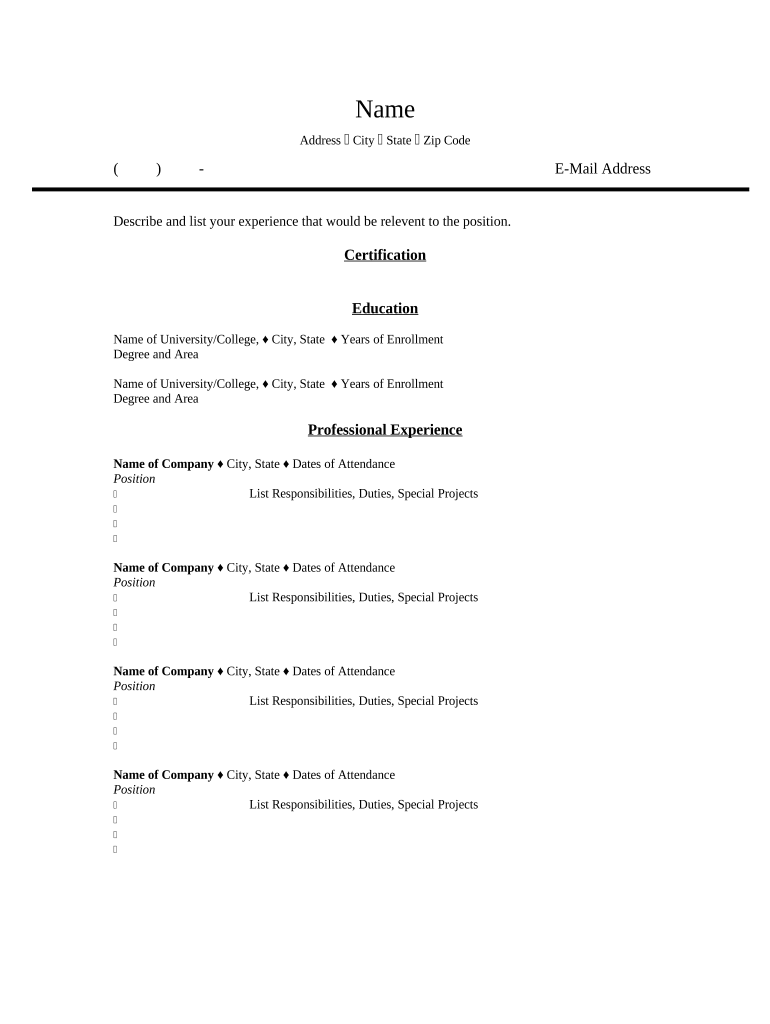
Begin by entering your personal information at the top of the form. Fill in your name, address, city, state, zip code, and email address accurately to ensure potential employers can contact you.
In the 'Experience' section, describe and list relevant experiences that align with accounting positions. Be specific about your roles and achievements.
Proceed to the 'Certification' section. List any certifications you hold that are pertinent to accounting, such as CPA or CMA.
Next, fill out the 'Education' section. Include the names of universities or colleges attended, their locations, years of enrollment, and degrees earned.
In the 'Professional Experience' section, detail your work history. For each position held, include the company name, location, dates of attendance, and a bullet-point list of responsibilities and special projects.
Start using our platform today to create a professional Resume for Accountant for free!
what to write about me in resume examples accountants
Sample CV for Accountant in Word formatResume for accountant pdfResume for accountant with no experienceResume for accountant freshersResume for accountant skillsSample CV for accountant in Word format free downloadSummary for accountant resumeAccounting resume Reddit
Security and compliance
At DocHub, your data security is our priority. We follow HIPAA, SOC2, GDPR, and other standards, so you can work on your documents with confidence.
Accountant/Team Lead. Oversee the processing of accounts receivable, accounts payable and collections, and the reconciling of monthly bank statements. AssistRead more
Certified Public Accountant Resume Active Practice
(b) To resume the active practice of public accounting, the holder of an inactive license must submit. (1) an application on a form provided by the department;.Read more
Cookie consent notice
This site uses cookies to enhance site navigation and personalize your experience.
By using this site you agree to our use of cookies as described in our Privacy Notice.
You can modify your selections by visiting our Cookie and Advertising Notice.