Type text, add images, blackout confidential details, add comments, highlights and more.
02. Sign it in a few clicks
Draw your signature, type it, upload its image, or use your mobile device as a signature pad.
03. Share your form with others
Send it via email, link, or fax. You can also download it, export it or print it out.
How to use or fill out Resume for Stage Carpenter with DocHub
Ease of Setup
DocHub User Ratings on G2
Ease of Use
DocHub User Ratings on G2
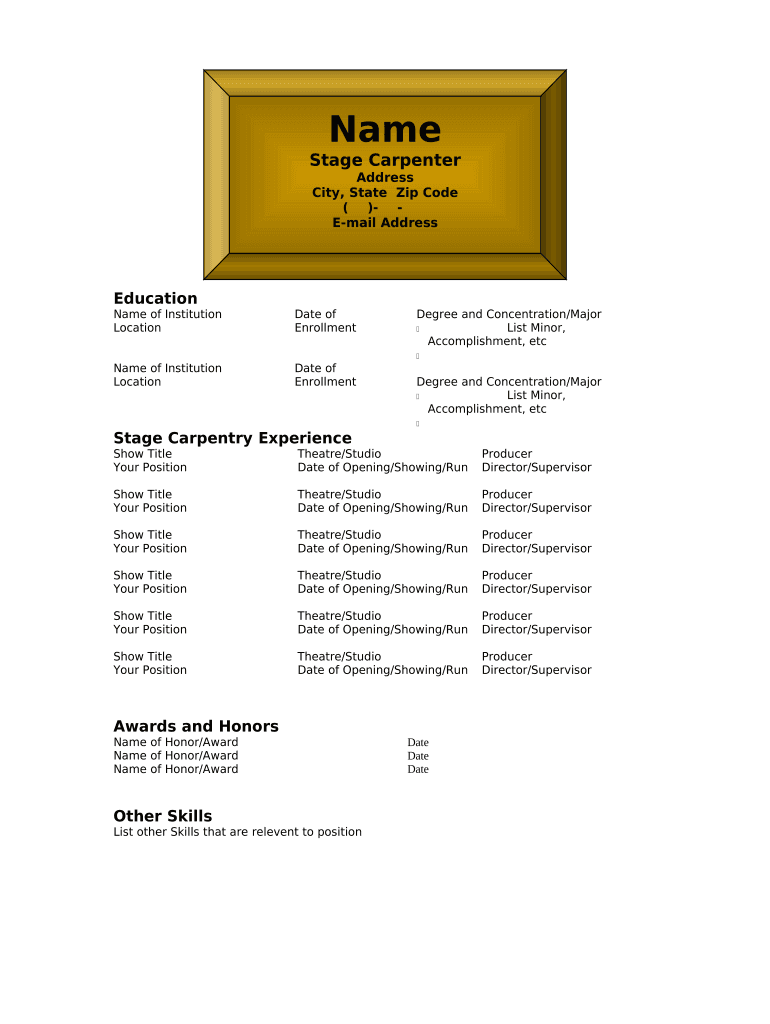
Click ‘Get Form’ to open the Resume for Stage Carpenter in our editor.
Begin by entering your personal information at the top of the form. Fill in your name, address, city, state, zip code, and email address accurately.
Move to the Education section. Input the name and location of each institution you attended along with the dates of enrollment. Be sure to include your degree and any relevant minors or accomplishments.
In the Stage Carpentry Experience section, list each show title where you held a position. Include details such as the theatre/studio name, date of opening/showing/run, producer, and director/supervisor.
Next, document any awards and honors you've received by listing them clearly under the Awards and Honors section.
Finally, complete the Other Skills section by listing additional skills relevant to stage carpentry that may enhance your application.
Start using our platform today to create a standout Resume for Stage Carpenter for free!
Fill out Resume for Stage Carpenter online It's free
B.A. in Theatre, California State University, Bakersfield (CSUB), expected June 2015. Courses in Stage Management, Directing, Acting, Stagecraft, TechnicalRead more
Cookie consent notice
This site uses cookies to enhance site navigation and personalize your experience.
By using this site you agree to our use of cookies as described in our Privacy Notice.
You can modify your selections by visiting our Cookie and Advertising Notice.