Type text, add images, blackout confidential details, add comments, highlights and more.
02. Sign it in a few clicks
Draw your signature, type it, upload its image, or use your mobile device as a signature pad.
03. Share your form with others
Send it via email, link, or fax. You can also download it, export it or print it out.
How to use or fill out sealed records with our platform
Ease of Setup
DocHub User Ratings on G2
Ease of Use
DocHub User Ratings on G2
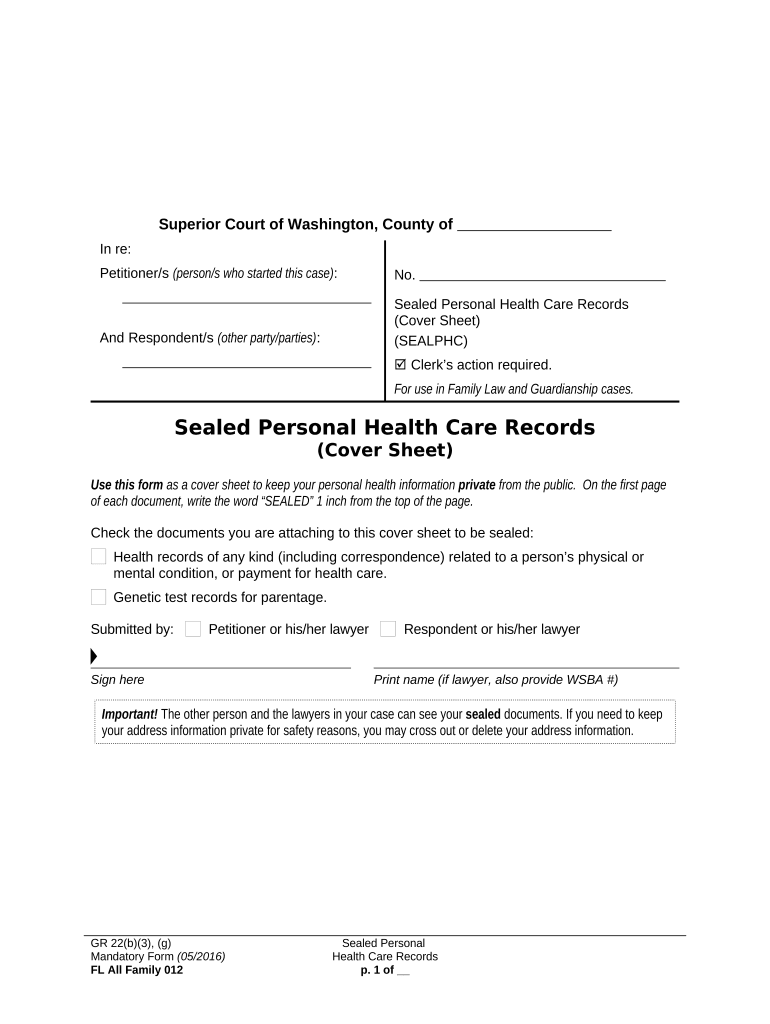
Click ‘Get Form’ to open the Sealed Personal Health Care Records cover sheet in the editor.
Begin by writing the word 'SEALED' at least 1 inch from the top of the first page of each document you are attaching.
In the designated section, check all applicable boxes for the documents you are sealing, such as health records related to physical or mental conditions and genetic test records.
Fill in your name as the petitioner or your lawyer's name if applicable. Ensure to sign in the provided area.
If you are a respondent or your lawyer is submitting, print their name and include their WSBA number if they are a lawyer.
Remember that while these documents are sealed, other parties involved in your case may still view them. If privacy is a concern, consider crossing out any address information.
Start using our platform today to securely manage your sealed records online for free!
Sealed records meaningSealed Records labelSealed records background checksSealed records JavaSealed Records Rudimentary PeniSealed records C#Sealed Records BandcampSealed records net
Security and compliance
At DocHub, your data security is our priority. We follow HIPAA, SOC2, GDPR, and other standards, so you can work on your documents with confidence.
Sealing Orders | State of California - Department of Justice
The following is a list of statutes that authorize the Department to seal criminal history records maintained by the Department in state summary criminalRead more
Record the events as you experienced them (Firmament)
Apr 18, 2024 Success. Sealed records. You write down as much as you can remember. In places, the ink runs, refusing to stick to the page. In places, theRead more
Cookie consent notice
This site uses cookies to enhance site navigation and personalize your experience.
By using this site you agree to our use of cookies as described in our Privacy Notice.
You can modify your selections by visiting our Cookie and Advertising Notice.