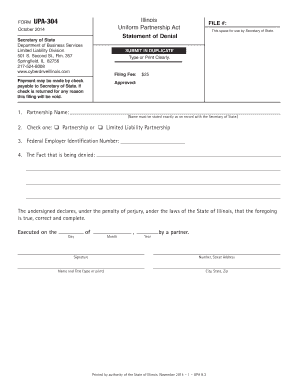
Type text, add images, blackout confidential details, add comments, highlights and more.
02. Sign it in a few clicks
Draw your signature, type it, upload its image, or use your mobile device as a signature pad.
03. Share your form with others
Send va disability 55 year old rule via email, link, or fax. You can also download it, export it or print it out.
How to use or fill out va cancellation with our platform
Ease of Setup
DocHub User Ratings on G2
Ease of Use
DocHub User Ratings on G2
Click ‘Get Form’ to open the va cancellation document in the editor.
Begin by entering the effective date of the agreement in the designated field. This is crucial as it marks when the cancellation takes effect.
Fill in the names of all parties involved. In the 'Lessor' section, input the landlord's name, and in the 'Lessee(s)' section, list all tenants' names clearly.
Specify the details of the original lease agreement, including its date and property address. This information helps clarify which lease is being canceled.
In the cancellation clause, confirm that both parties agree to terminate any rights or obligations under the lease. Ensure this section is clearly marked.
Finally, have all parties sign and date at the bottom of the form. This step is essential for validating the cancellation.
Start using our platform today to easily complete your va cancellation form for free!
VA appointments phone numberHow do i check My VA appointmentsCancel VA appointment phone numberCancel VA appointment onlineVA Central scheduling phone numberMy HealtheVet VA appointmentsHow to cancel VA claim onlineCheck VA appointments by phone
Security and compliance
At DocHub, your data security is our priority. We follow HIPAA, SOC2, GDPR, and other standards, so you can work on your documents with confidence.
VA to terminate 585 non-mission-critical or duplicative contracts
Mar 3, 2025 The 585 contract cancellations announced today represent the first step in VAs comprehensive and ongoing audit of roughly 90,000 departmentRead more
Cookie consent notice
This site uses cookies to enhance site navigation and personalize your experience.
By using this site you agree to our use of cookies as described in our Privacy Notice.
You can modify your selections by visiting our Cookie and Advertising Notice.