North carolina widow 2026

Get Form
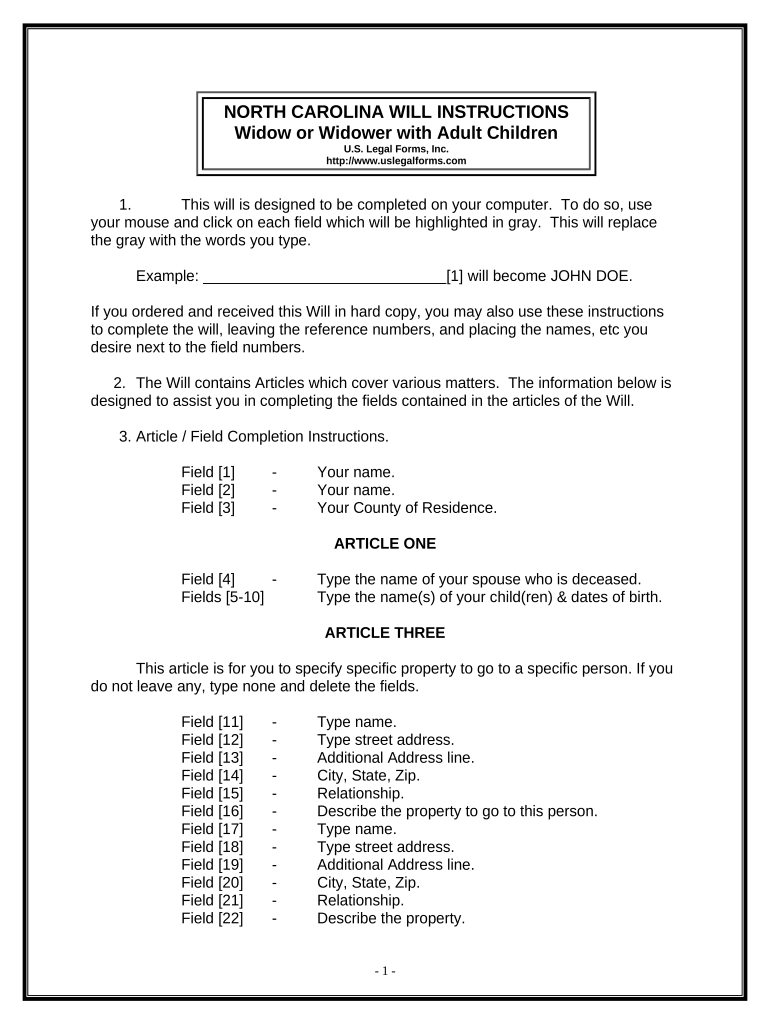
north carolina widow Preview on Page 1

Here's how it works

01. Edit your form online
Type text, add images, blackout confidential details, add comments, highlights and more.
02. Sign it in a few clicks
Draw your signature, type it, upload its image, or use your mobile device as a signature pad.
03. Share your form with others
Send it via email, link, or fax. You can also download it, export it or print it out.

How to use or fill out North Carolina Widow with our platform

Form edit decoration
9.5
Ease of Setup
DocHub User Ratings on G2
9.0
Ease of Use
DocHub User Ratings on G2
  1. Click ‘Get Form’ to open the North Carolina Widow document in the editor.
  2. Begin by entering your name and county of residence in the designated fields. This information is crucial as it identifies you as the testator.
  3. In Article One, specify the name of your deceased spouse and list your children along with their dates of birth. Ensure accuracy for legal clarity.
  4. For Article Three, detail any specific property you wish to bequeath. If there are no specific items, simply type 'none' in the provided fields.
  5. In Article Six, appoint a Personal Representative by typing their name. This person will manage your estate according to your wishes.
  6. Review all entries carefully before printing. Ensure that you sign in front of two witnesses and a notary public for validation.

Start using our platform today to easily complete your North Carolina Widow form online for free!

be ready to get more

Complete this form in 5 minutes or less

Get form

Got questions?

We have answers to the most popular questions from our customers. If you can't find an answer to your question, please contact us.
Contact us
Are Black Widows Common in North Carolina? Yes, black widows are a common spider species in North Carolina, particularly in outdoor areas where they can find secluded, undisturbed spaces.
In other words, she will be entitled to what he left her in his estate planning documents. If he died without a valid will or trust, she will be entitled to 100% of the community property and a portion of the husbands separate property.