Type text, add images, blackout confidential details, add comments, highlights and more.
02. Sign it in a few clicks
Draw your signature, type it, upload its image, or use your mobile device as a signature pad.
03. Share your form with others
Send it via email, link, or fax. You can also download it, export it or print it out.
How to use or fill out nc agreement with our platform
Ease of Setup
DocHub User Ratings on G2
Ease of Use
DocHub User Ratings on G2
Click ‘Get Form’ to open the nc agreement in the editor.
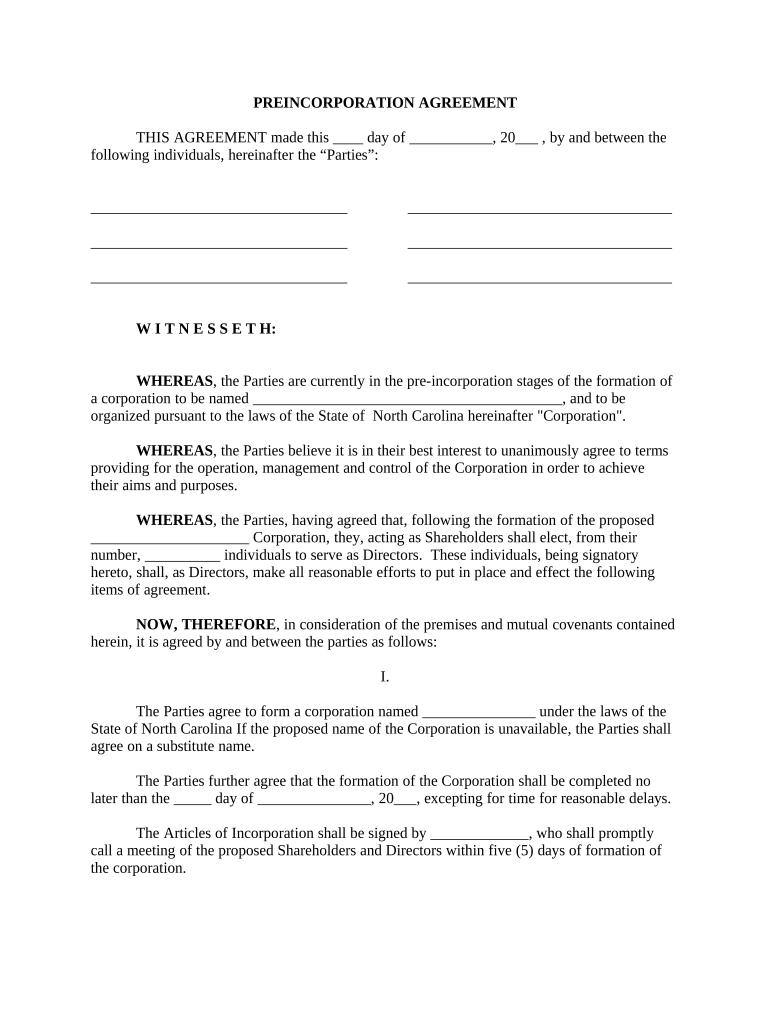
Begin by filling in the date and names of the Parties involved at the top of the document. Ensure all parties are accurately represented.
In Section I, specify the proposed name of the Corporation and ensure it complies with North Carolina laws. Set a deadline for formation and designate who will sign the Articles of Incorporation.
Complete the purpose of the Corporation in Section I, detailing business activities clearly to avoid ambiguity.
In subsequent sections, list individuals for Director positions and their respective salaries. Use our platform’s text fields to input this information easily.
For capital contributions, allocate estimated amounts for various expenses like equipment and salaries. Utilize our platform's table feature for organized presentation.
Review all entries for accuracy before saving your changes. Use our platform’s review tools to ensure everything is correct.
Start using our platform today to streamline your nc agreement process for free!
NC State Contract portalNC State contract Vehicle pricingNC state contractsNC State Contract Vehicle listNorth Carolina Procurement ContractsNC procurementNc State Contract vendorsNC State Contract 5610A
Security and compliance
At DocHub, your data security is our priority. We follow HIPAA, SOC2, GDPR, and other standards, so you can work on your documents with confidence.
The employment agreement/contract generally sets out the requirements of the position, rights, and responsibilities of both the employer and the employee, andRead more
Cookie consent notice
This site uses cookies to enhance site navigation and personalize your experience.
By using this site you agree to our use of cookies as described in our Privacy Notice.
You can modify your selections by visiting our Cookie and Advertising Notice.