Notice assessment sample 2026

Get Form
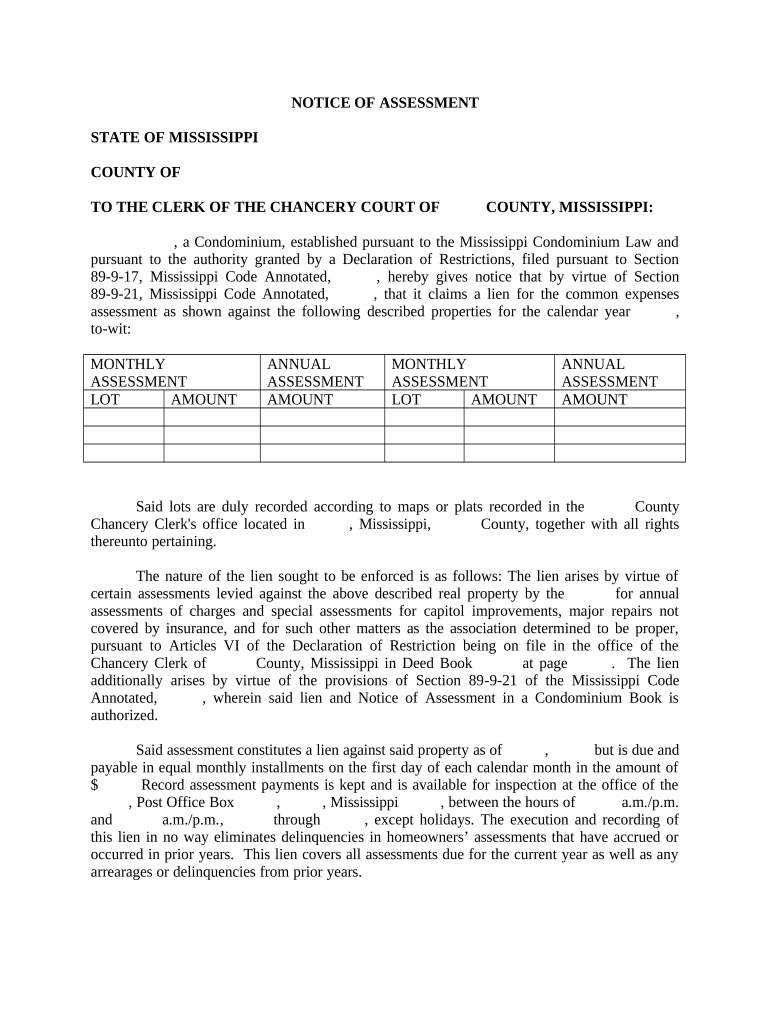
notice of assessment sample Preview on Page 1

Here's how it works

01. Edit your notice of assessment sample online
Type text, add images, blackout confidential details, add comments, highlights and more.
02. Sign it in a few clicks
Draw your signature, type it, upload its image, or use your mobile device as a signature pad.
03. Share your form with others
Send notice of assessment meaning via email, link, or fax. You can also download it, export it or print it out.

How to use or fill out notice assessment sample with our platform

Form edit decoration
9.5
Ease of Setup
DocHub User Ratings on G2
9.0
Ease of Use
DocHub User Ratings on G2
  1. Click ‘Get Form’ to open the notice assessment sample in the editor.
  2. Begin by filling in the 'County' field at the top of the form, specifying the relevant county for your notice.
  3. In the section detailing the condominium, enter its name and ensure it aligns with your Declaration of Restrictions.
  4. Complete the property description fields, including monthly and annual assessment amounts for each lot listed.
  5. Specify the due date for assessments and ensure that you indicate whether payments are made monthly or annually.
  6. Fill in your name as President of the association and sign where indicated. Ensure all information is accurate before submission.
  7. Finally, have a notary public witness your signature and complete their section to validate the document.

Start using our platform today to streamline your document editing and signing process for free!

be ready to get more

Complete this form in 5 minutes or less

Get form

Got questions?

We have answers to the most popular questions from our customers. If you can't find an answer to your question, please contact us.
Contact us
Your notice (NOA or NOR) shows your name and address the CRA has on file, along with the tax centre your tax return was processed. The notice outlines your assessment and reassessment, and calculated balance. Concurrent assessments and reassessments.
Your notice (NOA or NOR) shows your name and address the CRA has on file, along with the tax centre your tax return was processed. The notice outlines your assessment and reassessment, and calculated balance. If you file several consecutive-year returns at the same time, we will do a concurrent assessment.
Its issued after you submit your companys income tax return (usually the ITR14) and tells you the outcome of that return, like Whether you owe money, are due a refund, or if SARS has flagged anything for review.
What does it state on the assessment? What tax is this in regards to? Typically, states would issue a notice of assessment, which is just a fancy way of saying billing for tax due, if you failed to file the return(s) in question or if there were adjustments made to the returns resulting in a tax due.
The notice of assessment is primarily used in tax law and is relevant in civil legal contexts. It is a crucial document for taxpayers, as it provides clarity on their tax liabilities.

Security and compliance

At DocHub, your data security is our priority. We follow HIPAA, SOC2, GDPR, and other standards, so you can work on your documents with confidence.

Learn more
ccpa2
pci-dss
gdpr-compliance
hipaa
soc-compliance

People also ask

Retrieving Notices of Assessment via ATO online services Visit the ATO online services page and log in with your MyGov credentials. Navigate to Tax, then Lodgments, and select Income tax. Under the Income tax section, choose History, then select the year for which you need the Notice of Assessment.
A notice of assessment is what you receive once your taxes are filed. In order to file your taxes you need a T4 from your job as well as the proper documentation from things like your EI payments, RRSPs and any other income you may have earned throughout the year.

what is notice of assessment