Type text, add images, blackout confidential details, add comments, highlights and more.
02. Sign it in a few clicks
Draw your signature, type it, upload its image, or use your mobile device as a signature pad.
03. Share your form with others
Send it via email, link, or fax. You can also download it, export it or print it out.
How to use or fill out right way easement with our platform
Ease of Setup
DocHub User Ratings on G2
Ease of Use
DocHub User Ratings on G2
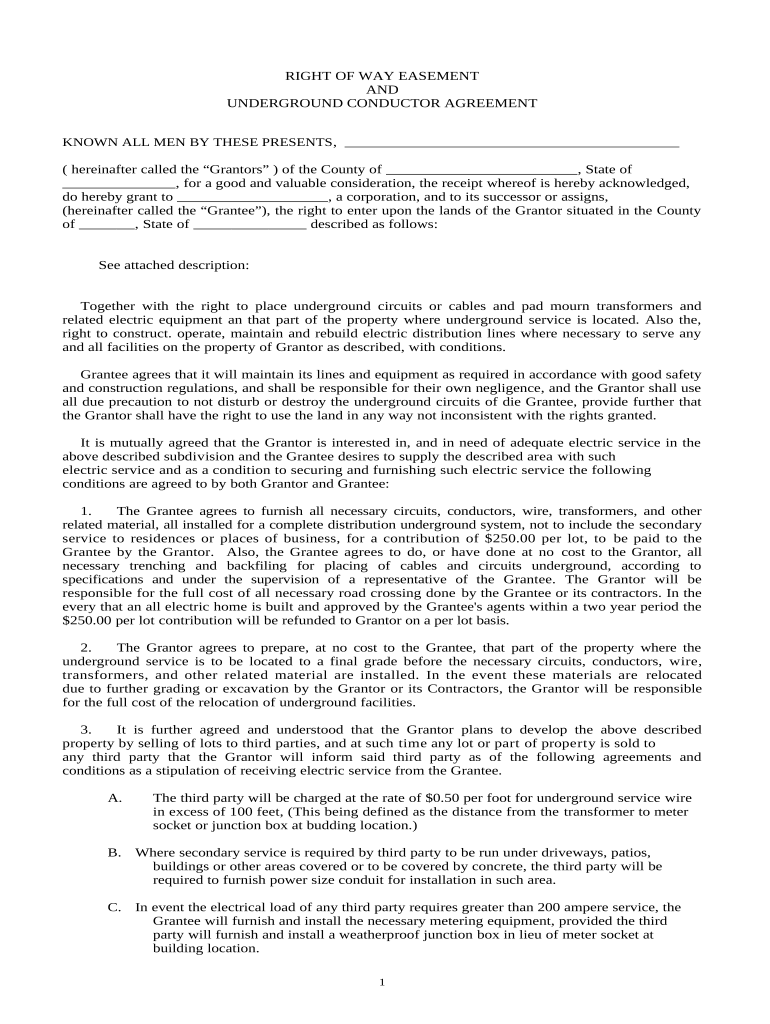
Click ‘Get Form’ to open the right way easement document in the editor.
Begin by filling in the names of the Grantors and Grantee, along with their respective counties and states. Ensure all information is accurate to avoid future disputes.
In the section describing the property, attach a detailed legal description of the land involved. This is crucial for clarity on where the easement applies.
Review and complete each condition outlined in the agreement, ensuring that both parties understand their responsibilities regarding installation and maintenance of underground services.
Sign and date the document at the designated areas. Make sure to include witness signatures as required, which can be easily facilitated through our platform.
Finally, save your completed form and share it directly from our editor for seamless distribution.
Start using our platform today to streamline your right way easement process for free!
Who owns right of way propertyRight of way easement rulesRight of way easement exampleWhat is a right of way on a propertyCan a landowner block a right of wayWho maintains a right of way easementWho is responsible for right of way maintenanceRight of way property line
Security and compliance
At DocHub, your data security is our priority. We follow HIPAA, SOC2, GDPR, and other standards, so you can work on your documents with confidence.
An easement is the right to use the property of another for some defined purpose. The purpose and terms of an easement are usually described in the documentRead more
Cookie consent notice
This site uses cookies to enhance site navigation and personalize your experience.
By using this site you agree to our use of cookies as described in our Privacy Notice.
You can modify your selections by visiting our Cookie and Advertising Notice.