Type text, add images, blackout confidential details, add comments, highlights and more.
02. Sign it in a few clicks
Draw your signature, type it, upload its image, or use your mobile device as a signature pad.
03. Share your form with others
Send it via email, link, or fax. You can also download it, export it or print it out.
How to use or fill out Bill of Sale without Warranty by Corporate Seller - California
Ease of Setup
DocHub User Ratings on G2
Ease of Use
DocHub User Ratings on G2
Click ‘Get Form’ to open it in the editor.
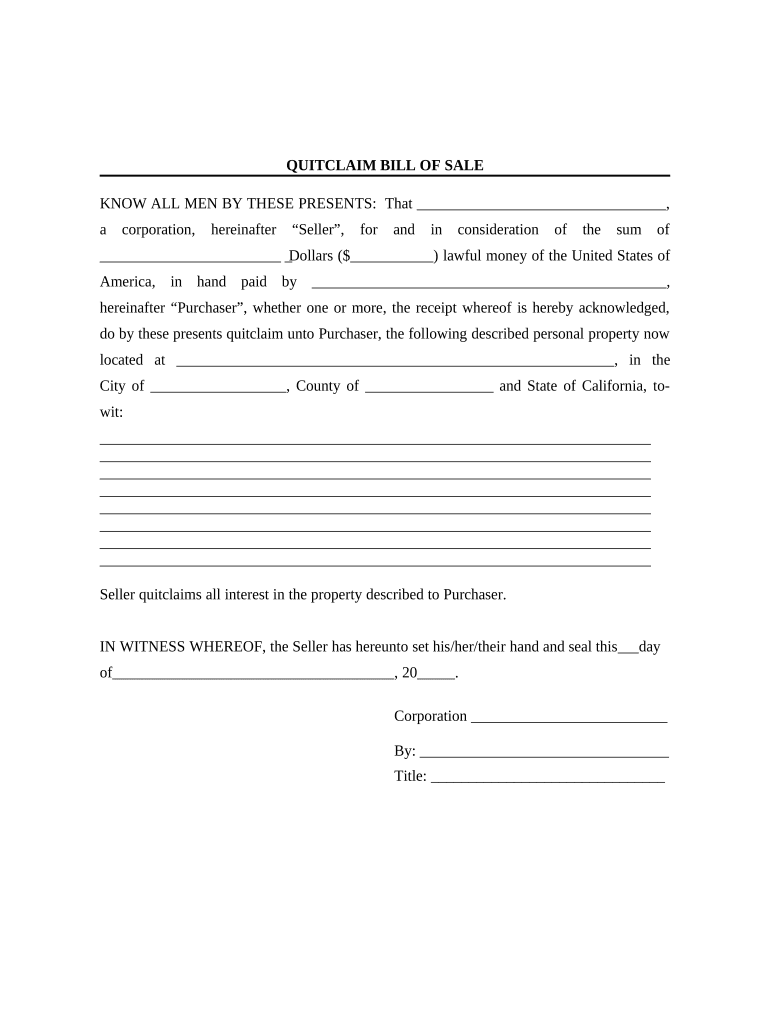
Begin by entering the Seller's name, which is the corporation selling the property. This should be filled in at the top of the document.
Next, specify the amount being paid for the property in both words and numbers. Ensure this is accurate as it represents the consideration for the sale.
Fill in the Purchaser's name, who is buying the property. If there are multiple purchasers, list them accordingly.
Describe the personal property being sold clearly and completely. Include details such as location and any identifying features to avoid ambiguity.
The Seller must sign and date the document at the bottom, including their title within the corporation.
Complete the acknowledgment section by filling in details about who witnessed the signing, ensuring all necessary signatures are present.
Start using our platform today to fill out your Bill of Sale effortlessly and for free!
Fill out Bill of Sale without Warranty by Corporate Seller - California online It's free
Bill of sale without warranty by corporate seller california templateBill of sale without warranty by corporate seller california pdfBill of sale without warranty by corporate seller california sampleBill of sale without warranty by corporate seller california freeCA DMV bill of Sale PDFBill of Sale DMVCA DMV bill of sale without titleCa Bill of Sale
Security and compliance
At DocHub, your data security is our priority. We follow HIPAA, SOC2, GDPR, and other standards, so you can work on your documents with confidence.
The Vehicle is sold as is, and the Seller makes no express or implied warranties as to the condition or performance of the Vehicle, except as follows: to theRead more
A bill of sale, as referenced in this manual generally refers to a DMV form, but any bill of sale that identifies the vehicle/vessel is acceptable.Read more
Cookie consent notice
This site uses cookies to enhance site navigation and personalize your experience.
By using this site you agree to our use of cookies as described in our Privacy Notice.
You can modify your selections by visiting our Cookie and Advertising Notice.