Type text, add images, blackout confidential details, add comments, highlights and more.
02. Sign it in a few clicks
Draw your signature, type it, upload its image, or use your mobile device as a signature pad.
03. Share your form with others
Send it via email, link, or fax. You can also download it, export it or print it out.
How to use or fill out injury questionnaire with our platform
Ease of Setup
DocHub User Ratings on G2
Ease of Use
DocHub User Ratings on G2
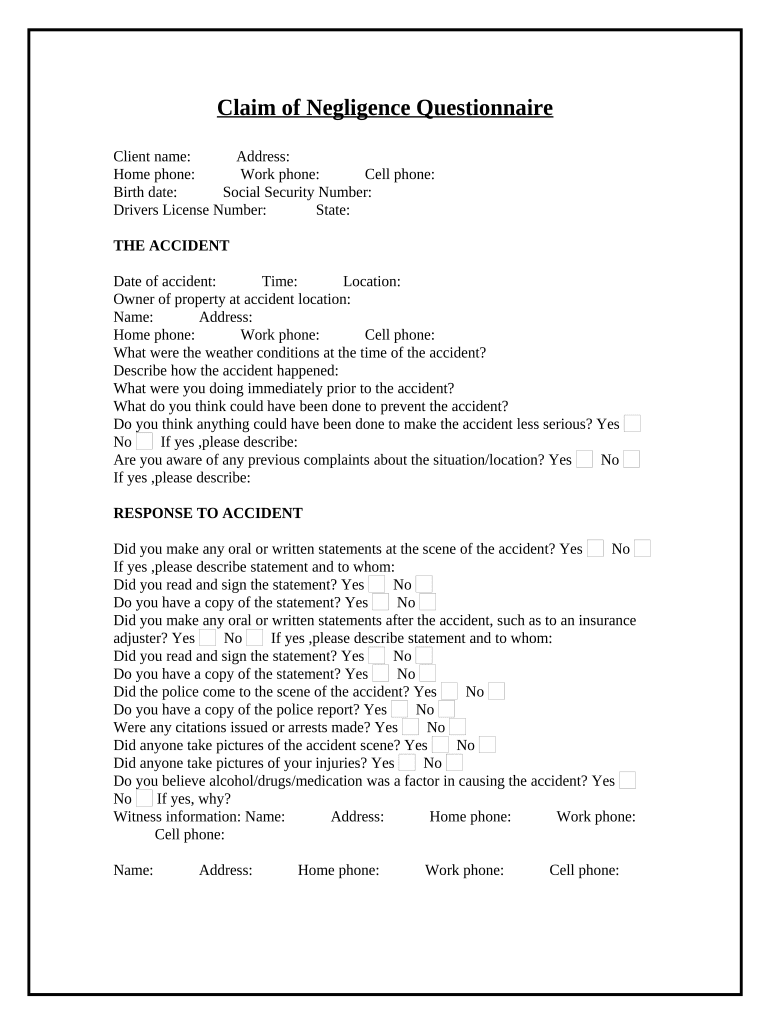
Click ‘Get Form’ to open the injury questionnaire in the editor.
Begin by filling in your personal information, including your name, address, and contact numbers. This section is crucial for identifying you as the claimant.
In 'THE ACCIDENT' section, provide details about the incident such as the date, time, and location. Describe how the accident occurred and any factors that may have contributed to it.
Next, move to 'RESPONSE TO ACCIDENT'. Indicate whether you made any statements at the scene or afterward. Be sure to include details about police involvement and any evidence collected.
In the 'INJURIES' section, specify if you were injured and detail any medical treatment received. Include information about hospital visits and ongoing care.
Finally, complete the 'OTHER DAMAGES/MISCELLANEOUS' section by listing any claims made previously and detailing how this injury has affected your work and daily activities.
Start filling out your injury questionnaire today for free using our platform!
Personal injury intake form templatePERSONAL INJURY INTAKE FORM pdfBest personal injury intake formPersonal injury client intakeAuto injury intake formAllegiance accident questionnaireHow to conduct an effective client interview in litigation cases
Security and compliance
At DocHub, your data security is our priority. We follow HIPAA, SOC2, GDPR, and other standards, so you can work on your documents with confidence.
by RJ McClure 1995 Cited by 6 The HCIQ is a practical and reliable questionnaire for identifying the health consequences of injury that, when used with QWB weights, successfully predicts
The Self-Injury Questionnaire-Treatment Related (SIQ-TR)
by L Claes In this questionnaire, five types of self-injurious behaviors are checked: scratching, bruising, cutting, burning, and biting oneself. Each time you will beRead more
Enhanced Questionnaire for Assessing Public Knowledge about
Do you know the immediate first aid steps to take for a minor burn? o True o False. Which of the following should be done immediately after a burn injury?
Cookie consent notice
This site uses cookies to enhance site navigation and personalize your experience.
By using this site you agree to our use of cookies as described in our Privacy Notice.
You can modify your selections by visiting our Cookie and Advertising Notice.