01. Edit your 15b response to motion to change online
Type text, add images, blackout confidential details, add comments, highlights and more.
02. Sign it in a few clicks
Draw your signature, type it, upload its image, or use your mobile device as a signature pad.
03. Share your form with others
Send court case letter via email, link, or fax. You can also download it, export it or print it out.
How to use or fill out form 15b with our platform
Ease of Setup
DocHub User Ratings on G2
Ease of Use
DocHub User Ratings on G2
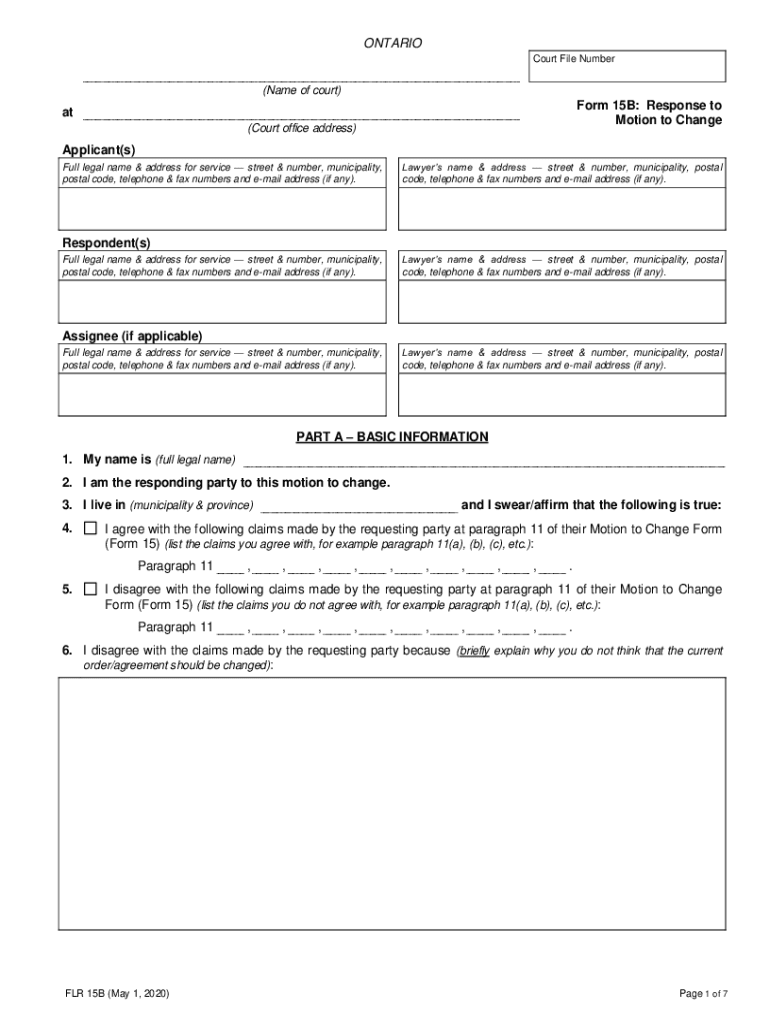
Click ‘Get Form’ to open Form 15B in the editor.
Begin by entering your full legal name and address in the Applicant section. Ensure all contact details are accurate for service purposes.
In Part A, provide your name, confirm you are the responding party, and state your municipality and province.
List any claims from the requesting party's Motion to Change that you agree with or disagree with, referencing paragraph 11 as needed.
If applicable, complete the support information section by indicating whether you are a support payor or recipient and attach necessary documents.
In Part B, check all changes you wish to make regarding custody, access, or support. Specify any terms of the current order you want to change in detail.
Provide additional information in Part C explaining why changes are necessary based on your current circumstances.
Finally, review all entries for accuracy before signing the document in front of a qualified official.
Start using our platform today for free to streamline your form completion process!
Dec 18, 2018 If the recipient of a taxable fringe benefit is your em- ployee, the benefit generally is subject to employment taxes and must be reported onRead more
Jan 26, 2017 Both the buyer and seller involved in the sale of business assets must report to the IRS the allocation of the sales price among section 197Read more
Cookie consent notice
This site uses cookies to enhance site navigation and personalize your experience.
By using this site you agree to our use of cookies as described in our Privacy Notice.
You can modify your selections by visiting our Cookie and Advertising Notice.