Employment agreement officer 2026

Get Form
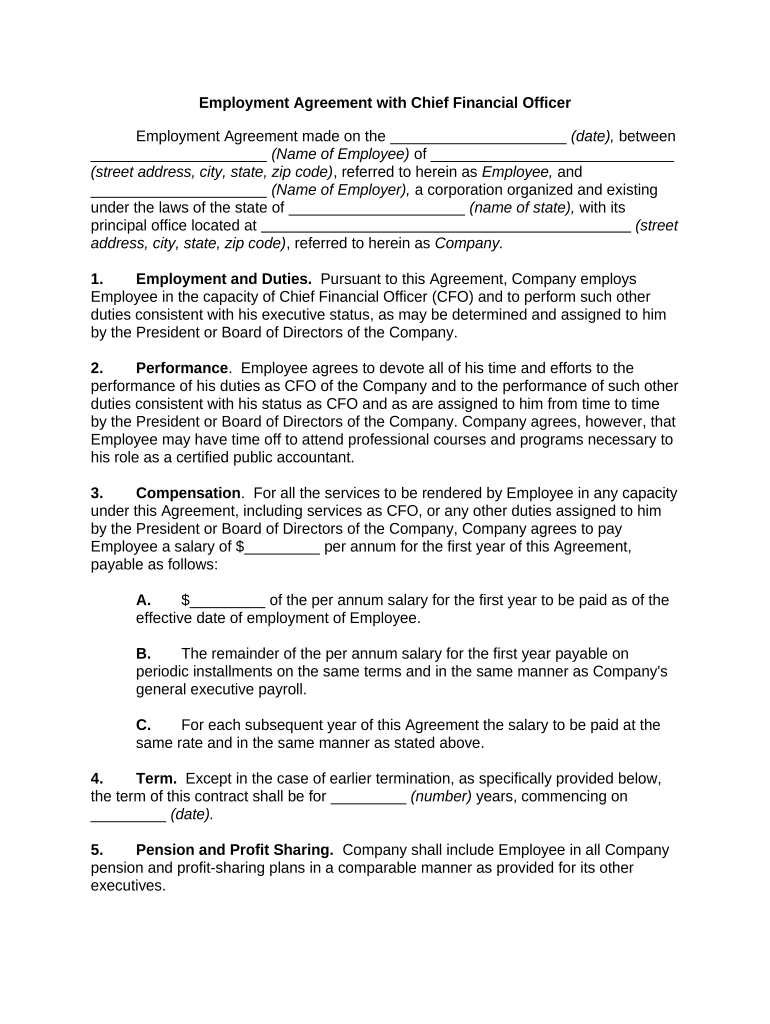
employment agreement officer Preview on Page 1

Here's how it works

01. Edit your form online
Type text, add images, blackout confidential details, add comments, highlights and more.
02. Sign it in a few clicks
Draw your signature, type it, upload its image, or use your mobile device as a signature pad.
03. Share your form with others
Send it via email, link, or fax. You can also download it, export it or print it out.

How to use or fill out employment agreement officer with our platform

Form edit decoration
9.5
Ease of Setup
DocHub User Ratings on G2
9.0
Ease of Use
DocHub User Ratings on G2
  1. Click ‘Get Form’ to open the employment agreement officer in the editor.
  2. Begin by entering the date of the agreement in the designated field at the top of the document.
  3. Fill in the name and address of the employee, ensuring all details are accurate for proper identification.
  4. Next, input the name of the employer and their business address, confirming that it aligns with official records.
  5. In the 'Employment and Duties' section, specify any additional duties assigned to the CFO as needed.
  6. Complete the 'Compensation' section by entering the annual salary and payment schedule clearly.
  7. For benefits like insurance and vacation, ensure you check all applicable boxes and provide necessary details.
  8. Review all sections for accuracy before finalizing your document. Use our platform's tools to make edits easily.

Start using our platform today to streamline your employment agreement process for free!

be ready to get more

Complete this form in 5 minutes or less

Get form

Got questions?

We have answers to the most popular questions from our customers. If you can't find an answer to your question, please contact us.
Contact us
Given the weight of these responsibilities, its appropriate that you have a CFO employment agreement with the company, and that contract reflects your contributions and provides reasonable protections for your interests.
In Alberta, an employment contract usually includes details about your job, what youll be doing, how much youll be paid, when youll work, vacation time, and workplace rules.
Generally, contracts dont need to be docHubd, as the signed contract itself is legally binding. However, if a potential legal dispute arises between the parties, having the contract docHubd can be very beneficial. Having a notary will provide proof of the parties entering into the contract.

Security and compliance

At DocHub, your data security is our priority. We follow HIPAA, SOC2, GDPR, and other standards, so you can work on your documents with confidence.

Learn more
ccpa2
pci-dss
gdpr-compliance
hipaa
soc-compliance