




Here's how it works

01. Edit your form online
Type text, add images, blackout confidential details, add comments, highlights and more.

02. Sign it in a few clicks
Draw your signature, type it, upload its image, or use your mobile device as a signature pad.

03. Share your form with others
Send it via email, link, or fax. You can also download it, export it or print it out.
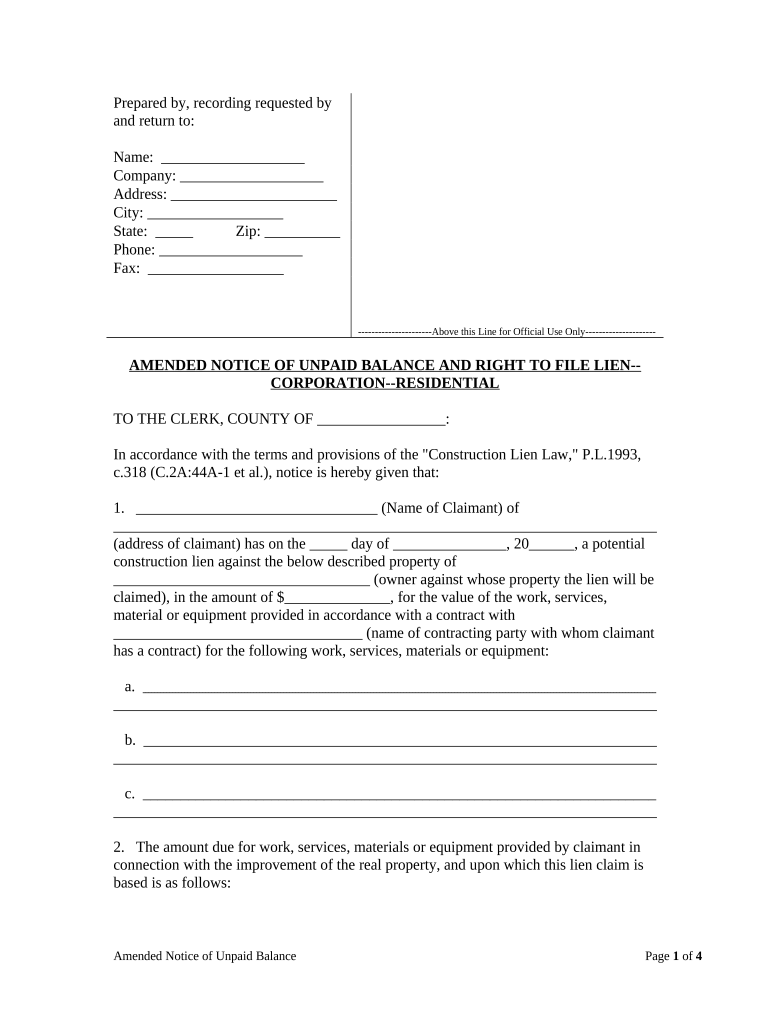
How to use or fill out New Jersey Lien with our platform

- Click ‘Get Form’ to open the New Jersey lien document in the editor.
- Begin by filling in the 'Prepared by, recording requested by and return to' section. Enter your name, company, address, city, state, zip code, phone number, and fax number.
- In the 'AMENDED NOTICE OF UNPAID BALANCE AND RIGHT TO FILE LIEN-CORPORATION--RESIDENTIAL' section, provide the name of the claimant and their address. Specify the date of potential lien and details about the property owner.
- Detail the work performed by listing services or materials provided under contract. Include total amounts due and any amendments made to contracts.
- Complete sections regarding ownership interest and describe the property accurately using block and lot numbers from local tax maps.
- Finalize by signing where indicated and ensuring all witness signatures are obtained as required.
Start using our platform today for free to streamline your New Jersey lien process!
Fill out new jersey lien online
It's free
It's free
Security and compliance
At DocHub, your data security is our priority. We follow HIPAA, SOC2, GDPR, and other standards, so you can work on your documents with confidence.
Learn more




