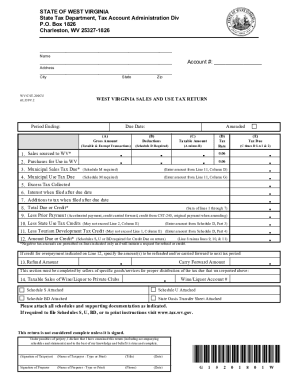
Agent authority form 2026

Get Form
agent authority form Preview on Page 1

Here's how it works

01. Edit your agent authority form online
Type text, add images, blackout confidential details, add comments, highlights and more.
02. Sign it in a few clicks
Draw your signature, type it, upload its image, or use your mobile device as a signature pad.
03. Share your form with others
Send it via email, link, or fax. You can also download it, export it or print it out.

How to use or fill out agent authority form with our platform

Form edit decoration
9.5
Ease of Setup
DocHub User Ratings on G2
9.0
Ease of Use
DocHub User Ratings on G2
  1. Click ‘Get Form’ to open the agent authority form in the editor.
  2. Begin by entering your name in the designated field where it states 'insert name of agent'. This identifies you as the agent.
  3. Next, input the name of the principal in the corresponding section labeled 'insert name of principal'. This is crucial for establishing the relationship.
  4. Review and confirm that the principal had the capacity to execute the power of attorney. Ensure that you check any relevant documentation if needed.
  5. In the signature field, sign your name as the agent. Below this, print your name clearly to ensure legibility.
  6. Finally, provide your address in the specified area. This information is essential for official records.

Start using our platform today to easily complete your agent authority form online for free!

be ready to get more

Complete this form in 5 minutes or less

Get form

Got questions?

We have answers to the most popular questions from our customers. If you can't find an answer to your question, please contact us.
Contact us
To nominate a Permanent Agent, you will need to complete the Permanent Agent access form (P6163), which is available from most Post Office branches. You can ask someone to pick up a form for you and hand it in at the Post Office on your behalf as long as the form is complete and has been signed by yourself.
What is an Authorization Form? An authorization form is a document that is duly endorsed by an individual or organisation which grants permission to another individual or organisation to proceed with certain actions. It is often used to grant permission to carry out a specific action for a fixed period of time.
The form requires you to provide your personal details, agents information, and select the specific tax affairs you want the agent to handle. Once youve filled in all the details, the form needs to be signed in the presence of a witness to validate it.
- skills assessment. This form is for skills assessment applicants who wish to authorise an agent to act on their behalf or revoke authorisation.
An Agent Authorization Letter is a formal document issued by a contractor or business entity to authorize a third partycommonly a consultant, advisor, or legal representativeto act on its behalf in specific matters related to GSA contracts and federal procurement.

Security and compliance

At DocHub, your data security is our priority. We follow HIPAA, SOC2, GDPR, and other standards, so you can work on your documents with confidence.

Learn more
ccpa2
pci-dss
gdpr-compliance
hipaa
soc-compliance

People also ask

Use Form 2848 to authorize an individual to represent you before the IRS. The individual you authorize must be a person eligible to practice before the IRS.
Form 64-8. Your clients can use form 64-8 to authorise you to act on their behalf for: individual, partnership and trust tax affairs. requests to HMRC for information on the High Income Child Benefit Charge to help calculate the charge. tax credits.
IRS Form 8655, Reporting Agent Authorization, gives a reporting agent the ability to file forms and make payroll tax deposits on your behalf. An IRS reporting agent can use your EIN and sign forms for you. The reporting agent might be an accountant or a payroll tax filing service.

Related links