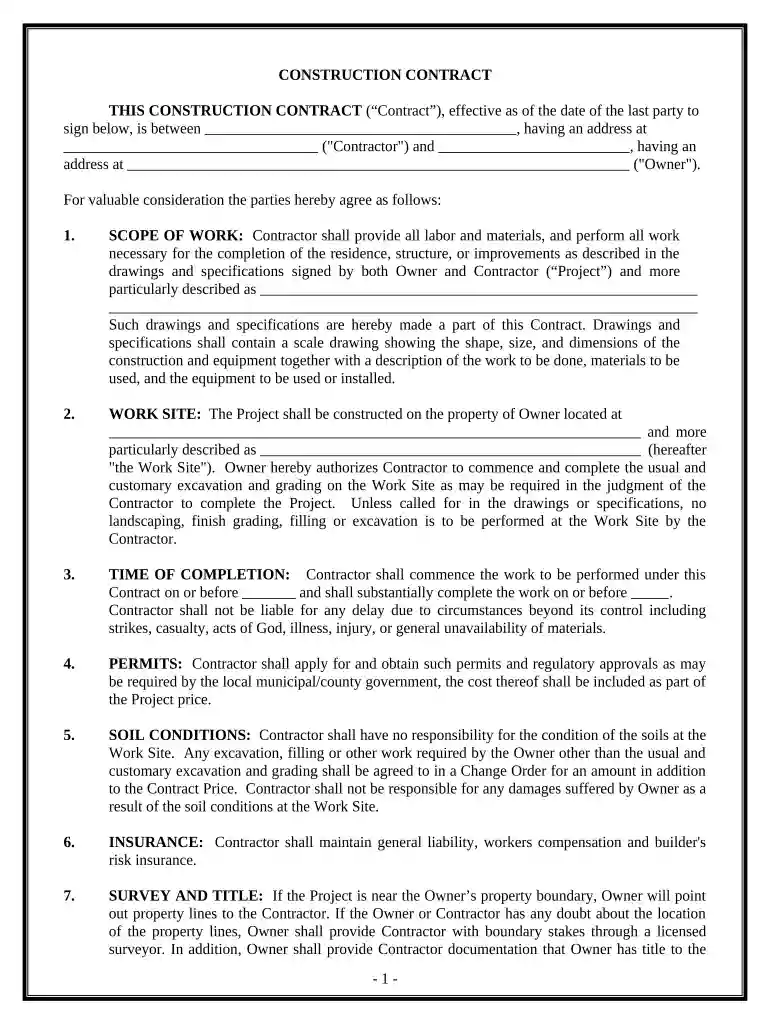
Construction Contract Cost Plus or Fixed Fee - Connecticut 2026

Get Form
cost plus contract example pdf Preview on Page 1

Here's how it works

01. Edit your cost plus contract example pdf online
Type text, add images, blackout confidential details, add comments, highlights and more.

02. Sign it in a few clicks
Draw your signature, type it, upload its image, or use your mobile device as a signature pad.

03. Share your form with others
Send cost plus contract pdf via email, link, or fax. You can also download it, export it or print it out.

How to use or fill out Construction Contract Cost Plus or Fixed Fee - Connecticut with our platform

Form edit decoration
9.5
Ease of Setup
DocHub User Ratings on G2
9.0
Ease of Use
DocHub User Ratings on G2
  1. Click ‘Get Form’ to open the Construction Contract in the editor.
  2. Begin by filling in the Contractor and Owner details, including names and addresses, in the designated fields at the top of the form.
  3. In the 'SCOPE OF WORK' section, clearly describe the project specifications and attach any relevant drawings or documents that outline the work to be performed.
  4. Specify the 'WORK SITE' address where construction will take place. Ensure this is accurate to avoid any future disputes.
  5. Indicate the 'TIME OF COMPLETION' by entering start and completion dates. Be mindful of potential delays that may arise.
  6. Choose between 'COST PLUS' or 'FIXED FEE' payment structures and fill in the corresponding amounts for clarity on compensation.
  7. Review all sections for accuracy before signing. Utilize our platform’s features to save your progress and share it with involved parties for review.

Start using our platform today to streamline your construction contract process for free!

See more Construction Contract Cost Plus or Fixed Fee - Connecticut versions

We've got more versions of the Construction Contract Cost Plus or Fixed Fee - Connecticut form. Select the right Construction Contract Cost Plus or Fixed Fee - Connecticut version from the list and start editing it straight away!
Versions Form popularity Fillable & printable
2020 4.6 Satisfied (48 Votes)
be ready to get more

Complete this form in 5 minutes or less

Get form

Got questions?

We have answers to the most popular questions from our customers. If you can't find an answer to your question, please contact us.
Contact us
Most contracts have a cost-plus fee scale of 10-25%. A contractor would use takeoff software to calculate the materials costs, but they wouldnt need to be exact. Some companies use a cost-plus-fixed-fee (CPFF) instead of a percentage.
A cost-plus contract is a construction agreement that requires reimbursement for project costs as well as a markup that covers the contractors overhead and profit. In other words, the name is a short-hand way of remembering what the contract covers: project costs plus contractor markup.
Businesses should use cost-plus contracts when the projects scope or costs are difficult to estimate up front or when flexibility and transparency are important.

Security and compliance

At DocHub, your data security is our priority. We follow HIPAA, SOC2, GDPR, and other standards, so you can work on your documents with confidence.
Learn more
ccpa2
pci-dss
gdpr-compliance
hipaa
soc-compliance