Type text, add images, blackout confidential details, add comments, highlights and more.
02. Sign it in a few clicks
Draw your signature, type it, upload its image, or use your mobile device as a signature pad.
03. Share your form with others
Send it via email, link, or fax. You can also download it, export it or print it out.
How to use or fill out Living Trust for Husband and Wife with No Children - Colorado
Ease of Setup
DocHub User Ratings on G2
Ease of Use
DocHub User Ratings on G2
Click ‘Get Form’ to open it in the editor.
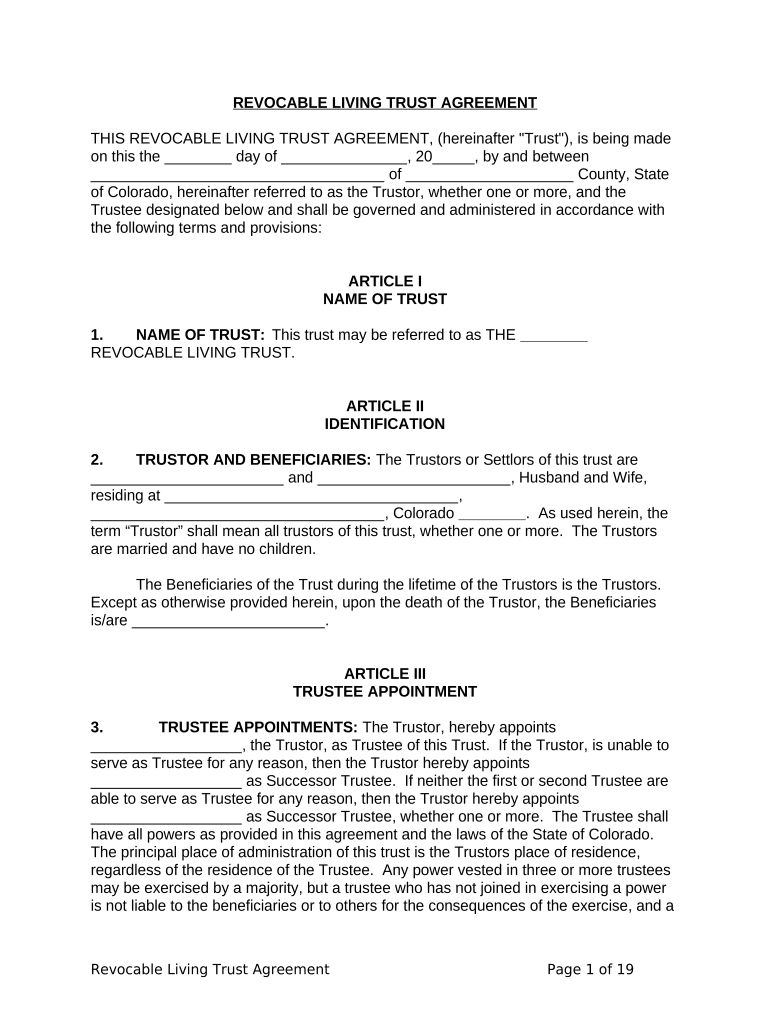
Begin by entering the date at the top of the form. This is crucial as it marks the official creation of your trust.
In Article I, specify the name of your trust. You can choose a name that reflects your preferences, such as 'The [Your Last Name] Revocable Living Trust'.
Proceed to Article II where you will fill in your names as Trustors. Include your full names and address, ensuring accuracy for legal purposes.
Designate a Trustee in Article III. Typically, this would be one of you or a trusted individual who will manage the trust assets.
In Article IV, list all assets that will be included in the trust. Attach an Exhibit A if necessary for detailed descriptions.
Review Articles V through XII carefully to understand trustee powers and administration rules. Make any necessary adjustments based on your specific needs.
Finally, ensure both Trustors sign and date the document in the designated areas at the end of the form.
Start using our platform today to easily create and manage your Living Trust for free!
Fill out Living Trust for Husband and Wife with No Children - Colorado online It's free
Will for married couple without childDoes marriage override a trustWho can I leave my estate to if I have no familyCan I put my house in a trust before divorceEstate planning for couples without childrenRevocable living trustDo you need a will if you are married
Security and compliance
At DocHub, your data security is our priority. We follow HIPAA, SOC2, GDPR, and other standards, so you can work on your documents with confidence.
Giving Through Your Will | the Colorado State University
A revocable living trust is set up during your lifetime and can be revoked at any time before death. They allow assets held in the trust to pass directly to
May 14, 2024 A revocable living trust is an arrangement set up through a legal document. The document gives someone the power to make decisions about another persons moneyRead more
Apr 29, 2021 In June 2012 a group of mothers and children living in Colorado marched into EnCana Corporation headquarters in Denver to deliver a petitionRead more
Cookie consent notice
This site uses cookies to enhance site navigation and personalize your experience.
By using this site you agree to our use of cookies as described in our Privacy Notice.
You can modify your selections by visiting our Cookie and Advertising Notice.