California bill sale 2026

Get Form
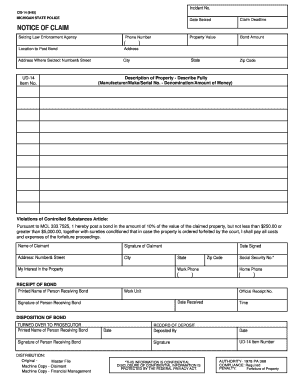
california bill of sale Preview on Page 1

Here's how it works

01. Edit your california bill of sale online
Type text, add images, blackout confidential details, add comments, highlights and more.

02. Sign it in a few clicks
Draw your signature, type it, upload its image, or use your mobile device as a signature pad.

03. Share your form with others
Send bill of sale california via email, link, or fax. You can also download it, export it or print it out.

How to use or fill out California Bill of Sale with our platform

Form edit decoration
9.5
Ease of Setup
DocHub User Ratings on G2
9.0
Ease of Use
DocHub User Ratings on G2
  1. Click ‘Get Form’ to open the California Bill of Sale in the editor.
  2. Begin by entering the seller's information, including name and address, in the designated fields. This ensures that all parties are clearly identified.
  3. Next, provide the buyer's details in a similar manner. Accurate information is crucial for legal documentation.
  4. Fill in the description of the asset being sold. For vehicles, include make, model, year, and VIN number. For other items, provide a detailed description to avoid any confusion.
  5. If applicable, complete the odometer disclosure section by entering the current mileage of the vehicle at the time of sale.
  6. Finally, both parties should sign and date the document. If required for your specific transaction (like mobile homes), ensure signatures are notarized.

Start using our platform today to easily complete your California Bill of Sale online for free!

be ready to get more

Complete this form in 5 minutes or less

Get form

Got questions?

We have answers to the most popular questions from our customers. If you can't find an answer to your question, please contact us.
Contact us
No. When you privately sell a car in California, the Bill of Sale does not need to be docHubd. Some buyers and sellers do so anyways as it can add another level of protection to both parties.
To make a legally binding bill of sale, you must follow state laws and include specific information like the buyers name, sellers name, contact information, description of the item, sale price, date of the sale, sellers signature, and in some cases, the buyers signature.
Can a bill of sale be handwritten? While it is common to present a bill of sale in a digital format, you can also create a handwritten bill of sale. Whats most important is to include all of the pertinent details in the bill of sale in order to protect both parties.
Sure a bill of sale can be handwritten. As a matter of fact, it appears that a bill of sale is not technically required in California. It is just highly recommended. The buyer can elect to do the smog check then demand that you reimburse them for the test and any necessary repairs to pass the smog test.
Theres no requirement for all bills of sale to be signed by both buyer and seller in most states. However, it is required in the case of motor vehicles in every US state. If its not signed, it cant be used as proof of contract.

Security and compliance

At DocHub, your data security is our priority. We follow HIPAA, SOC2, GDPR, and other standards, so you can work on your documents with confidence.
Learn more
ccpa2
pci-dss
gdpr-compliance
hipaa
soc-compliance

People also ask

A bill of sale is more than just saying I sold/bought this car for this amount. You will need to be sure you have some important information before you fill out the bill of sale, including: Both the buyers and the sellers full names. Contact information for both individuals. The vehicles make, model, and trim type.
What Information Do I Need for the Bill of Sale? Both the buyers and the sellers full names. Contact information for both individuals. The vehicles make, model, and trim type. The vehicles Vehicle Identification Number (VIN) and the cars odometer reading. The price the car was sold for in this exchange.

Related links