Type text, add images, blackout confidential details, add comments, highlights and more.
02. Sign it in a few clicks
Draw your signature, type it, upload its image, or use your mobile device as a signature pad.
03. Share your form with others
Send it via email, link, or fax. You can also download it, export it or print it out.
How to use or fill out ca deposit with our platform
Ease of Setup
DocHub User Ratings on G2
Ease of Use
DocHub User Ratings on G2
Click ‘Get Form’ to open the ca deposit in the editor.
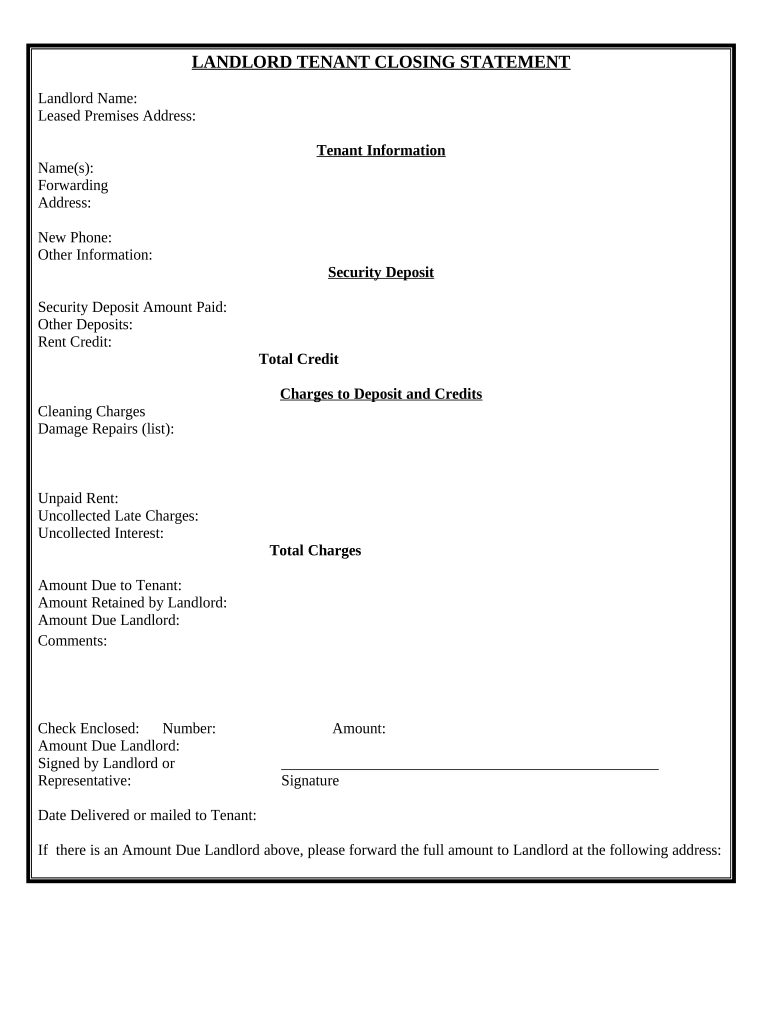
Begin by entering the Landlord Name and Leased Premises Address at the top of the form. This information is crucial for identifying the parties involved.
Fill in Tenant Information, including Name(s), Forwarding Address, and New Phone. Ensure accuracy to facilitate communication.
In the Security Deposit section, input the Security Deposit Amount Paid, along with any Other Deposits and Rent Credit. This will help clarify financial transactions.
List any Cleaning Charges, Damage Repairs, Unpaid Rent, Uncollected Late Charges, and Uncollected Interest under Charges to Deposit and Credits. Be thorough to avoid disputes.
Calculate Total Charges and Amount Due to Tenant, Amount Retained by Landlord, and Amount Due Landlord. Double-check your calculations for accuracy.
Complete the Comments section if necessary, then indicate if a Check is Enclosed by filling in Number and Amount Due Landlord.
Finally, ensure that the form is signed by the Landlord or Representative and include the Date Delivered or mailed to Tenant.
Start using our platform today for free to streamline your document editing experience!
California security deposit law 2025Ca security deposit lawCa deposit return lawDo landlords have to pay interest on security deposits in CaliforniaInterest on security deposit Los AngelesCa security deposit law 2026AB 12 security depositCalifornia security deposit return form
Security and compliance
At DocHub, your data security is our priority. We follow HIPAA, SOC2, GDPR, and other standards, so you can work on your documents with confidence.
Know Your Rights as a California Tenant: Security Deposits
Security deposits are refundable. A security deposit belongs to the tenant, but the landlord is allowed to hold on to it until the tenant moves out. If aRead more
A security deposit is money, usually 1 to 2 months rent, that a landlord holds in case the tenant causes any damage to the rental unit or breaks the lease andRead more
Apr 30, 2021 The Monterey Shale is a rib-shaped formation that extends from northern California down to the Los Angeles area, offshore, and onto the outlying islands.Read more
Cookie consent notice
This site uses cookies to enhance site navigation and personalize your experience.
By using this site you agree to our use of cookies as described in our Privacy Notice.
You can modify your selections by visiting our Cookie and Advertising Notice.