Michigan trust 2026

Get Form
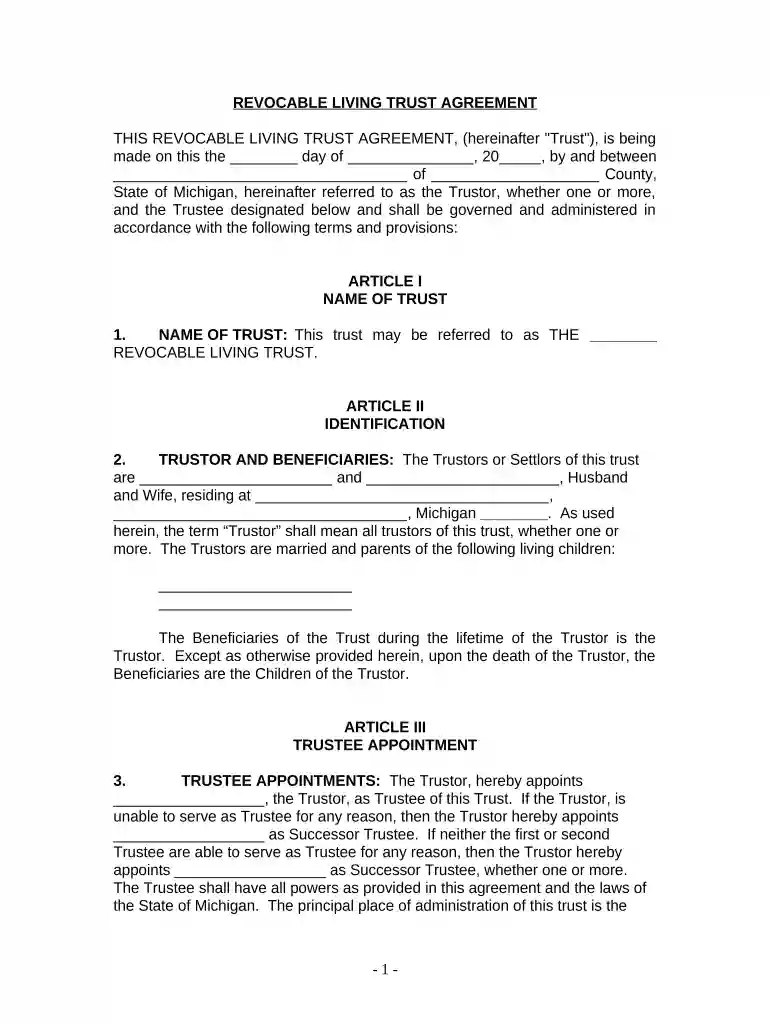
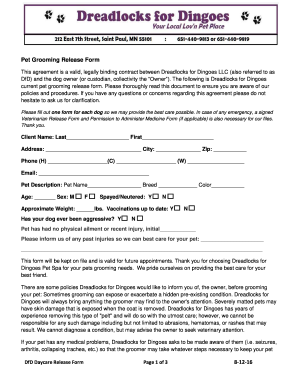
michigan trust Preview on Page 1

Here's how it works

01. Edit your form online
Type text, add images, blackout confidential details, add comments, highlights and more.

02. Sign it in a few clicks
Draw your signature, type it, upload its image, or use your mobile device as a signature pad.

03. Share your form with others
Send it via email, link, or fax. You can also download it, export it or print it out.

How to use or fill out Michigan Trust with our platform

Form edit decoration
9.5
Ease of Setup
DocHub User Ratings on G2
9.0
Ease of Use
DocHub User Ratings on G2
  1. Click ‘Get Form’ to open the Michigan Trust document in the editor.
  2. Begin by filling in the date at the top of the form, indicating when the trust is being established.
  3. In Article I, provide a name for your trust. This will be used throughout the document.
  4. In Article II, enter the names and addresses of the Trustors and Beneficiaries. Ensure all living children are listed as beneficiaries.
  5. Proceed to Article III to appoint a Trustee. Fill in their name and any Successor Trustees if applicable.
  6. In Article IV, list all assets that will be included in the trust. You can attach an Exhibit A for detailed asset descriptions.
  7. Review Articles V through XII carefully, ensuring you understand each section regarding trustee powers and administration rules.
  8. Once completed, save your document and utilize our platform’s signing feature to finalize your trust agreement.

Start using our platform today for free to create and manage your Michigan Trust effortlessly!

be ready to get more

Complete this form in 5 minutes or less

Get form

Got questions?

We have answers to the most popular questions from our customers. If you can't find an answer to your question, please contact us.
Contact us
If you opt to hire an attorney, your total cost will depend on the attorneys rates and the complexity of your estate. You could end up paying from $2,000 to $8,000 to create a trust. If you do use an attorney, make sure you fully understand his or her fee schedule beforehand.
Furthermore, there are recurring administrative costs such as trustee fees, tax preparation fees, and legal fees. Ongoing Record-Keeping: Trusts also require meticulous record-keeping and can be complex to understand and manage. There is a strict legal framework that must be adhered to, which can be daunting for many.
Use the following steps to set it up. Step 1: Choose between individual or joint trust. Step 2: Decide what property to include in the trust. Step 3: Choose a trustee. Step 4: Decide who will be the trusts beneficiaries. Step 5: Create a living trust document. Step 6: Sign the trust document in front of a notary public.
In Michigan, trusts are legal instruments designed to manage and distribute assets for the benefit of specific individuals or entities. A trust is established by an individual known as the settlor, and it is managed by a trustee, who has a fiduciary duty to act in the best interest of the beneficiaries.
A house can remain in a trust after death for as long as the trusts terms dictate. Some trusts specify that assets be distributed to beneficiaries immediately, while others allow the house to remain in the trust for years. The trustee is responsible for managing the property until the terms of the trust are fulfilled.

Security and compliance

At DocHub, your data security is our priority. We follow HIPAA, SOC2, GDPR, and other standards, so you can work on your documents with confidence.
Learn more
ccpa2
pci-dss
gdpr-compliance
hipaa
soc-compliance