Type text, add images, blackout confidential details, add comments, highlights and more.
02. Sign it in a few clicks
Draw your signature, type it, upload its image, or use your mobile device as a signature pad.
03. Share your form with others
Send pto sb 15a via email, link, or fax. You can also download it, export it or print it out.
How to use or fill out uspto sb15a form with DocHub
Ease of Setup
DocHub User Ratings on G2
Ease of Use
DocHub User Ratings on G2
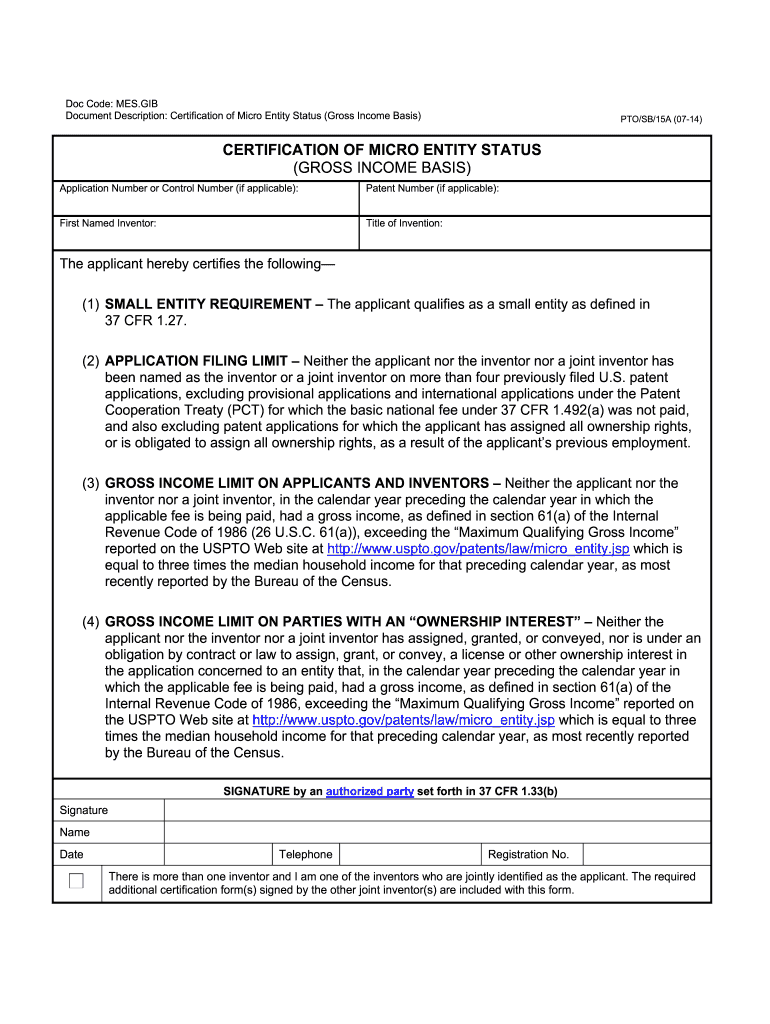
Click ‘Get Form’ to open the uspto sb15a form in our editor.
Begin by entering your Application Number or Control Number at the top of the form, if applicable. This helps identify your submission.
Fill in the Patent Number if you have one. If not, you can leave this field blank.
Provide the First Named Inventor's name and the Title of Invention. Ensure accuracy as this information is crucial for patent processing.
In the certification section, confirm that you meet the small entity requirement by checking the appropriate box.
Complete each income-related certification by reviewing your gross income and ensuring it does not exceed the specified limits. Reference the USPTO website for current thresholds.
Sign and date the form where indicated, including your telephone number and registration number if applicable.
If there are multiple inventors, ensure that additional certification forms are included with your submission.
Start using our platform today to fill out your uspto sb15a form easily and for free!
Certification of MIcro Entity Status (Gross Income Basis)
PTO/SB/15A (07-14). CERTIFICATION OF MICRO If you do not furnish the information requested on this form, the USPTO may not be able to process and/or.Read more
Cookie consent notice
This site uses cookies to enhance site navigation and personalize your experience.
By using this site you agree to our use of cookies as described in our Privacy Notice.
You can modify your selections by visiting our Cookie and Advertising Notice.