




Here's how it works

01. Edit your rent increase laws new mexico online
Type text, add images, blackout confidential details, add comments, highlights and more.

02. Sign it in a few clicks
Draw your signature, type it, upload its image, or use your mobile device as a signature pad.

03. Share your form with others
Send notice of increase in rent form via email, link, or fax. You can also download it, export it or print it out.
How to use or fill out New Mexico Increase Rent with Our Platform

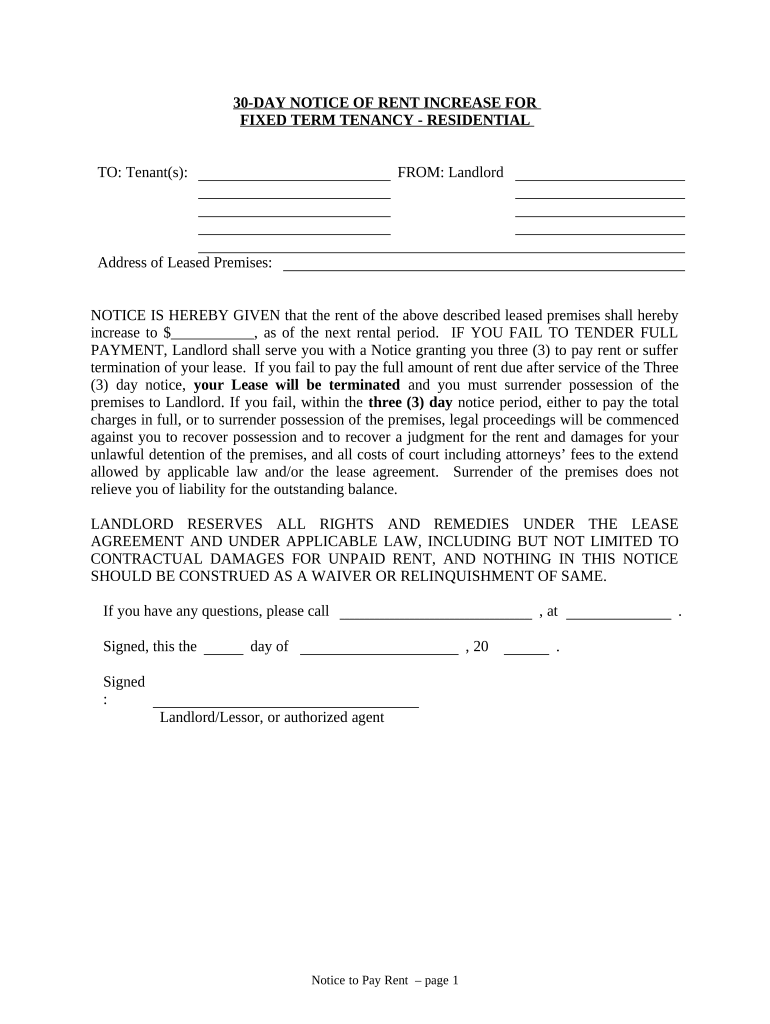
- Click ‘Get Form’ to open the New Mexico Increase Rent document in the editor.
- Begin by entering the tenant's name(s) in the designated 'TO: Tenant(s):' field. Ensure accuracy to avoid any confusion.
- In the 'FROM:' section, input your name as the landlord along with any authorized agent details if applicable.
- Fill in the 'Address of Leased Premises' to specify where the rent increase applies. This is crucial for clarity.
- Indicate the new rent amount in the blank space provided, ensuring it reflects the correct increase effective from the next rental period.
- Complete the date fields at the bottom of the notice, including when it is signed and delivered.
- For proof of delivery, select how you will deliver this notice (by hand, registered mail, or posting) and fill in relevant details accordingly.
Start using our platform today to streamline your document editing and ensure a smooth process for your rent increase notices!
Fill out new mexico increase rent online
It's free
It's free
Security and compliance
At DocHub, your data security is our priority. We follow HIPAA, SOC2, GDPR, and other standards, so you can work on your documents with confidence.
Learn more




