Type text, add images, blackout confidential details, add comments, highlights and more.
02. Sign it in a few clicks
Draw your signature, type it, upload its image, or use your mobile device as a signature pad.
03. Share your form with others
Send it via email, link, or fax. You can also download it, export it or print it out.
How to use or fill out petition granting with our platform
Ease of Setup
DocHub User Ratings on G2
Ease of Use
DocHub User Ratings on G2
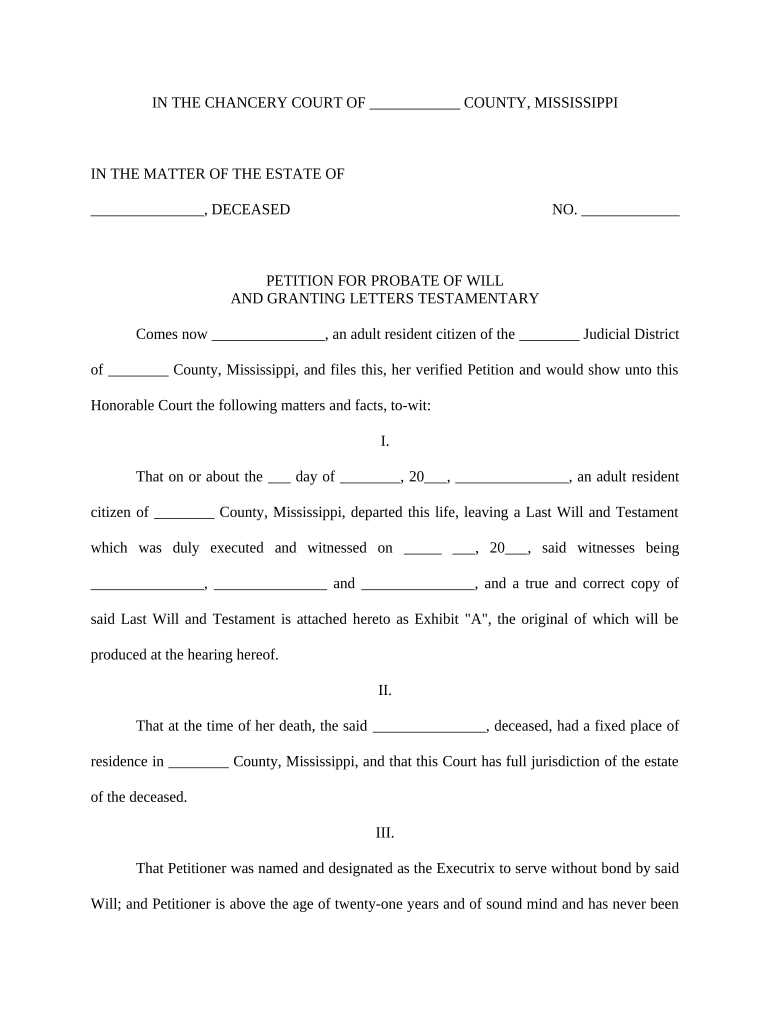
Click ‘Get Form’ to open the petition granting document in the editor.
Begin by filling in your name as the Petitioner in the designated field. Ensure that you are an adult resident citizen of the appropriate Judicial District.
Provide the date of death of the deceased and their name, ensuring accuracy as this information is crucial for probate proceedings.
In Section I, attach a true and correct copy of the Last Will and Testament as Exhibit 'A'. Make sure it is properly executed and witnessed.
Complete Section II by confirming the fixed place of residence of the deceased at the time of death, which establishes jurisdiction for the court.
In Section III, affirm your qualifications to serve as Executrix, including age and mental competency. This section may require additional documentation if applicable.
Finally, review all sections for accuracy before submitting your petition. Use our platform’s tools to sign and save your document securely.
Start using our platform today to streamline your petition granting process for free!
Petition granted meaningPetition for writ of certiorari PDFPetition denied meaningWrit of certiorari exampleGrant certiorariWho is the Chief Justice of the United States nowSupreme Court rules todayPetition for review California Supreme Court
Security and compliance
At DocHub, your data security is our priority. We follow HIPAA, SOC2, GDPR, and other standards, so you can work on your documents with confidence.
The court grants the petition and orders that petitioners DNA specimen and sample be destroyed and petitioners searchable database profile be expungedRead more
(a) The Commission shall either grant or deny a petition within a reasonable time after it is filed, taking into account the resources available for processingRead more
The primary means to petition the court for review is to ask it to grant a writ of certiorari. This is a request that the Supreme Court order a lower court toRead more
Cookie consent notice
This site uses cookies to enhance site navigation and personalize your experience.
By using this site you agree to our use of cookies as described in our Privacy Notice.
You can modify your selections by visiting our Cookie and Advertising Notice.