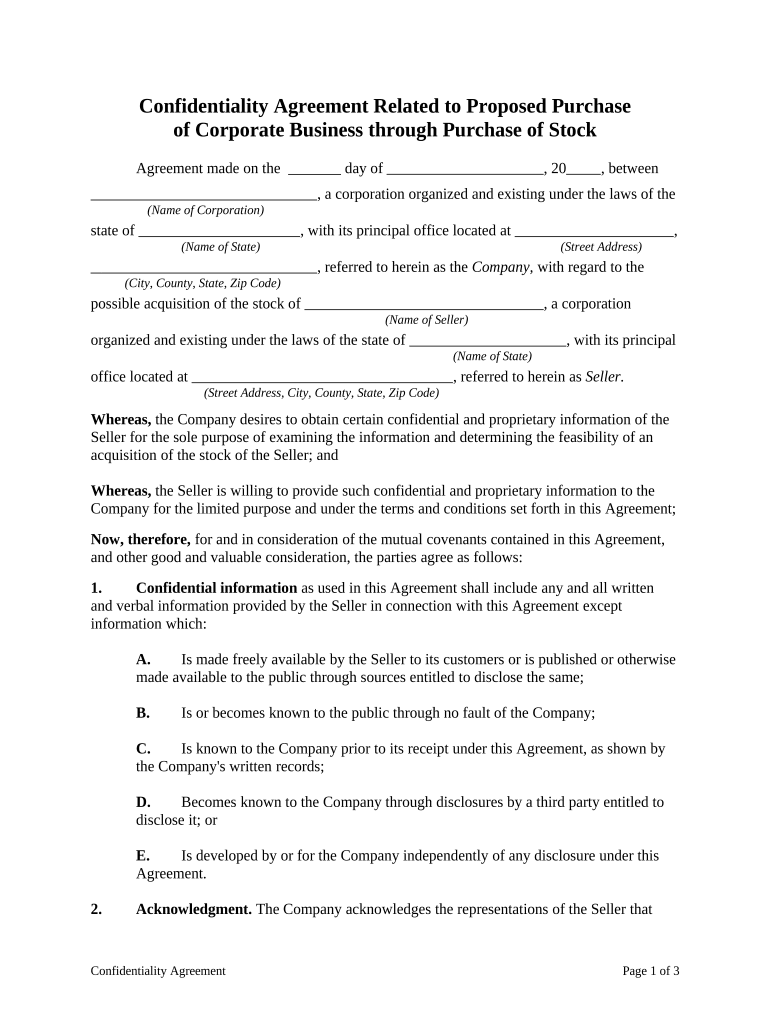
Confidentiality agreement purchase 2026

Get Form
confidentiality agreement purchase Preview on Page 1

Here's how it works

01. Edit your form online
Type text, add images, blackout confidential details, add comments, highlights and more.
02. Sign it in a few clicks
Draw your signature, type it, upload its image, or use your mobile device as a signature pad.
03. Share your form with others
Send it via email, link, or fax. You can also download it, export it or print it out.

How to use or fill out confidentiality agreement purchase with our platform

Form edit decoration
9.5
Ease of Setup
DocHub User Ratings on G2
9.0
Ease of Use
DocHub User Ratings on G2
  1. Click ‘Get Form’ to open the confidentiality agreement purchase in the editor.
  2. Begin by filling in the date at the top of the form. This is crucial for establishing when the agreement takes effect.
  3. Enter the name of your corporation and its state of incorporation in the designated fields. Ensure accuracy as this identifies your entity legally.
  4. Provide the street address, city, county, state, and zip code for both your company and the seller. This information is essential for legal correspondence.
  5. Review each section carefully, especially those outlining obligations and confidentiality terms. Make sure you understand your responsibilities regarding confidential information.
  6. Sign and date where indicated at the bottom of the form. If there are multiple parties involved, ensure all necessary signatures are obtained.

Start using our platform today to streamline your document editing and signing process for free!

be ready to get more

Complete this form in 5 minutes or less

Get form

Got questions?

We have answers to the most popular questions from our customers. If you can't find an answer to your question, please contact us.
Contact us
Sellers may also use confidentiality clauses in purchase and sale agreements to prevent buyers from sharing confidential information exposed during the sale process.
Confidentiality: Purchase orders often contain confidential information, such as pricing and specifications. The terms and conditions outline the confidentiality obligations of both parties, ensuring that information like pricing or specifications remains exclusive property and preventing unauthorized disclosure.
You do not need a lawyer to create and sign a non-disclosure agreement. However, if the information you are trying to protect is important enough to warrant an NDA, you may want to have the document reviewed by someone with legal expertise.
In the context of buying a business, NDAs are typically used before or during the due diligence process, when the seller shares financial statements, customer lists, supplier contracts, or proprietary methods with a potential buyer.
Understanding Confidentiality in Real Estate Real estate licensees have a duty to keep certain information confidential. Things such as a clients personal and contact information or details relating to real estate transactions (including bank details or financial records) should not be disclosed to third parties.

Security and compliance

At DocHub, your data security is our priority. We follow HIPAA, SOC2, GDPR, and other standards, so you can work on your documents with confidence.

Learn more
ccpa2
pci-dss
gdpr-compliance
hipaa
soc-compliance

People also ask

No, real estate purchase agreements are not typically recorded in public records. Recording is more common for deeds and other documents that transfer ownership. However, the terms of the purchase agreement are still crucial, as they guide the transaction process.
To protect the buyers investment, asset purchase agreements often include non-compete clauses preventing the seller from starting a competing business in the same market for a specified period. Confidentiality clauses may also prohibit the disclosure of sensitive transaction details or proprietary information.

Related links