Type text, add images, blackout confidential details, add comments, highlights and more.
02. Sign it in a few clicks
Draw your signature, type it, upload its image, or use your mobile device as a signature pad.
03. Share your form with others
Send it via email, link, or fax. You can also download it, export it or print it out.
How to use or fill out the residential property form with our platform
Ease of Setup
DocHub User Ratings on G2
Ease of Use
DocHub User Ratings on G2
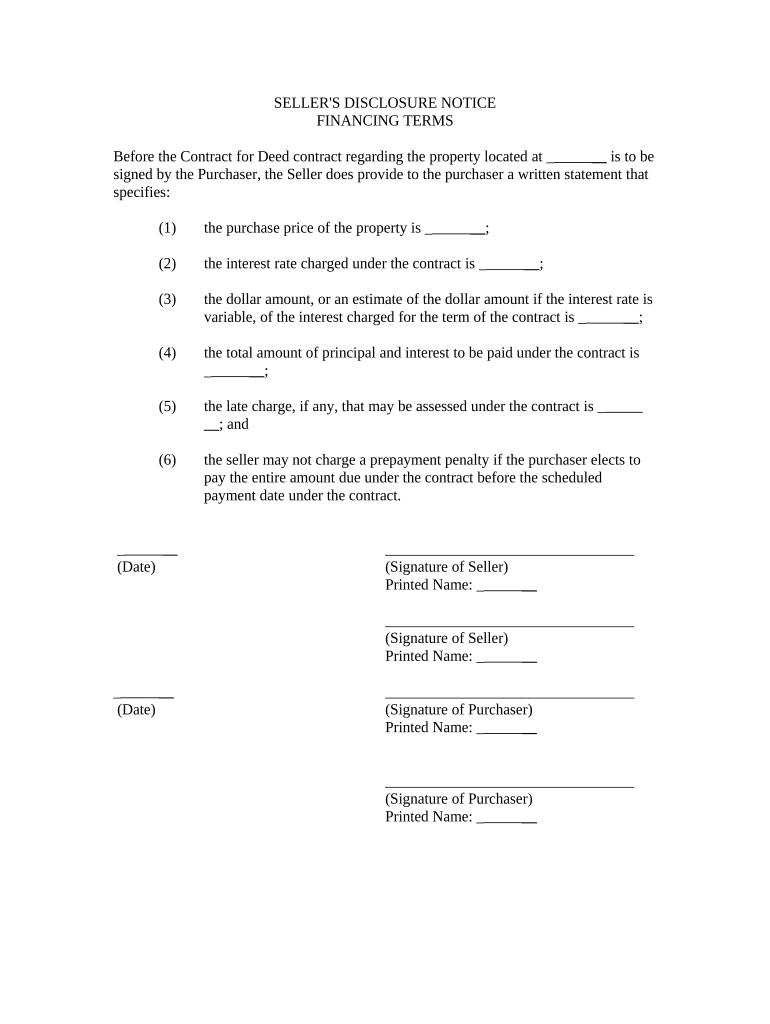
Click ‘Get Form’ to open the residential property form in the editor.
Begin by entering the property address in the designated field. This is crucial for identifying the specific property involved in the transaction.
Next, fill in the purchase price of the property. Ensure this amount reflects any agreed-upon terms between you and the seller.
Input the interest rate charged under the contract. If this rate is variable, provide an estimate of what it may be over time.
Detail the total amount of principal and interest to be paid under the contract. This gives a clear picture of financial obligations.
Specify any late charges that may apply if payments are not made on time, ensuring transparency in potential penalties.
Finally, confirm that no prepayment penalty will be charged if full payment is made before the scheduled date. This protects your rights as a purchaser.
Start using our platform today to easily complete your residential property form for free!
Fill out residential property form online It's free
RESIDENTIAL REAL PROPERTY LEASE AGREEMENT This policy should cover personal injury and damage to the owner, and should be in a form standard to the industry.Read more
The first part of this booklet deals with disclosures required in residential property transactions, including disclosures specific to real estate financing.Read more
Cookie consent notice
This site uses cookies to enhance site navigation and personalize your experience.
By using this site you agree to our use of cookies as described in our Privacy Notice.
You can modify your selections by visiting our Cookie and Advertising Notice.