Type text, add images, blackout confidential details, add comments, highlights and more.
02. Sign it in a few clicks
Draw your signature, type it, upload its image, or use your mobile device as a signature pad.
03. Share your form with others
Send it via email, link, or fax. You can also download it, export it or print it out.
How to use or fill out authority letter with our platform
Ease of Setup
DocHub User Ratings on G2
Ease of Use
DocHub User Ratings on G2
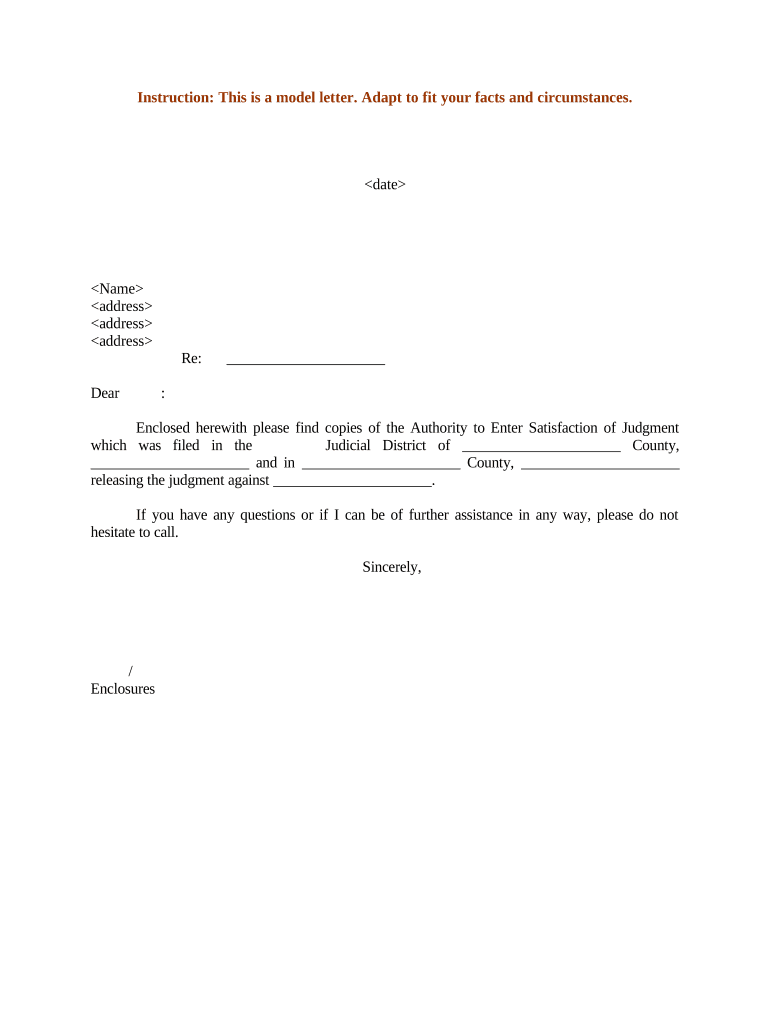
Click ‘Get Form’ to open the authority letter in the editor.
Begin by entering the date at the top of the document. This is essential for establishing when the authority letter is effective.
Next, fill in your name and address details in the designated fields. Ensure accuracy as this identifies you as the sender.
In the 'Re:' section, specify the subject of your authority letter to provide context for the recipient.
Address the recipient formally by entering their name after 'Dear'. This personalizes your communication.
In the body of the letter, clearly state that you are enclosing copies of the Authority to Enter Satisfaction of Judgment. Be sure to mention any relevant judicial districts and counties involved.
Conclude with a polite offer for further assistance, followed by your signature and any necessary enclosures.
Start using our platform today to easily complete your authority letter online for free!
Authority letter templateSample letter of authorization Giving permissionAuthority letter for employeeAuthority Letter to collect documentsAuthority letter format WordAuthority letter for propertyAuthority Letter for BankAuthority letter Sample pdf
Security and compliance
At DocHub, your data security is our priority. We follow HIPAA, SOC2, GDPR, and other standards, so you can work on your documents with confidence.
I hereby DocHub that I, NAME, am the Principal Officer of COMPANY XYZ, INC, and that I am duly authorized to execute and deliver this Authorization.Read more
Cookie consent notice
This site uses cookies to enhance site navigation and personalize your experience.
By using this site you agree to our use of cookies as described in our Privacy Notice.
You can modify your selections by visiting our Cookie and Advertising Notice.