




Here's how it works

01. Edit your request for mortgage assistance rma online
Type text, add images, blackout confidential details, add comments, highlights and more.

02. Sign it in a few clicks
Draw your signature, type it, upload its image, or use your mobile device as a signature pad.

03. Share your form with others
Send dochub com fillable form via email, link, or fax. You can also download it, export it or print it out.
How to use or fill out bank of america request for mortgage assistance form with our platform

- Click ‘Get Form’ to open the bank of america request for mortgage assistance form in the editor.
- Begin with Section 1: Borrower Information. Fill in your name, social security number, date of birth, and contact details. If applicable, provide co-borrower information.
- In Section 2: Hardship Affidavit, check all relevant boxes that describe your financial difficulties. Provide a brief explanation if necessary.
- Proceed to Section 3: Principal Residence Information. Indicate whether you are seeking assistance for your principal residence and provide property details.
- Complete Section 4: Combined Income and Expense by detailing your monthly income and expenses accurately. Ensure all figures are current and reflect your financial situation.
- In Sections 5 and 6, list any other properties owned and specify if you are requesting assistance for them as well.
- Finally, review Sections 7 through 9 for certifications and acknowledgments. Sign and date the form before submission.
Start using our platform today to fill out your bank of america request for mortgage assistance form easily and for free!
Fill out bank of america request for mortgage assistance form online
It's free
It's free
See more bank of america request for mortgage assistance form versions
We've got more versions of the bank of america request for mortgage assistance form form. Select the right bank of america request for mortgage assistance form version from the list and start editing it straight away!
Security and compliance
At DocHub, your data security is our priority. We follow HIPAA, SOC2, GDPR, and other standards, so you can work on your documents with confidence.
Learn more


Related forms

Wsj crossword puzzle today pdf
The document is a crossword puzzle edited by Mike Shenk, featuring various clues and answers across different categories ...

Code of Conduct Adults - Girl Scouts Diamonds - girlscoutsdiamonds
The document outlines the Code of Conduct for adults participating in Girl Scouts events in Arkansas, Oklahoma, and Texa ...

Application Form - Conley Luff
The document is a Tenancy Application Form that outlines the requirements and procedures for applying to rent a property ...

Omni sleeve
The document provides detailed specifications and features of the OMNI SLEEVE™ Wall Pipe Penetration Sleeve, manufacture ...
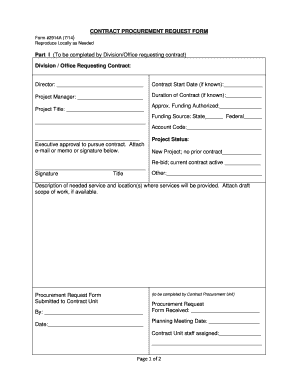
Procurement request form
The document is a Contract Procurement Request Form used by divisions or offices to request contracts. It includes secti ...

Austria Canada Agreement - Application for Canadian Old Age
The document is an application form for Canadian Old Age, Retirement, and Survivors benefits under the Agreement on Soci ...

Austria Canada Agreement - Application for Canadian Old Age Security, Retirement and Survivor Benefi
Austria Canada Agreement - Application for Canadian Old Age Security, Retirement and Survivor Benefi
The document is an application form for Canadian Old Age Security (OAS), Retirement, and Survivor Benefits under the Soc ...

MAPD PRESCRIPTION REIMBURSEMENT REQUEST FORM
The MAPD Prescription Reimbursement Request Form is designed for members to request reimbursement for covered medication ...