Type text, add images, blackout confidential details, add comments, highlights and more.
02. Sign it in a few clicks
Draw your signature, type it, upload its image, or use your mobile device as a signature pad.
03. Share your form with others
Send it via email, link, or fax. You can also download it, export it or print it out.
How to use or fill out joint trust with our platform
Ease of Setup
DocHub User Ratings on G2
Ease of Use
DocHub User Ratings on G2
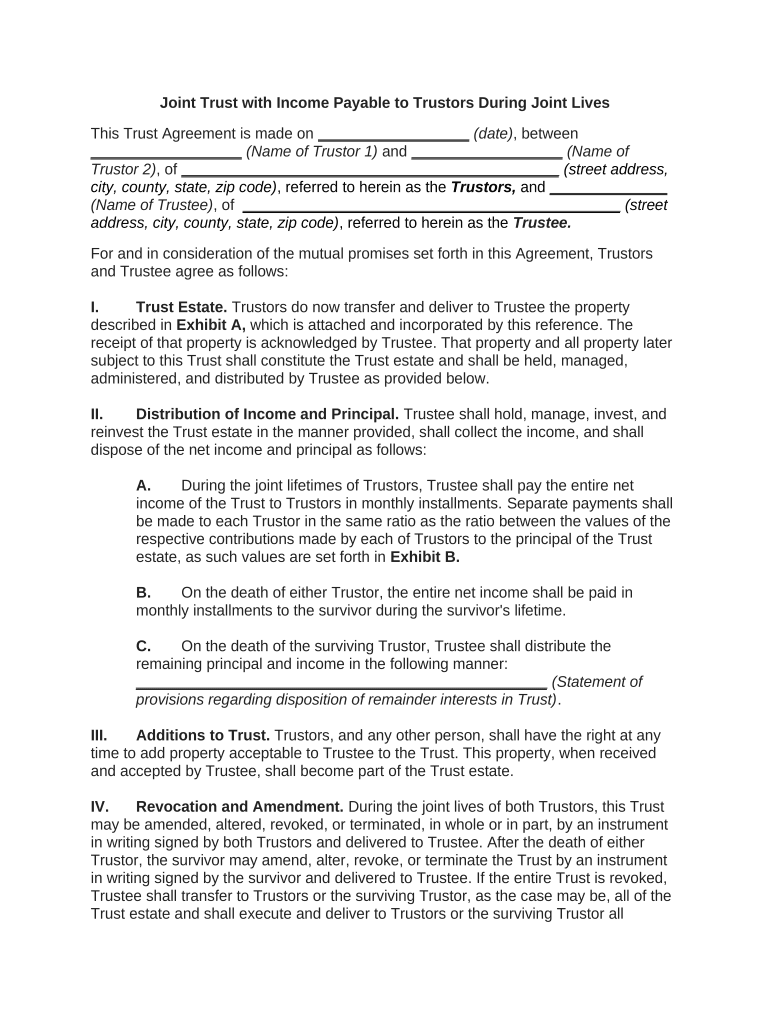
Click ‘Get Form’ to open the joint trust document in the editor.
Begin by entering the date of the agreement at the top of the form. Next, fill in the names and addresses of both Trustors and the Trustee in the designated fields.
In Section I, describe the property being transferred to the Trust by referencing Exhibit A. Ensure all details are accurate for proper management.
For Section II, specify how income will be distributed during the joint lifetimes of Trustors. Include monthly payment details and ratios based on contributions as outlined in Exhibit B.
Continue through Sections III to XIV, filling out provisions regarding amendments, accounting, trustee powers, and any other relevant information as required.
Finally, ensure all signatures are completed at the end of the document for both Trustors and Trustee to validate the agreement.
Start using our platform today to easily complete your joint trust form online for free!
Joint trust disadvantagesJoint trust vs revocable trustJoint trust for married coupleJoint trust for siblingsJoint trust vs individual trustTypes of joint trustJoint trust pros and consShould a married couple have a joint trust or separate trusts
Security and compliance
At DocHub, your data security is our priority. We follow HIPAA, SOC2, GDPR, and other standards, so you can work on your documents with confidence.
The Use of Joint Revocable Trust for Unmarried Couples
by K Boxx 2015 The joint trust is the primary estate planning document for the couple, and each spouse executes a pourover will that names the joint trust as the beneficiaryRead more
Standard estate planning in California often makes use of a joint revocable trust, or a trust established by more than one trustor (also referred to hereinRead more
Fukuyama Joint power station - Global Energy Monitor
Jan 30, 2026 Fukuyama Joint power station (福山共同発電所) is an operating power station of at least 868-megawatts (MW) in Fukuyama-shi, Hiroshima, Japan.Read more
Cookie consent notice
This site uses cookies to enhance site navigation and personalize your experience.
By using this site you agree to our use of cookies as described in our Privacy Notice.
You can modify your selections by visiting our Cookie and Advertising Notice.