Deed release 2026

Get Form
deed of release template Preview on Page 1

Here's how it works

01. Edit your deed of release template online
Type text, add images, blackout confidential details, add comments, highlights and more.
02. Sign it in a few clicks
Draw your signature, type it, upload its image, or use your mobile device as a signature pad.
03. Share your form with others
Send deed release form via email, link, or fax. You can also download it, export it or print it out.

How to use or fill out deed release with our platform

Form edit decoration
9.5
Ease of Setup
DocHub User Ratings on G2
9.0
Ease of Use
DocHub User Ratings on G2
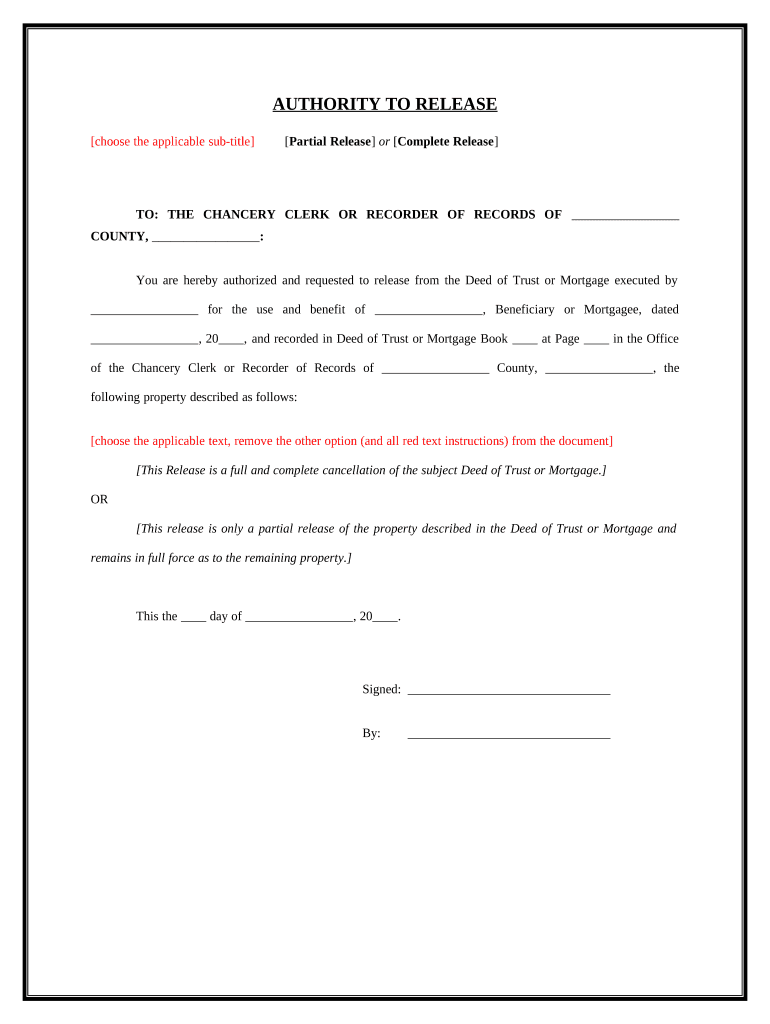
  1. Click ‘Get Form’ to open the deed release in the editor.
  2. Select the applicable sub-title for your release: either 'Partial Release' or 'Complete Release'. Make sure to remove the option that does not apply.
  3. Fill in the name of the county and state where the Chancery Clerk or Recorder of Records is located.
  4. Enter the name of the individual who executed the Deed of Trust or Mortgage, along with the beneficiary's name.
  5. Provide the date of execution and recording details, including Book and Page numbers.
  6. Choose whether this release is a full cancellation or a partial release, ensuring you delete any irrelevant text.
  7. Sign and date the document in the designated areas. Ensure all parties involved have signed as required.
  8. If necessary, complete the notary section by having a notary public witness your signature and provide their official seal.

Start using our platform today to easily fill out your deed release for free!

be ready to get more

Complete this form in 5 minutes or less

Get form

Got questions?

We have answers to the most popular questions from our customers. If you can't find an answer to your question, please contact us.
Contact us

Sure, a typed name is recognized as a valid electronic signature when you add it to your form using a compliant solution like DocHub. Simply add your deed of release form to our editor, click Sign in the top tool pane → Create your signature → Type your name in the proper tab, and select how it will appear on your document.

If you edit your release deed among family members template with DocHub, you merely need a stable web connection and virtually any web browser installed on your device. No need to install any third-party applications or study tutorials. Just open a tab with DocHub, drag and drop your file, and modify it immediately.

In essence, the release of property means that the individual or entity holding a claim or interest in the property no longer asserts any ownership or legal right to it. For example, when a mortgage is fully paid off, the lender may release their lien on the property, effectively removing any claims they have over it.
A release deed is a legal document that plays an important role in property transactions and settlements. It serves as a formal agreement between two parties, releasing one partys interest or rights in a property in favour of the other.
In general legal terms, a release is an agreement between two parties to settle legal actions or claims, whether current or in the future. A deed of release, waiver, and quitclaim are all terms that refer to this type of legal document, through which one or both parties agree to give up certain rights or claims.

Security and compliance

At DocHub, your data security is our priority. We follow HIPAA, SOC2, GDPR, and other standards, so you can work on your documents with confidence.

Learn more

People also ask

Releases are very often used to ensure that litigation is terminated when a settlement or compromise between the plaintiff(s) and defendant(s) is docHubed. A general release may release any claims known or unknown that the releasor may have against the releasee.

release deed