01. Edit your post office job application form online
Type text, add images, blackout confidential details, add comments, highlights and more.
02. Sign it in a few clicks
Draw your signature, type it, upload its image, or use your mobile device as a signature pad.
03. Share your form with others
Send usps job application via email, link, or fax. You can also download it, export it or print it out.
How to use or fill out job application form with our platform
Ease of Setup
DocHub User Ratings on G2
Ease of Use
DocHub User Ratings on G2
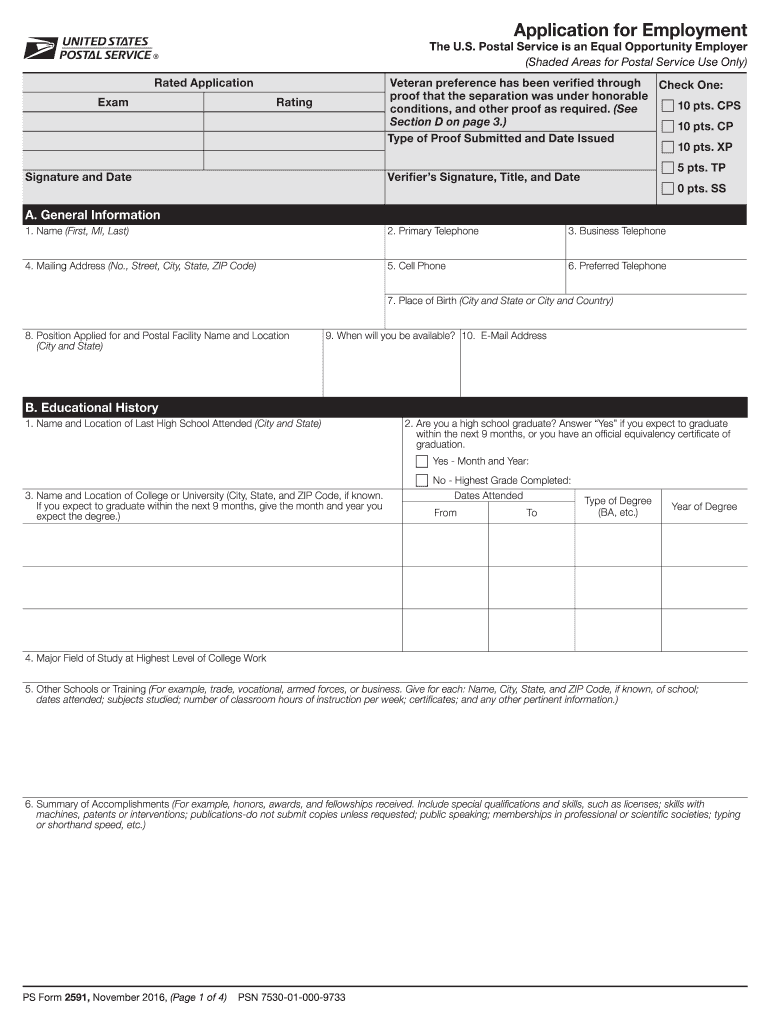
Click ‘Get Form’ to open the job application form in the editor.
Begin with Section A: General Information. Fill in your name, contact details, and the position you are applying for. Ensure accuracy as this information is crucial for communication.
Move to Section B: Educational History. Provide details about your high school and any higher education institutions attended, including dates and degrees earned. This section highlights your qualifications.
In Section C: Work History, list your employment experience starting from the most recent. Include job titles, responsibilities, and reasons for leaving previous positions to give a comprehensive view of your background.
Complete Section D: Veteran Preference if applicable. Answer all questions honestly regarding military service and preferences.
Proceed to Section E: Other Information. Answer questions related to citizenship, employment history, and any potential conflicts of interest.
Finally, review all sections for completeness and accuracy before signing in Section G: Certification. Your signature confirms that all information provided is true.
Start filling out your job application form today using our platform for free!
We've got more versions of the job application form form. Select the right job application form version from the list and start editing it straight away!
Online employment application forms They can also print the job application and then return the scanned version via email or in person. Additionally, most online job applications allow candidates to upload resumes and cover letters.
How to create a job application form?
10 Tips To Build The Perfect Job Application Form Keep it short. Be clear. Add any relevant information about the open opportunity. Be outstanding. Be an Equal Opportunity employer. Build a flow through the form. Pay attention to your form structure. Proofread and review your form before publishing it.
How to fill an application form?
Follow these steps to fill out your next job application properly: Read the application before filling it out. Take your time. Answer completely and truthfully. Include your resume . Fill out job information chronologically. Put in the extra effort. Research your salary.
How to create an application form?
Creating a Google Forms job application Open Google Drive. Click the + New button. Select Google Forms. Give your form an appropriate title. Modify the first question. Click the dropdown menu for question type. Slide the toggle button next to Required. Click the + button.
What are three donts when filling out a job application?
What not to do on a job application List a salary expectation thats too high or too low. Include information thats different from the information on your resume. Submit outdated contact information. List negative reasons for leaving a job. Forget to check for errors. Leave some response boxes blank.
form 2591
Simple job application formJob application form templateFree printable job applicationJob application form PDFFree employment application form PDFJob application form online apply nowSimple job application form onlineJob Application Form for students
Security and compliance
At DocHub, your data security is our priority. We follow HIPAA, SOC2, GDPR, and other standards, so you can work on your documents with confidence.
EMPLOYMENT APPLICATION. A. S. Position Sought Maintenance Technician. Full-Time List your most recent employment first, followed by previous job experience(s)Read more
Cookie consent notice
This site uses cookies to enhance site navigation and personalize your experience.
By using this site you agree to our use of cookies as described in our Privacy Notice.
You can modify your selections by visiting our Cookie and Advertising Notice.