Name change cobb county 2026

Get Form
name change cobb county Preview on Page 1

Here's how it works

01. Edit your name change cobb county online
Type text, add images, blackout confidential details, add comments, highlights and more.
02. Sign it in a few clicks
Draw your signature, type it, upload its image, or use your mobile device as a signature pad.
03. Share your form with others
Send cobb county name change after marriage via email, link, or fax. You can also download it, export it or print it out.

How to use or fill out name change cobb county with our platform

Form edit decoration
9.5
Ease of Setup
DocHub User Ratings on G2
9.0
Ease of Use
DocHub User Ratings on G2
  1. Click ‘Get Form’ to open the name change form in the editor.
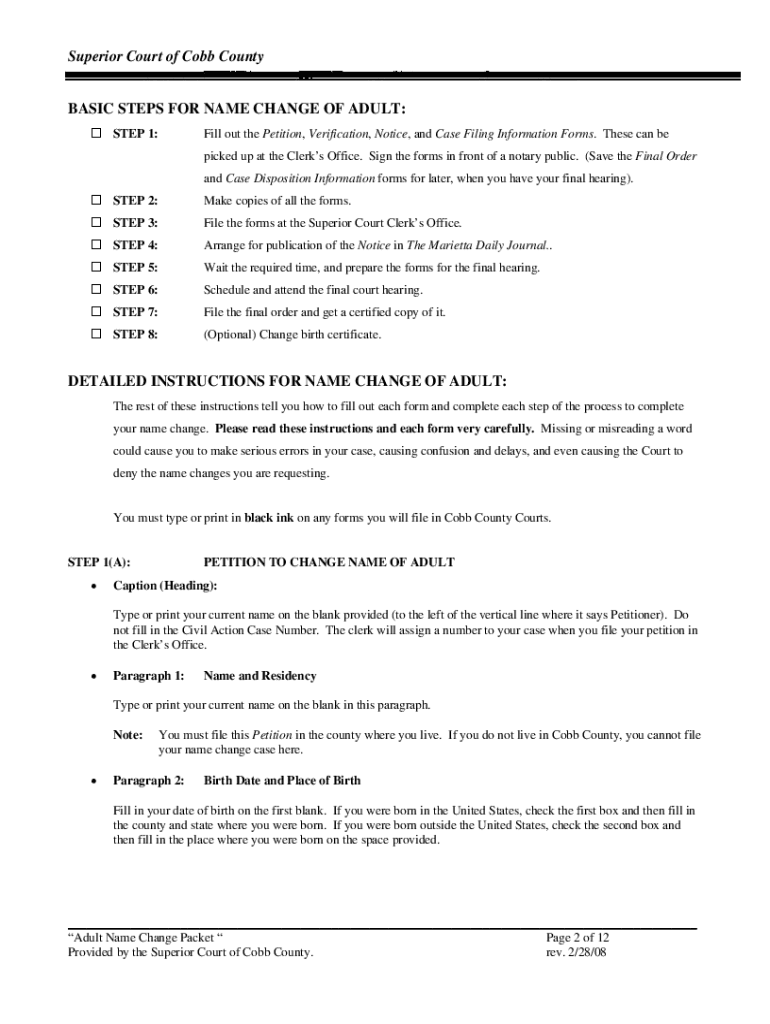
  2. Begin by filling out the Petition to Change Name of Adult. Type your current name in the caption and provide your birth date and place of birth in the designated sections.
  3. In Paragraph 3, enter your old name and the new name you wish to adopt. Ensure that both names are spelled correctly as they will appear on official records.
  4. Explain your reasons for the name change in Paragraph 4, keeping it concise yet clear.
  5. Sign the petition in front of a notary public, then complete the Verification form similarly before notarization.
  6. Make copies of all completed forms for your records and prepare them for filing at the Superior Court Clerk’s Office.
  7. Arrange for publication of your Notice in The Marietta Daily Journal as required by law.
  8. After waiting for the required period, schedule and attend your final court hearing with all necessary documents.

Start using our platform today to streamline your name change process effortlessly!

See more name change cobb county versions

We've got more versions of the name change cobb county form. Select the right name change cobb county version from the list and start editing it straight away!
Versions Form popularity Fillable & printable
2008 4.8 Satisfied (102 Votes)
be ready to get more

Complete this form in 5 minutes or less

Get form

Got questions?

We have answers to the most popular questions from our customers. If you can't find an answer to your question, please contact us.
Contact us
Fees Forms Document TypeFee General Civil (including Adoptions, Divorces, and Name Changes) OCGA 15-6-77(e)(2), 47-16-61(a), 36-15-9(a), 15-21A-6(a), 15-21A-6.1(a), 15-23-7 $218.00 General Civil when filed by the state agencies. OCGA 15-6-77(e)(2), 47-16-61(a), 36-15-9(a), 15-21A-6(a), 15-21A-6.1(a), 15-23-7 $89.008 more rows
Outside of marriage and divorce, legally changing your name usually comes with a price tag. The total amount can range from less than $100 to over $500. First, you should expect to pay a filing fee. This is the cost of filing your name change forms with the County Clerk.
Gather What Youll Need Proof of identity and current name, such as a valid Georgia drivers license. Required forms for your petition, such as a Petition to Change Name, a Verification form, and a Notice of Petition. Method of payment for fees associated with filing a petition and publishing a notice.
Use certified copies of marriage and divorce certificates or name change orders as proof to notify these federal and state agencies that you changed your name. Social Security card. Drivers license or state ID card. Tax returns. U.S. passport. Naturalization certificate and certificate of citizenship. Veterans benefits.
The marriage license fee is $56.00 (cash/credit/debit) or $16 (cash/credit/debit) only if you provide to the court a Certificate of Completion for a Qualified Premarital Education Program with at least six hours of instruction involving marital issues.