Gift property 2026

Get Form
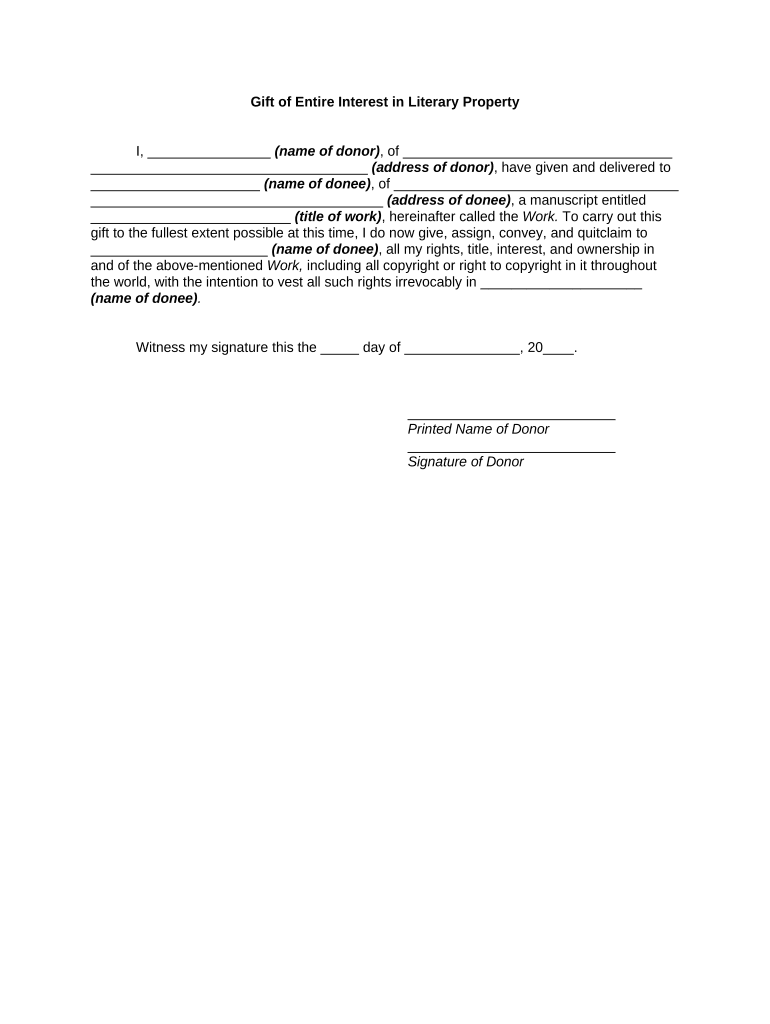
gift property Preview on Page 1

Here's how it works

01. Edit your form online
Type text, add images, blackout confidential details, add comments, highlights and more.
02. Sign it in a few clicks
Draw your signature, type it, upload its image, or use your mobile device as a signature pad.
03. Share your form with others
Send it via email, link, or fax. You can also download it, export it or print it out.

How to use or fill out gift property with our platform

Form edit decoration
9.5
Ease of Setup
DocHub User Ratings on G2
9.0
Ease of Use
DocHub User Ratings on G2
  1. Click ‘Get Form’ to open the Gift of Entire Interest in Literary Property document in the editor.
  2. Begin by entering the name of the donor in the designated field. This identifies who is giving the gift.
  3. Next, fill in the donor's address. Ensure that this information is accurate for legal purposes.
  4. In the next section, input the name of the donee, which is the individual receiving the gift.
  5. Provide the donee's address in the following field to complete their identification.
  6. Enter the title of the manuscript being gifted in the specified area. This clarifies what work is being transferred.
  7. Finally, ensure that both parties sign and date at the bottom of the form to validate this transfer of rights.

Start using our platform today to easily complete your gift property forms online for free!

be ready to get more

Complete this form in 5 minutes or less

Get form

Got questions?

We have answers to the most popular questions from our customers. If you can't find an answer to your question, please contact us.
Contact us
Heres what you need to know: Gift tax considerations: When you gift a property, it may be subject to the federal gift tax, depending on the homes value. As of the latest guidelines, any gift above the annual exclusion amount ($18,000 per recipient in 2024; $19,000 in 2025) must be reported to the IRS.
Gift With a Reservation of Benefit Suppose you continue to live in the property after you have gifted it. In that case, you will be seen as having reserved the benefit of the property, and the gift will be set aside for Inheritance Tax purposes, even if you should survive the gift by seven years.
The IRS allows you to give $16,000 (for 2022) annually to anyone you like, tax-free. If youre married, you and your spouse can each give $16,000 (for 2022). However, if the value of the gift exceeds the annual exclusion amount, you, as the donor, must file a gift tax return (Form 709) to report the gift.
How Do I Transfer Property to a Family Member Tax-Free? Leave the House in Your Will. Gift the House. Sell Your Home. Put the House in a Trust. Additional Support and Resources When Transferring Ownership of Property From Parent to Child.
A gift deed is a legal document that allows a property owner to transfer ownership of their property to another person as a gift. It is a voluntary act of giving, and the donee (the recipient) does not have to pay any consideration for the gift. Key features: The transfer happens willingly and without any payment.

Security and compliance

At DocHub, your data security is our priority. We follow HIPAA, SOC2, GDPR, and other standards, so you can work on your documents with confidence.

Learn more
ccpa2
pci-dss
gdpr-compliance
hipaa
soc-compliance
be ready to get more

Complete this form in 5 minutes or less

Get form

People also ask

Gift is the transfer of certain existing moveable or immoveable property made voluntarily and without consideration, by one person, called the donor, to another, called the donee, and accepted by or on behalf of the donee.
Capital gains taxes on the sale of an inherited house are often lower than they are for a gifted house. This is due to the way you calculate the adjusted cost basis for each. Gifted houses adjusted cost basis equals the price the gifter paid for the house plus the value of any improvements made to it.
Some of the benefits that gifting can bring to your estate planning include the following: Reducing the value of your estate for tax purposes. Providing greater control over how assets are distributed and to whom. Lessening the amount of taxes due on your estate.

Related links