Type text, add images, blackout confidential details, add comments, highlights and more.
02. Sign it in a few clicks
Draw your signature, type it, upload its image, or use your mobile device as a signature pad.
03. Share your form with others
Send it via email, link, or fax. You can also download it, export it or print it out.
How to use or fill out ct purchase with our platform
Ease of Setup
DocHub User Ratings on G2
Ease of Use
DocHub User Ratings on G2
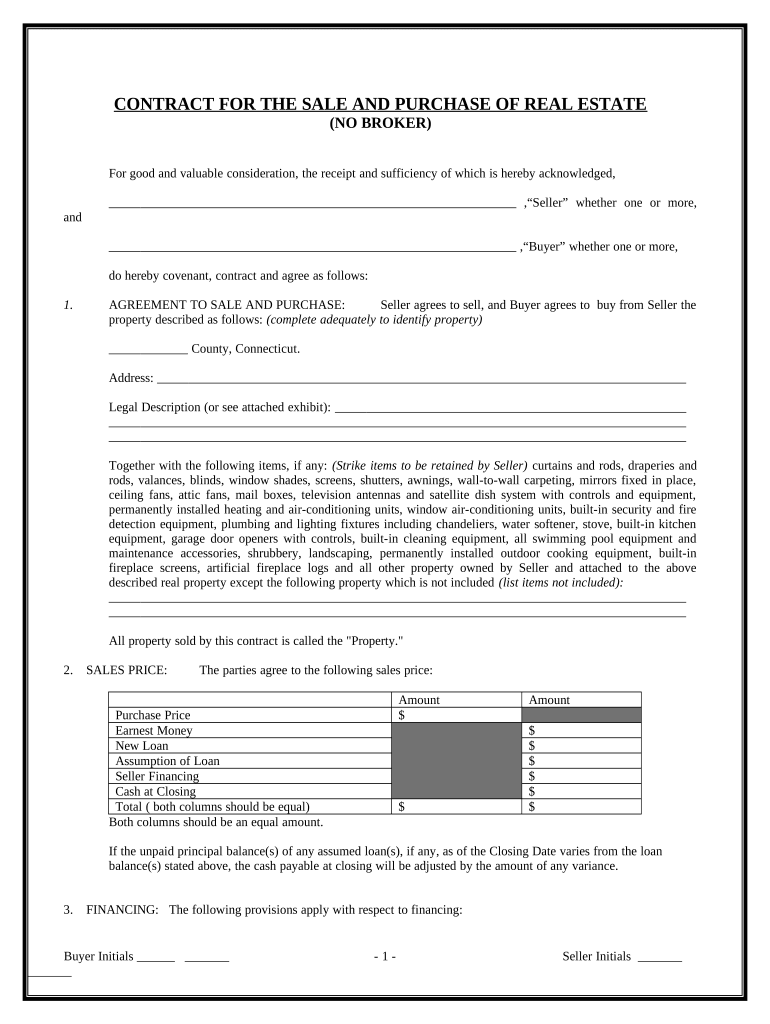
Click ‘Get Form’ to open the ct purchase document in the editor.
Begin by filling out the 'AGREEMENT TO SALE AND PURCHASE' section. Clearly identify the property by entering the county, address, and legal description.
In the 'SALES PRICE' section, input the agreed-upon sales price and detail any financing options such as earnest money or seller financing.
Complete the 'FINANCING' provisions based on your agreement. Indicate if it’s a cash sale or if you require a new loan, and provide necessary details.
Fill in the 'EARNEST MONEY' field with the amount being deposited upon execution of this contract.
Review and complete sections regarding property condition, closing details, title conveyance, and any additional provisions that apply to your transaction.
Start using our platform today for free to streamline your ct purchase process!
Ct purchase real estateCt purchase homes for saleCt purchase houses for saleCt offer to purchaseCt purchase apartmentsCT real estate purchase agreementCt purchase rentalsCT Real Estate forms
Security and compliance
At DocHub, your data security is our priority. We follow HIPAA, SOC2, GDPR, and other standards, so you can work on your documents with confidence.
Answer: Go to DAS surplus real estate for sale for properties offered by the Department of Administrative Services. For properties offered by the ConnecticutRead more
Apr 15, 2025 The Cantina Battles Store uses Cantina Battles Tokens to purchase Ship Building Materials, Enhancement Droids, Ship Blueprints and Character
Cookie consent notice
This site uses cookies to enhance site navigation and personalize your experience.
By using this site you agree to our use of cookies as described in our Privacy Notice.
You can modify your selections by visiting our Cookie and Advertising Notice.