Type text, add images, blackout confidential details, add comments, highlights and more.
02. Sign it in a few clicks
Draw your signature, type it, upload its image, or use your mobile device as a signature pad.
03. Share your form with others
Send it via email, link, or fax. You can also download it, export it or print it out.
How to use or fill out mn deed with our platform
Ease of Setup
DocHub User Ratings on G2
Ease of Use
DocHub User Ratings on G2
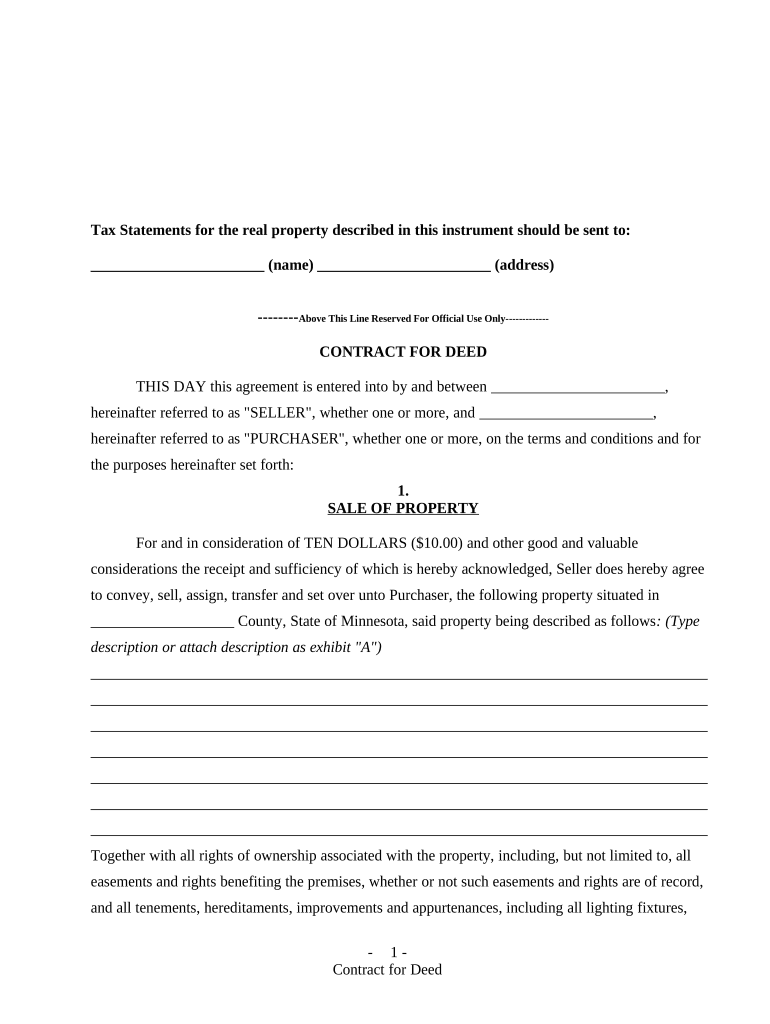
Click ‘Get Form’ to open the mn deed in the editor.
Begin by entering the name and address for tax statements in the designated fields at the top of the form.
In the 'SALE OF PROPERTY' section, provide a detailed description of the property being sold, including any easements or rights associated with it.
Next, fill in the 'PURCHASE PRICE AND TERMS' section. Specify the total purchase price and select your preferred payment plan from the options provided.
Complete sections regarding maintenance responsibilities, insurance requirements, and default conditions as outlined in the document.
Finally, ensure all parties sign and date where indicated at the end of the document. You can easily add signatures using our platform's signature feature.
Start filling out your mn deed today for free using our editor!
This is the official website of the Minnesota Unemployment Insurance Program, administered by the Department of Employment and Economic Development (DEED).Read more
Cookie consent notice
This site uses cookies to enhance site navigation and personalize your experience.
By using this site you agree to our use of cookies as described in our Privacy Notice.
You can modify your selections by visiting our Cookie and Advertising Notice.