Bankruptcy 2026

Get Form
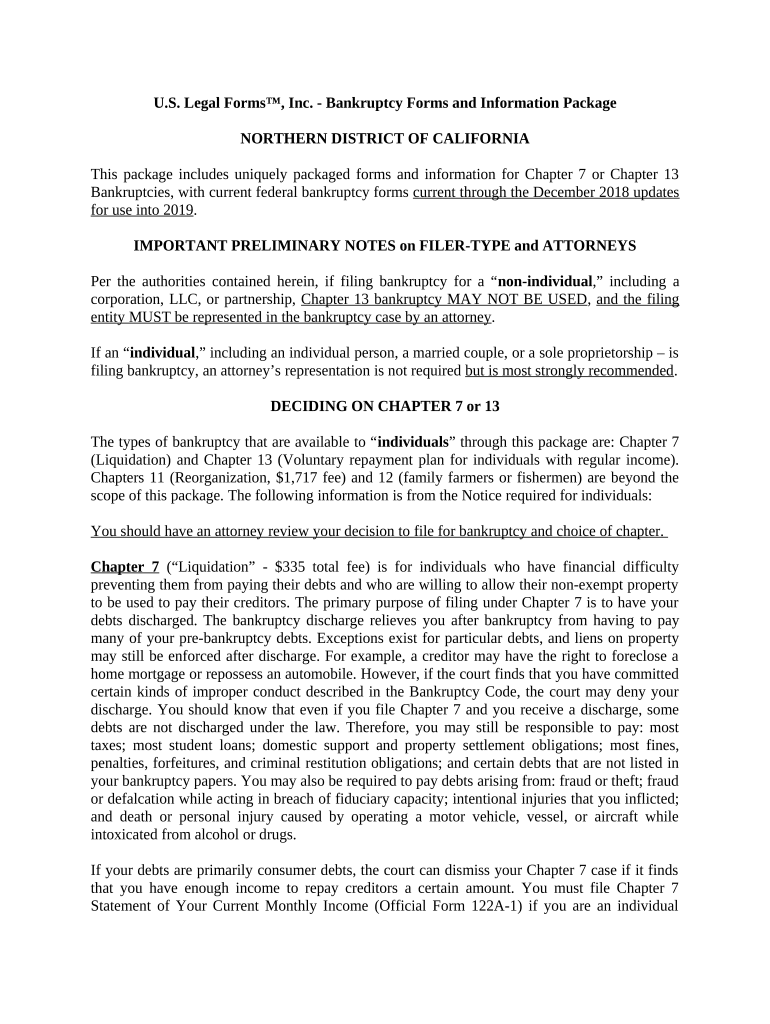
bankruptcy Preview on Page 1

Here's how it works

01. Edit your form online
Type text, add images, blackout confidential details, add comments, highlights and more.
02. Sign it in a few clicks
Draw your signature, type it, upload its image, or use your mobile device as a signature pad.
03. Share your form with others
Send it via email, link, or fax. You can also download it, export it or print it out.

How to Use or Fill Out Bankruptcy Forms with Our Platform

Form edit decoration
9.5
Ease of Setup
DocHub User Ratings on G2
9.0
Ease of Use
DocHub User Ratings on G2
  1. Click ‘Get Form’ to open the bankruptcy form in the editor.
  2. Begin by selecting whether you are filing for Chapter 7 or Chapter 13. This choice is crucial as it determines your repayment plan and eligibility.
  3. Fill out the personal information section, including your name, address, and social security number. Ensure accuracy to avoid delays.
  4. Complete the financial information section. This includes detailing your income, expenses, assets, and debts. Be thorough; this data is essential for determining your eligibility.
  5. If filing under Chapter 7, complete the Chapter 7 Statement of Your Current Monthly Income (Official Form 122A-1) to assess your income against state median levels.
  6. For Chapter 13 filers, draft a repayment plan outlining how you intend to pay back creditors over time. Include all necessary details for court approval.
  7. Review all entries carefully before submitting. Utilize our platform’s editing features to make any necessary adjustments easily.

Start filling out your bankruptcy forms today using our platform for free!

be ready to get more

Complete this form in 5 minutes or less

Get form

Got questions?

We have answers to the most popular questions from our customers. If you can't find an answer to your question, please contact us.
Contact us

Sure, and it’s really straightforward! DocHub is an online PDF editor with advanced document management functions that allow you quickly edit your documents, complete blank fields and drop new ones for other people to fill out, and create electronic signatures in several ways. Add your bankruptcy, give information as requested, and choose how you want to eSign your template - by typing your name, drawing your signature, uploading its image, or using a QR code.

Having a swift editing platform like DocHub, you do not require anything but a browser and connection to the internet to edit your bankruptcy on the internet easily. Add your file or find the relevant form in DocHub’s catalog, open our editor with one click, and complete it digitally. To revise your forms at any time, register a free profile with DocHub.

You can lose some of your assets. Regardless of which type of bankruptcy you choose, you may need to sell off some of your assets to cover payments. That can include things like non-retirement investments, jewelry, furniture and more.
Bankruptcy is a great way to get rid of credit card debt, medical bills, and personal and payday loans. But bankruptcy cant wipe out recent income tax you owe, alimony, child support, or debt incurred from illegal acts (embezzlement, larceny, etc.).
Dont worryyou wont lose everything in bankruptcy. Most people can keep household furnishings, a retirement account, and some equity in a house and car in bankruptcy. But you might lose unnecessary luxury items, like your fishing boat or a flashy car, or have to pay to keep them.

Security and compliance

At DocHub, your data security is our priority. We follow HIPAA, SOC2, GDPR, and other standards, so you can work on your documents with confidence.

Learn more
ccpa2
pci-dss
gdpr-compliance
hipaa
soc-compliance

People also ask

Chapter 7 bankruptcy is a legal debt relief tool. If youve fallen on hard times and are struggling to keep up with your debt, filing Chapter 7 can give you a fresh start. For most, this means the bankruptcy discharge wipes out all of their debt.
Most people who file Chapter 7 are able to clear their debts. Most filers keep all their property, including household goods and vehicles. You can retain your bank accounts and continue to access (and rebuild) your credit.
The main cons to Chapter 7 bankruptcy are that most secured debts wont be erased, you may lose nonexempt property, and your credit score will likely take a temporary hit. Filing for bankruptcy is a very effective way to eliminate debt and get a fresh start.

Related links